
Hello everyone, welcome back! This fortnight I’ve been made more major pushes forward on the player’s journal for 0.11, including finishing absolutely everything except one aspect of the factions pages which I’ll be able to integrate some point in the next few months. I’m super pleased with this and in particular how the padlock pages now work (which I honestly think is incredibly cool), and so here I’ll outline some of the finishing touches, how things now look and work in their final version, and where this now (combined with the previous update) leaves us for the next few months of development work:
Finishing Narrative Pages
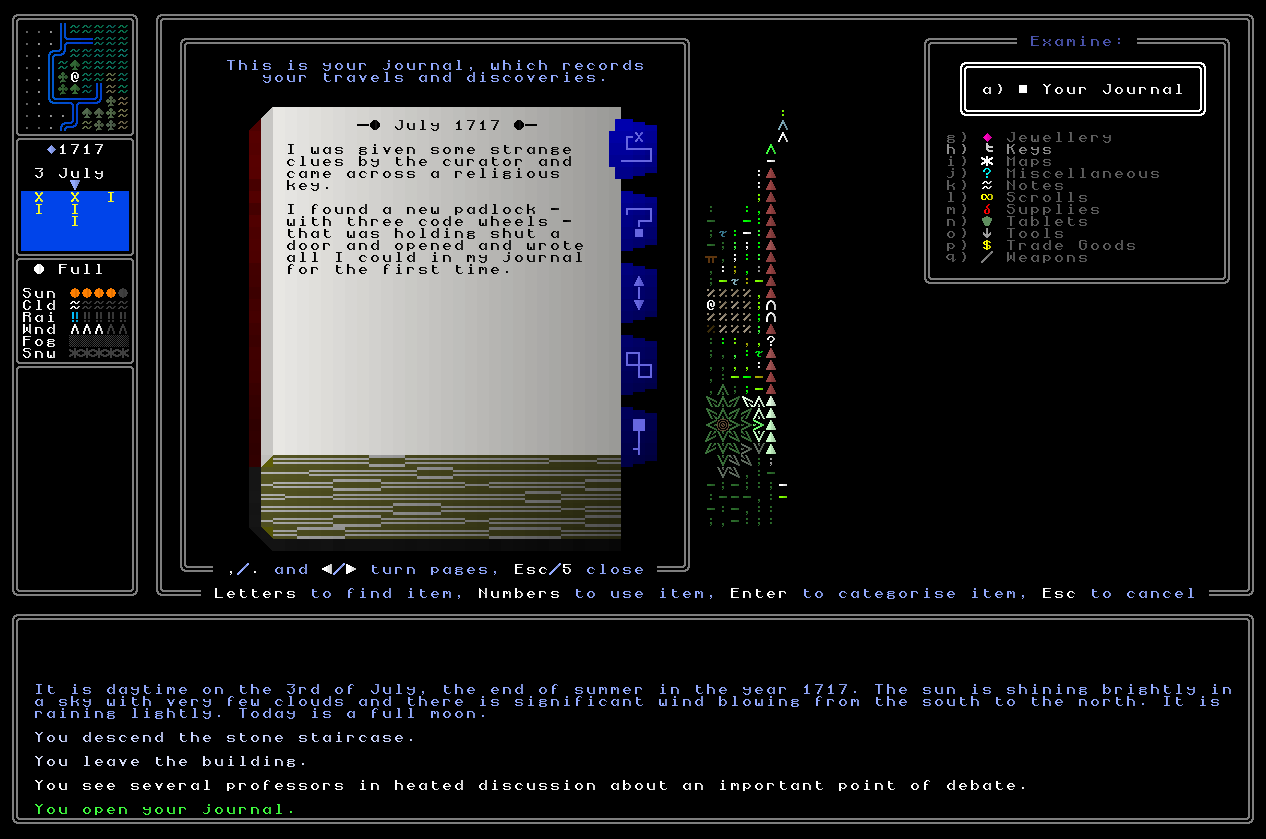
First, and although in many ways these were mostly finished beforehand, I have done some more work to get these absolutely done, and at this point I can say there’s nothing more needed on the narrative pages for the forthcoming 0.11 release. One step was to slightly simplify some of the programming-like logic that tracks previously statements in the narrative pages and integrates future statements alongside them – for instance, I was trying to have it say “I returned to X” or “I once again departed Y” or “I again left that place” and the like for repeated entrances and exits, but the logic was increasingly spiraling and becoming a little bit unwieldy as a result of my decide to make the overall writing just fractionally more “human”. Instead, I’ve got rid of this, and the journal now just always says the name of the place you’ve arrived at or the place you’re leaving, and it’s honestly a lot clearer for it. Yes, this does mean a player can choose to rapidly arrive at and then leave a given location in order to generate a slightly amusing journal page constantly saying “I departed X”, “I arrived at X”, “I departed X”, “I arrived at X”, and so on, but I don’t think that’s a major problem, and there isn’t really much I can do about it anyway. With that changed, I’ve also added in functionality for registering some of the other stuff the player might be able to encounter in 0.11 but which isn’t currently appearing properly in the journal. These were important additions since even if the things they’re mentioning are not important for gameplay now, they will be in the future, so it seemed sensible to get all this included now so that I can move on from the journal’s narrative pages and more fully focus my brain and my energies on other things. I’m now confident that the narrative pages should properly and usefully describe pretty much everything that the player is currently able to do, and also contains significant hidden groundwork for future features coming down the line as well. A great success!
Finishing Connection Pages
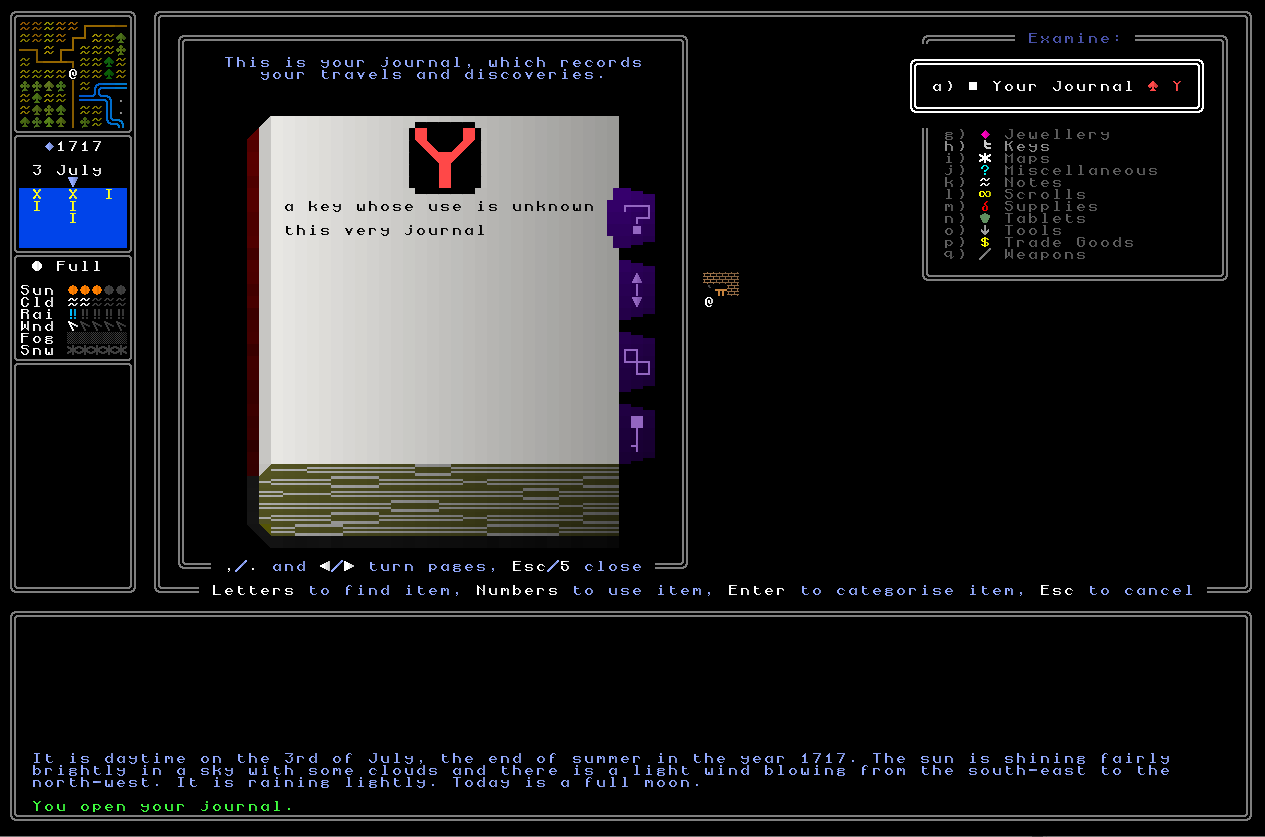
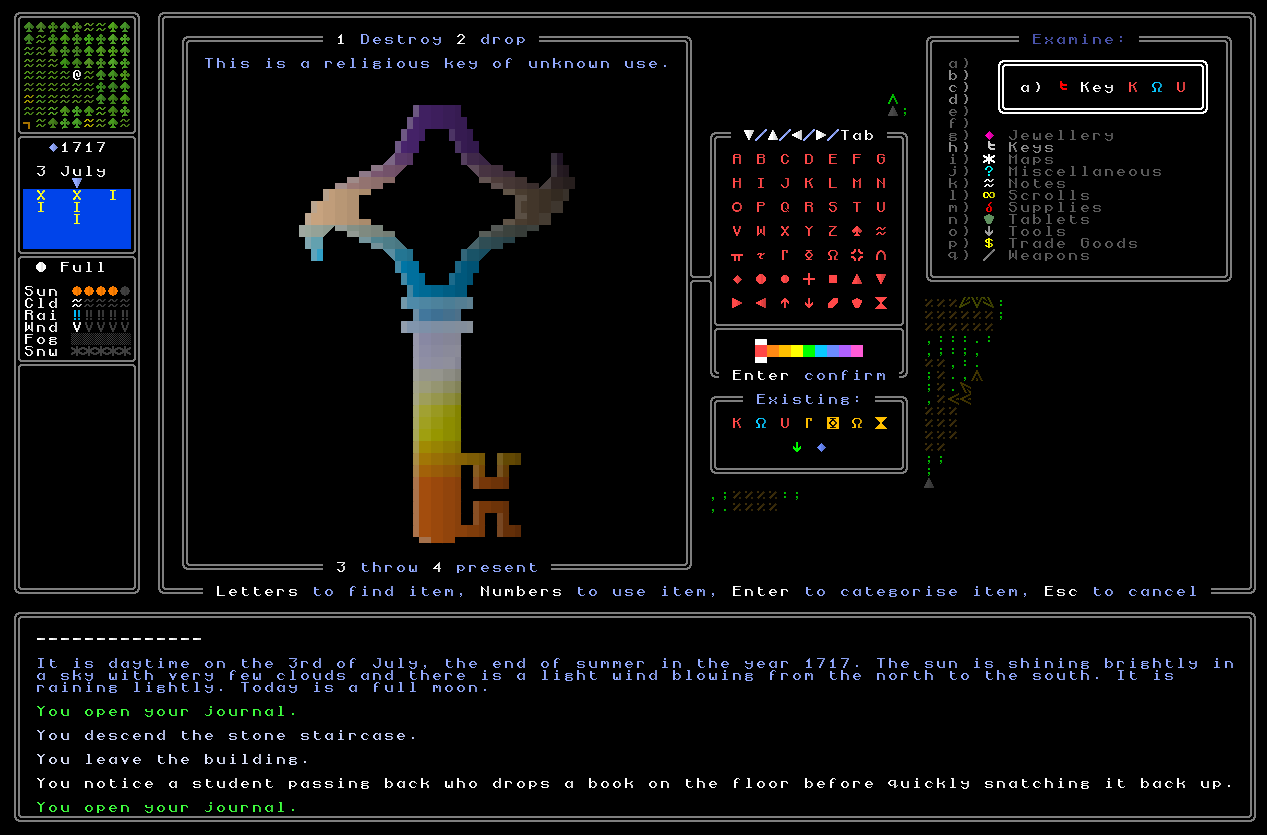
Next, the connection pages (and their associated user interface(s)) needed finishing. Right now I have the player able to code and categorise the items in their inventory and those will appear on the connection pages with the symbol the player has used to group them together, adn that;’s excellent, but there is a fair bit that still needed doing. For starters, choosing a symbol that has been used for that particular item will now remove that item from that categorization. So what I mean by this is that if you have an item and you think it’s going to be related to a bunch of things, and you use the categorizing menu and select a red “1”, if you then go back later on and again select a red “1”, that item will be removed from that category. This is obviously pretty important here since there will certainly be times when a player things something is related to something else or some other group of somethings, and then subsequently discovers it isn’t, and doesn’t want that particular item clogging up their journal as they’re trying to keep track of what’s going on. This turned out, however, to be a strikingly complicated bit of code, since it needs to be able not just to remove the appropriate tag from the item in question – which is simple and the work of about one second – but also to remove it from your journal, which is rather more complex. I had to design a special function that looks into the book, searches through your categorization pages, figures out which page is talking about the categorization you’re removing the item in question from, and then removes that while leaving everything else intact. This might sound trivial but it did actually require a solid bit of cleverness to ensure it always found and removed the right item (and didn’t remove that item from another category, nor remove the wrong item from the right category), and not knacker the rest of the pages in the journal, but this now seems to work correctly. The only question now is what happens if you have an empty category; for now I’m just going to leave the category in, but maybe the page should be removed? I’m not sure on this one, as both options have a degree of logic to them. Or maybe the compromise is lose the page, but keep the code in the coding screen? Hmm…
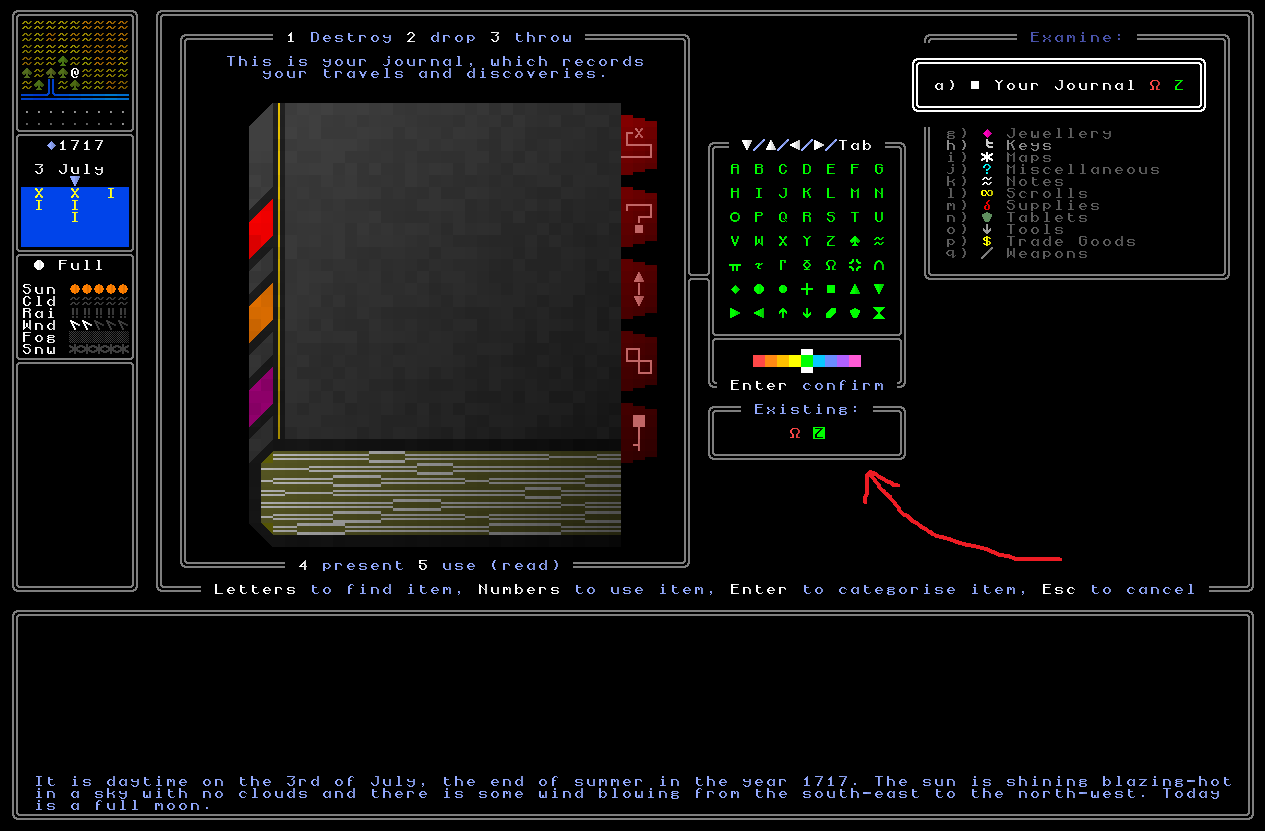
Secondly, I’ve also improved and I think finished off the user interface for categorizing items. The main part of this was enabling you to scroll down to the list of categories which have already been used and interact with those as well as the default set, because I didn’t want the player to have to dither around every single time relocating the right symbol and colour, and thus can instead just go straight to the list of stuff they’ve already used. The player’s selection / cursor can therefore now move down into these, and indeed it now remembers where the cursor was last time the player was doing something, and starts the cursor off there when you next enter the assigning-a-code screen (on the logic that sometimes you’ll want to use the same code for item B that you just used for item A). This took a bit of handling in order to ensure the cursor moves logically around the screen here, especially since there might be any number of possible existing codes (well, for now, I’m capping it at 49, i.e. 7×7 like the main coding grid) and so the cursor needs to be able to sensibly find its way around. With that done, though, the player can now use this part of the user interface to quickly and effectively get back to a code they’ve already used, rather than having to use the larger grid to find where the character is again and cycle back around to the correct colour. This honestly makes coding a significant number of items at once into the same code a great deal easier – which I know first-hand from having tested exactly this – and as ever, I’m just trying to make the information-management stuff which is in game as smooth and usable as possible, rather than having the player rely on stuff outside the game. This, I think, is another small but useful step in that direction.
Finally, as a last note on this, there will definitely come a near point (maybe 0.11, maybe not) when as well as being able to press ‘i’ to access your inventory and categorize things, you’ll also be able to use some key function (‘m’, maybe, or ‘r’ for ‘recall’) to access your memory which will list every non-item thing of interest you’ve so far seen and looked at, and its location (e.g. statues, paintings, and in the future things like obelisks, cairns, stone faces, whatever else) and those can then also be coded and included in your list of related things (I’ll also add in a way for you to code padlocks too, which’ll probably be via the memory function as well if you don’t do it when you first look at something). You’ll also be able to categorize something when you first look at it simply by being in the looking window, e.g. you look at a padlock or a painting for the first time, think “ah ha, I know what this is about!” and then you just hit enter, pick the code, and you’ve got it immediately categorized into the right place. This is going to be an important thing, and this became clear to me when I was doing some playtesting and I realised that there was no way to add important locations into categories! I’ll also extend the functionality to the “bookmark” function as well, allowing you not just to place a bookmark anywhere you want but also to categorize that bookmark into one of the groups of things you’ve already put together. The good news, however, is that adding these functionalities will be really simple now I have everything in place, and won’t take long when the time comes. For now, though, all the item integration with the category pages is sorted, and working really nicely, and I’m very pleased with it all.
Finishing Faction Pages
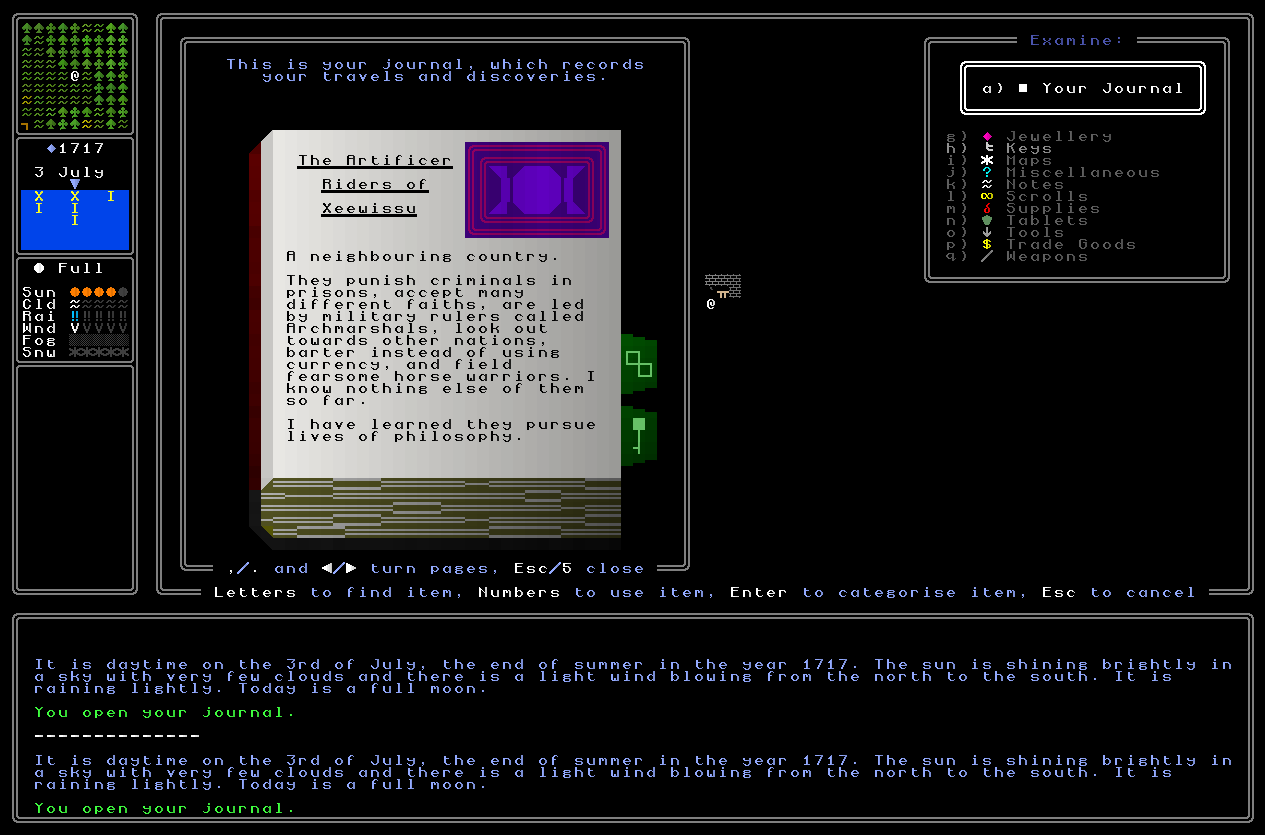
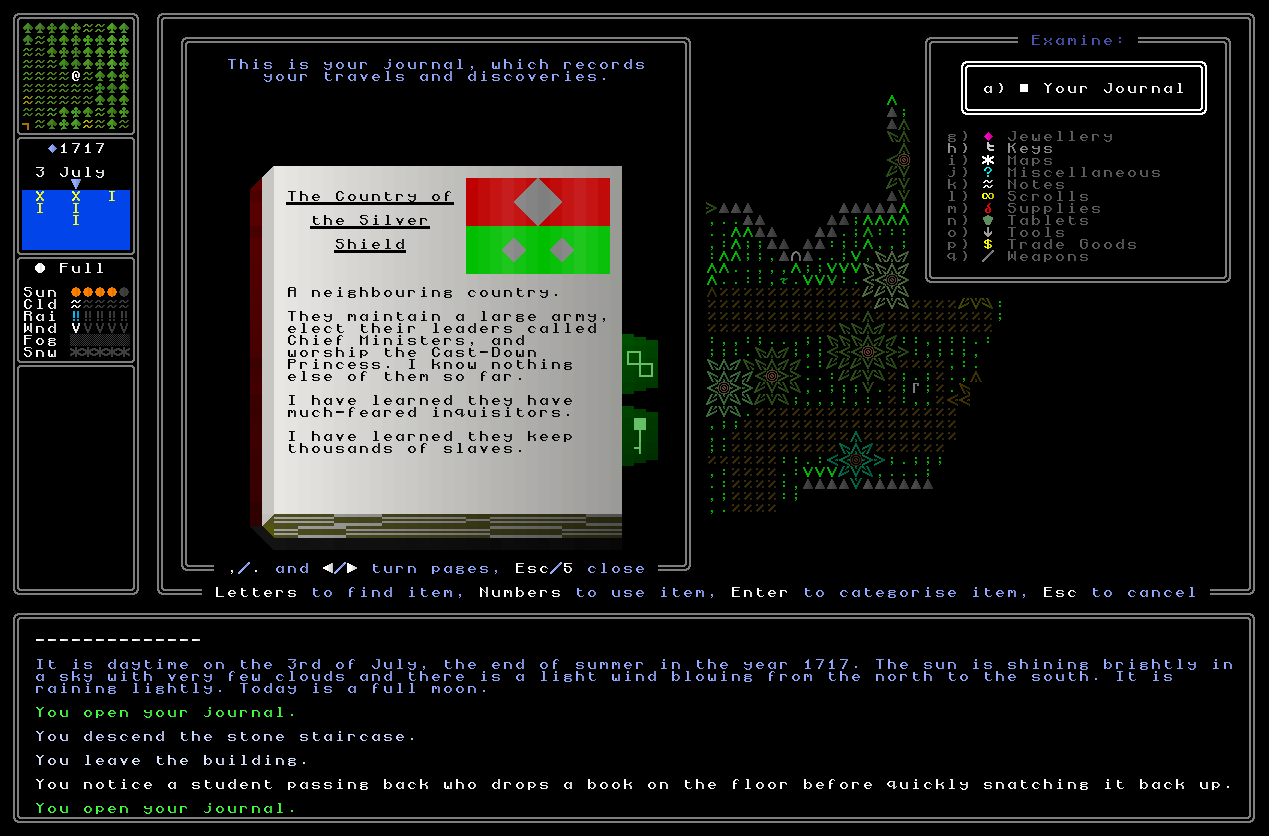
Next, I have finished off faction pages for both nations and religions. Each faction page starts off with the information your character would logically know at the start of the quest – they’ll know all the obvious information about their home nation, of course, and some information (but not everything) about neighbouring nations, and nothing about distant nations (or even their existence, of course). This is what’s put into these sections straight away, and for the neighbouring nations, a final line noting that there is certainly more to discover there has been added. These lines are the eight basic policy or trait elements of a nation, but also include the unique thing that nation has (e.g. they build pyramids, they smoke hookahs, they weave tapestries) which’ll be added in 0.12, but no harm in just getting the relevant code for that in right now as well. For all these neighbouring lands the entry then ends with a sentence along the lines of “This is all I know of them” or similar, and then from that point on, further information – or important events which happen vis-a-vis that nation – will also be included. For now I anticipate this only being information about the nation you’ve observed (e.g. the first time you see someone in shackles, you know this is a slaving nation, or the first time you see an Olmec-style stone head, well, then you know they really like building Olmec-style stone heads) and events that you take some part in that will have some bearing on how the nation might treat you (e.g. they see you wearing the religious garb of their most hated religion (bad!), or you return a national relic to the government (good!)).
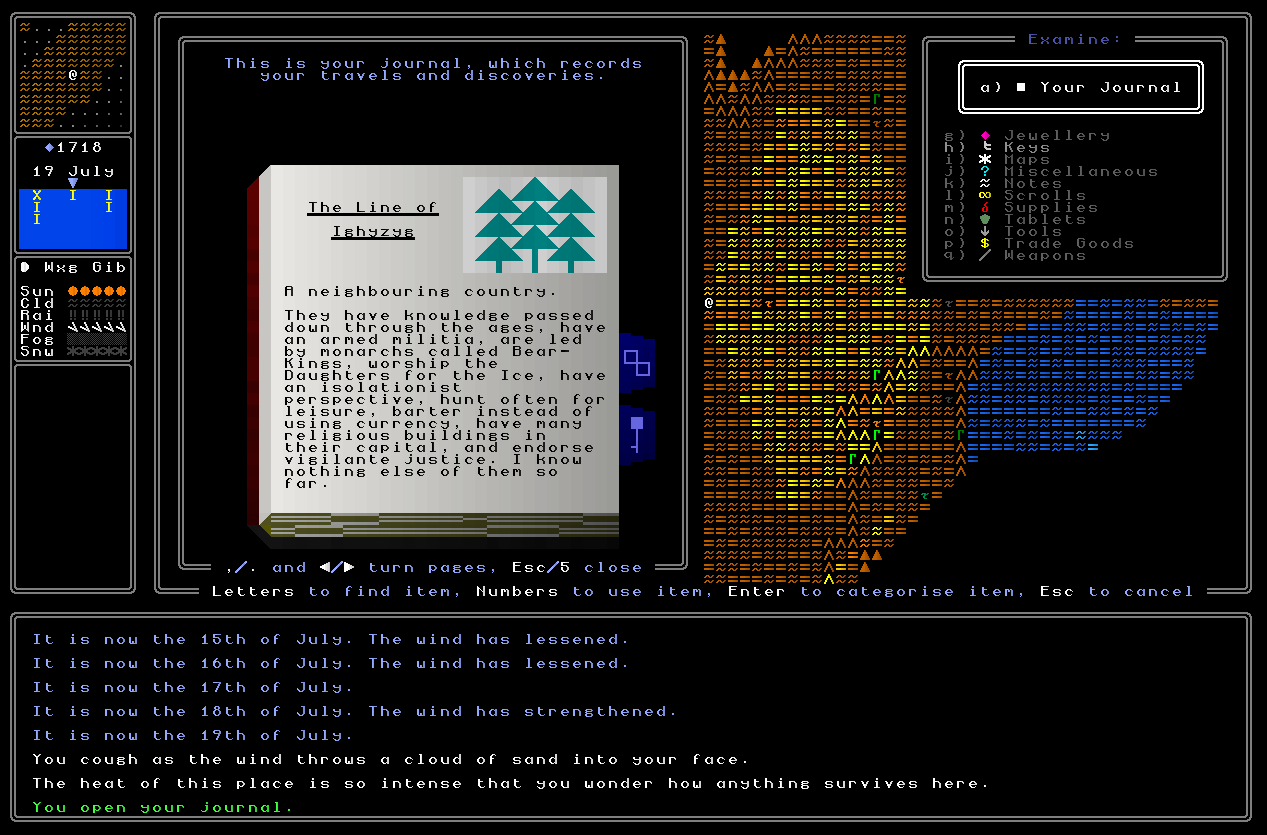
So, the main development here was to adjust some of the existing “discovery” code to instead add things into your journal, rather than the now-removed encyclopedia, whenever you first encounter them. This code now takes a look at what information has already been put into your journal about a given civilization, and if you have indeed just discovered something new, then it will generate an appropriate sentence and chuck into the journal to address the new thing you’ve just found. For example, if you are exploring an unknown nation and see a slave for the first time, and weren’t previously aware that this nation keeps slaves, then that would be added to the information you have in the journal about the nation. Again, this is about keeping to factual rather than interpretive things – stuff you might read about a nation’s history wouldn’t go into this part of the journal, but things you see with your own ideas (certain sorts of building, certain sorts of NPCs, and the like), will go in here. This now appears to be working quite nicely, and will indeed fill out this section of the journal as a player’s adventure progresses, alongside what was already there (i.e. existing nations you’ve already seen being present when you start the game). There’s also now code for adding in entirely new nations you discover, too, which is obviously rather important as well. With that said, one bit is missing from here for the 0.11 release, and that’s having religions as well as nations reflected in this area of the journal. A whole bunch of the foundational code for this is already implemented, but I just haven’t had the time yet to finish this off and polish it, and especially to make sure it says intelligent and sensible things for all the different kinds of religions, different sorts of gods, beliefs, and so forth. These pages will also later on include events related to a given faction – e.g. I pleased them by doing X, I angered them by doing Y – and, well, we’ll get to those later once they can actually happen! For now, though, I’m happy with how these pages reflect and update with the player’s current knowledge of the nations within a game world, and I’ll certainly be adding in the equivalent for religions at some point before too long.
Finishing Padlock Pages
The final step, then, is to ensure that the journal pages that note padlocks now correctly note padlocks, and always describe them absolutely precisely. This took a little bit of thinking and actually turned into a huge task, because despite having set up the system previously for the journal padlock pages, and the system for padlock generation, the integration of the two can often be a little bit tricky and take a moment to ensure both systems are both talking to each other correctly, and never making weird mistakes or generating bugs that I hadn’t previously anticipated or expected earlier in the development process. I therefore began here by removing all the placeholder stuff from the padlock pages to show off how they would work, of course, and created a new function – add_padlock_to_journal – which is going to be doing most of the heavy lifting here. The most obvious part of this function is the ability to describe precisely the nature of the padlock and then add that information into the journal on the appropriate page (and of course to add new pages when required). This will activate the first time the player looks at a new padlock they haven’t previously seen – so padlocks now each have an id, though that’s only for this function, and has no interaction with keys. This function therefore captures whether a padlock has keys and if so how many, whether it has code wheels and if so how many (and a loose sense of what they show, e.g. “the second wheel depicts animals”), if it has symbols and what they are (these are drawn recorded in the journal) and then creates some human-sounding sentences for these. As an aside – and I’ll say more on this in just a moment – creating systems that can create English sentences for any possible permutations of things which have a lot of possible permutations is proving to be a very time-demanding, but also very rewarding part of coding at the moment. This was present in the riddle generation work last year and is very present here too. So with these done, we might then get padlock info which looks like this:
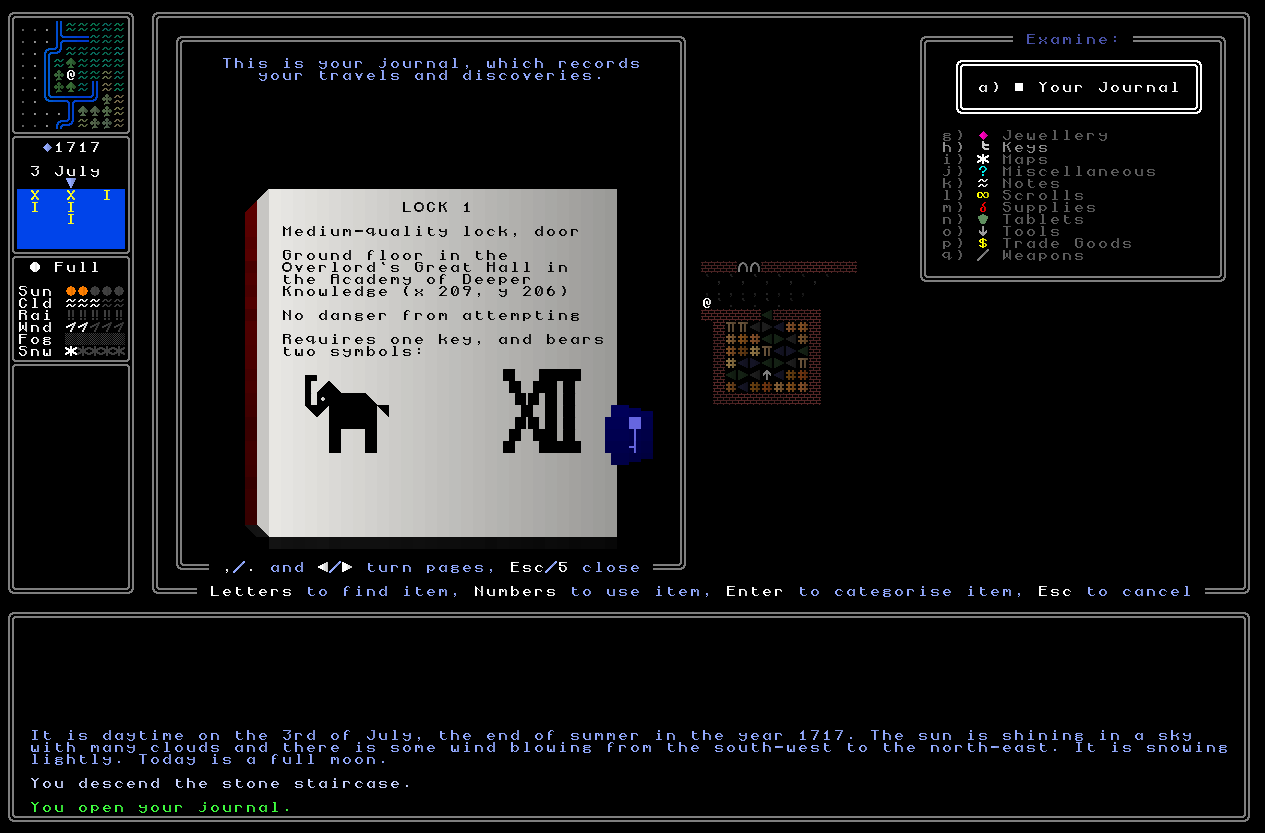
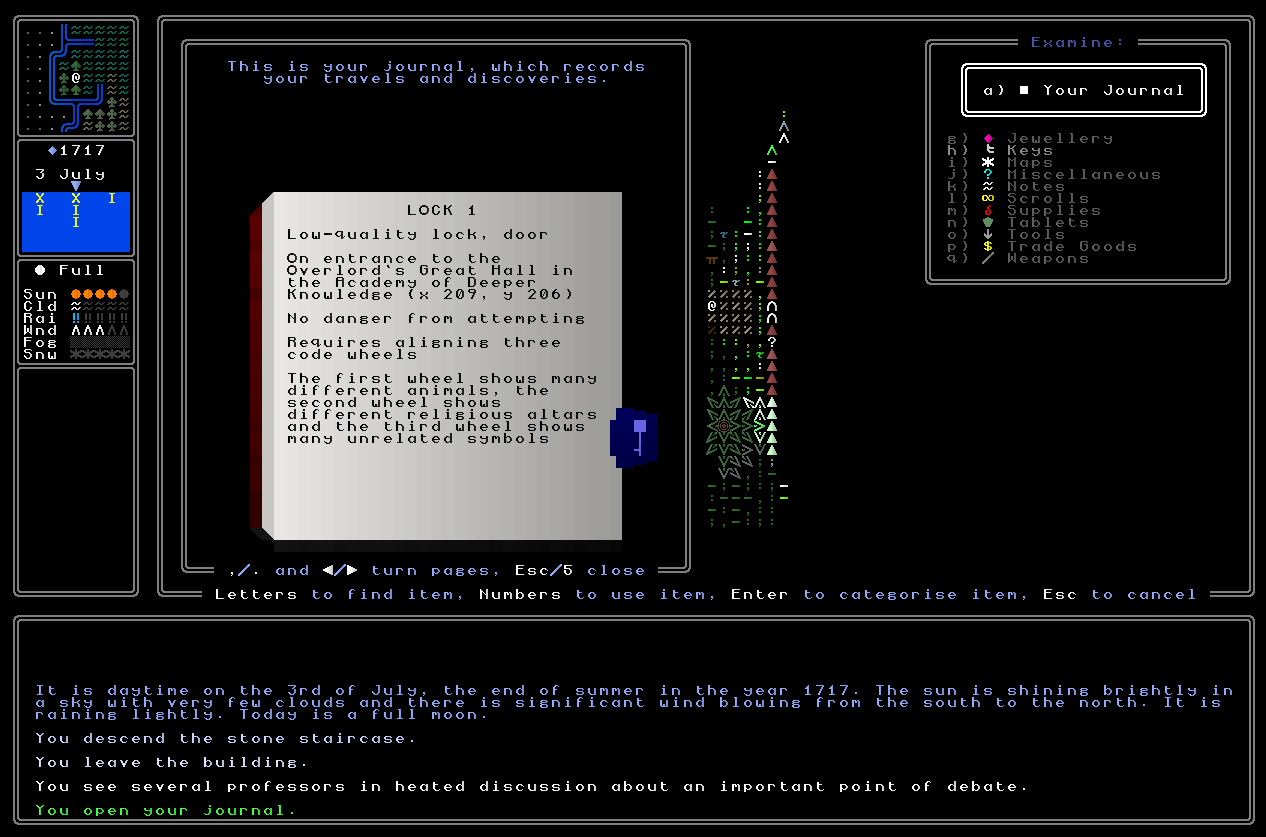
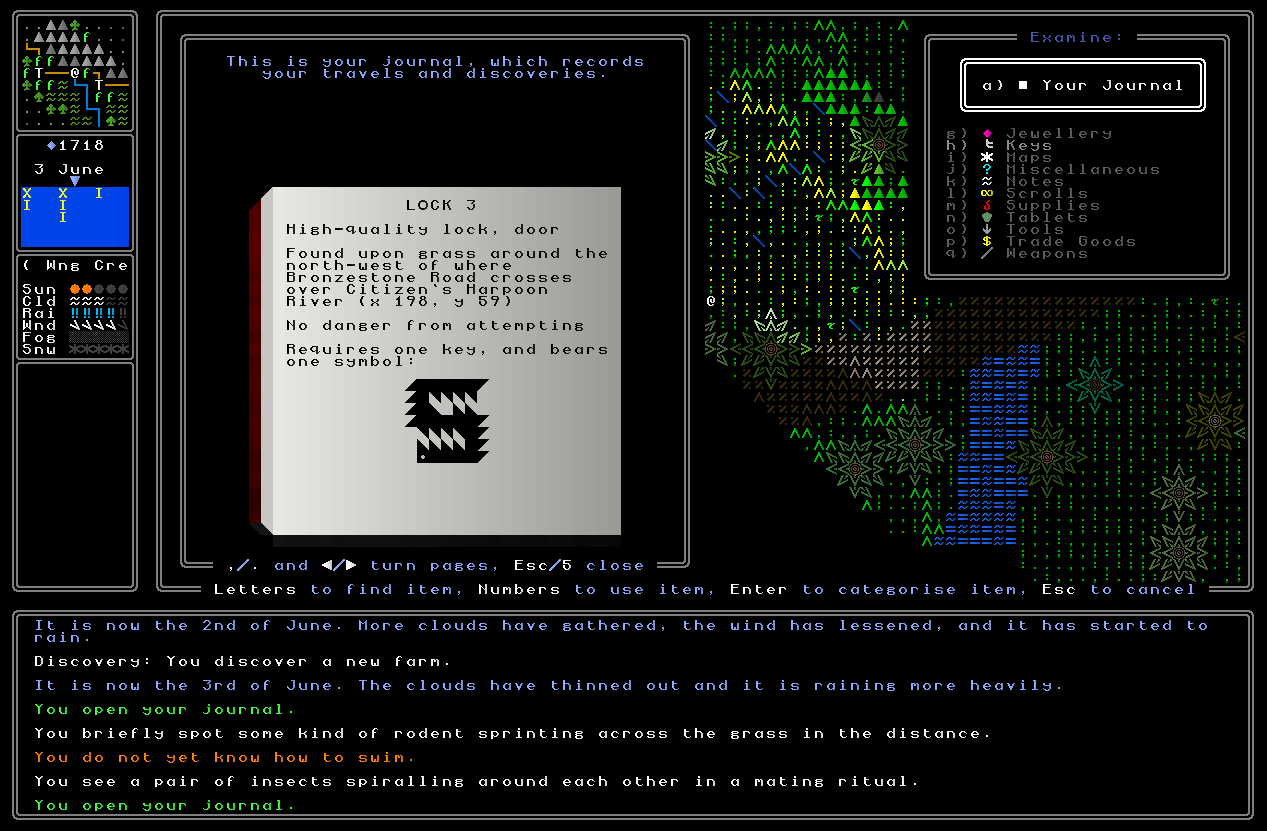
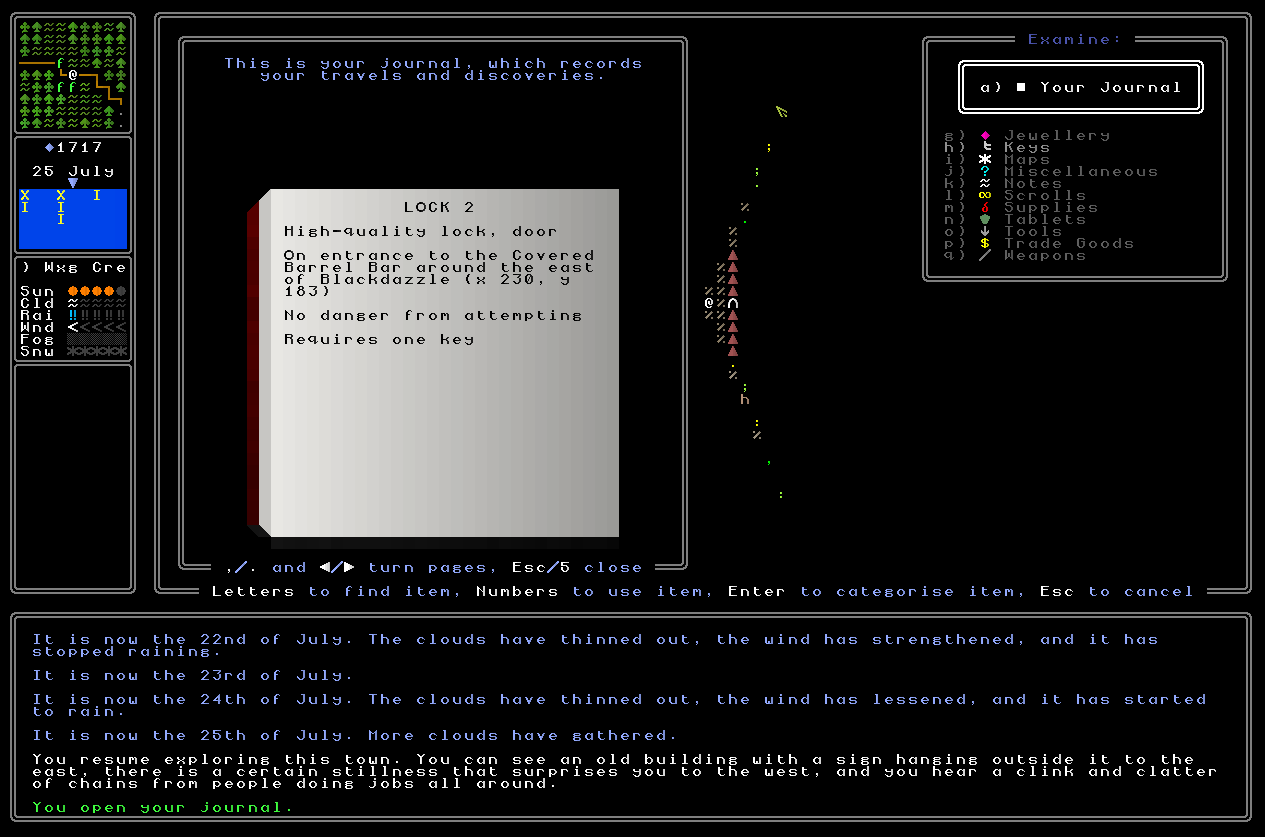
You’ll note there’s a bunch of other information there, such as whether the padlock is on a chest or on a door (and later I’ll add “trapdoor” into that list, which will essentially function as a locked staircase in practice). But even that stuff, however, is incredibly simple compared to the main sentence you’ll see in the middle, which describes precisely where that chest actually is within the map grid (and building if relevant) that you find it in. This has been consuming me for around a week in this last fortnight because this quickly turned into a really intellectually demanding (but also interesting and enjoyable!) task to set about tackling. Essentially I needed the game to always be able to take any possible location – indoors or outdoors, in the most bustling metropolis or the most barren desert – and generate a logical and grammatically-correct sentence to give the player, as succinctly as possible, the information they would require in order to quickly relocate that padlock whenever they might come back to it at some later point in gameplay. It turns out this is massive, but I’ve really enjoyed getting it to work (and having tested it extensively, I think every permutation is working now?). The first difference is for inside and outside; if inside, it’ll always say what floor of a building it’s on, what the building is, and where the building is (i.e. what settlement the building exists in). You can see this in the above screenshots, and this was certainly the easiest and simplest of the bunch, so this is where I started. The game obviously knows what building you’re in at any given time, and so I created a function to generate a description of each building type, i.e. taking the word “Tavern” as a variable and converting that to “the local tavern” – and so forth for every building. I also needed to have a list of how floors work in each building, since some have upper floors, some have basements, some have multiple upper floors, and so on, complicating a simple method of just saying floor 0 is always ground floor, floor 1 is always upper floor, and the like. But with all that done, the indoor sentences were sorted, and those only took around a day to get generating.
Far tougher, however, were the outside sentences, because so much more can be possible there, and also because they need to, in a sense, be more precise – only a handful of buildings are large enough to get lost in and most are small and can fit on the screen at any one time, whereas each map grid is 200×200 tiles. It’s fine to say a chest was on the ground floor or a 25×15 tavern, but just saying it’s on a 200×200 map grid somewhere isn’t very helpful – I needed more precision in these sentences. I decided to go with several layers here, beginning with information about what terrain a chest is on (if it’s a chest padlock) or what kind of building the padlock is in (if it’s a door padlock). The latter was able to reuse some of the former code, which was great, but the former was going to be novel. I built a system to look at all the terrain around the padlock, count it up, and create sentences like “on grass” if it’s only grass, or “amidst sparse grass and road” if, for instance, it’s by a road running through some savannah. The next step was to have it tell you roughly what part of the map grid it’s in, i.e. “in the north-west of” or “around the centre of” and similar phrases (which was trivial), but then the far more complex part was to ensure that it could correctly describe the map tile it was on. What if it’s a road running over a river? Or a corner of a large mountain? Or a swamp? I therefore then set about ensuring the game could intelligently describe the map grid as a whole, and the generator does now indeed take account of everything which could possibly be useful, as well as the bioregion. This might generate a line like “at the foot of Fear’s Precipice [a mountain] in the Weald of the Silver Fox [a bioregion]” to make very clear what map tile is being talked about here (as well as adding x/y coordinates, too). All of this, and making sure it always produced a sensible and grammatically-correct English sentence whether inside or outside, in a settlement or in the wild, turned out to be a huge task, but one I enjoyed a ton and has yielded a really cool end result. Super happy with this, and I think will be very useful for the player as well!
What next?
And with that – the journal is done for 0.11, aside from integrating information about religions into the factions area (a very small task). This is a big milestone, and I’m really pleased to see it in place. I’m now heading back into finishing the integration between padlocks and keys, and ensuring that both can spawn correctly, can talk intelligently to each other, and so forth, and then testing that I can spawn keys which do, indeed, open the locks that they would be supposed to open. Once that is finished we’ll have another major milestone sorted, and then once I’ve got religions also appearing properly in the journal, I’ll then be moving into working on actually generating the first riddle threads in-game. Aaaaah! Very exciting. Meanwhile the bug list continues to shrink, and whenever I next do a big bug-fixing effort I’ll probably release a 0.10.5, and at that point this new version of the journal – now completely finished – will also be playable. Until then, though, this fortnight’s work has been another excellent milestone. Thank you all as ever for coming along this journey, friends – please do leave a comment, share this around on the web if you think there are others who might be interested in this stuff, and I’ll see you all next week!
Great improvements to the player journal. Since player-directed categorization is going to be so important, it’s vital that the system work smoothly and intuitively. I particularly like the ability to create bookmarks/categories as soon as you see something new in the Look window, instead of having to dig through your journal and do it manually. This will be useful when looking at statues, tablets, padlocks, and so forth and make gameplay more streamlined. And the location descriptions and coordinates on the locks look like they came out great.
I played though 10.4d for a bit, and it’s looking good. I had no crashes and I didn’t see any obvious bugs. It was fun to look at various objects and talk to people, to see the journal in operation, and to wander around the world map and enter various locations. I’m excited to get see the riddles in 0.11!
Thank you crowbar! I do think the new streamlining is really good and it’s responding well in my initial playtesting as well, though I’ll obviously be needing plenty of feedback from others as well in 2026 as 0.11 finally nears (he asserts, confidently). Now I consider it, that ability to code things which aren’t items will actually be relatively simple to implement, so I should be able to get on that before too long, and I’ll definitely be able to include that in 0.11.
Fantastic news on 0.10.4d as well, I really appreciate you giving it a spin, and that’s excellent news that nothing too heinous or game-breaking occurred. Excellent news!