
Hello everyone! It is with great pleasure that I can say the last fortnight has been one of my most coding-productive in years. A number of major tasks that I thought would take many days of work in fact took me only one day (or even just hours) of focused work, and as a result the current version of URR on my machine has absolutely leapt forward in ways that I thought were going to take me far far longer – and, suddenly, I begin to see the game actually appearing here and poking through the weeds. It’s very exciting now I’ve got some absolutely core functionality integrated, and it’s working, and it appears to be bug-free based on all my testing, and gigantic strides in possibility have now been taken as a result. So, let’s get into it:
Doors, Chests, and Locks
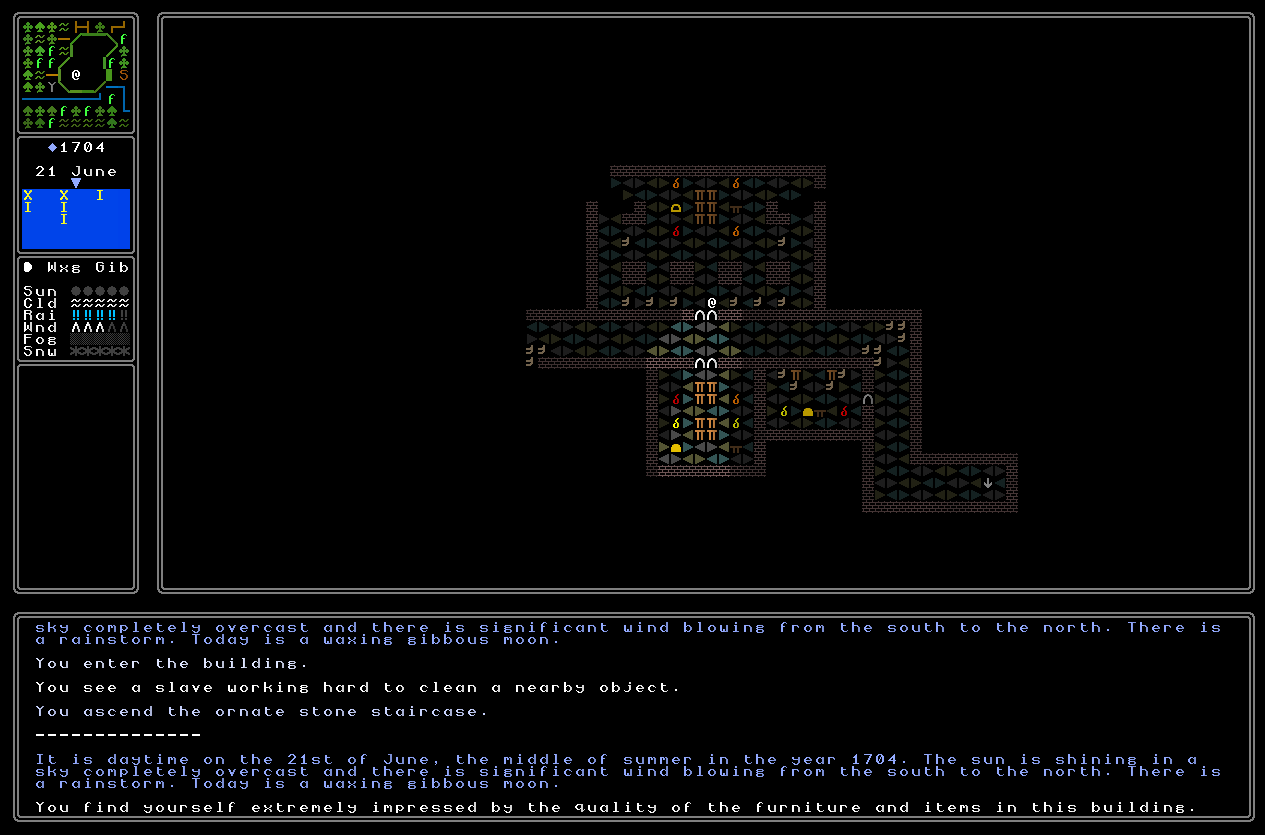
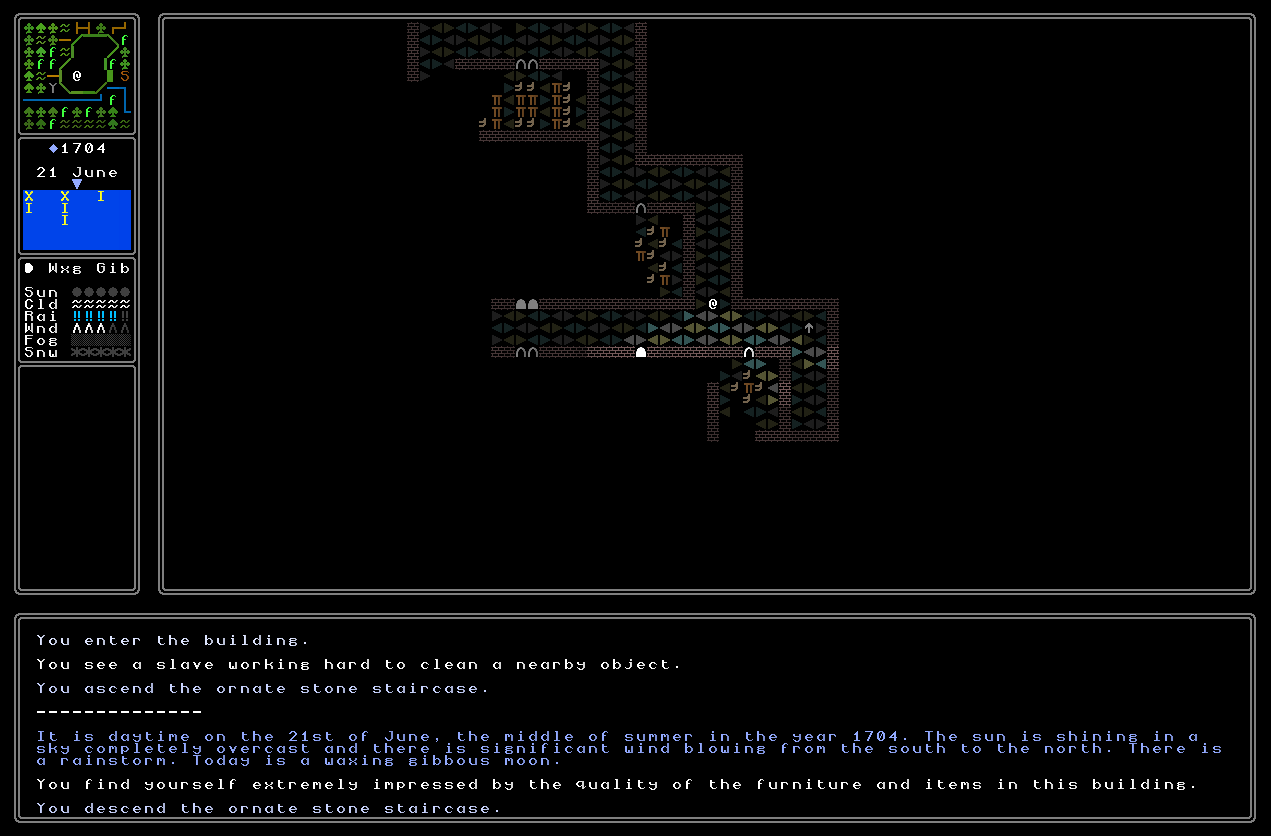
The first thing was to get padlocks spawning, and interacting correctly with doors and chests. Readers might remember from a recent entry that I noted we now had rthe game using the two door characters correctly, i.e. the sort of “open” door symbol for an unlocked door and a “closed” door (i.e. filled with colour) symbol for a closed door. This made it apparent that I immediately needed to create two for chests, which I did, and they look sort of like doors except shorter, and closed off at the bottom instead of open at the bottom (you’ll see these characters in the gif at the end of this entry). These look really good, and very clearly different from doors. The next objective was implementing code such that all chests and doors spawned with the open symbols always, and then only if you spawned a padlock on top of them, they would automatically change to the closed symbol. This didn’t take long, and then I needed to implement some code which would adjust these depending on the actions you’re taking, so that when you open a padlock the graphic on the world map correctly updates, and the same goes for when you close a padlock that was previously open. I did have an interesting moment here where I considered using the symbols not to mean “open” and “locked” but instead to mean “you have the key or combination” and “you don’t”, but upon consideration I decided the former made more sense. There aren’t going to be too many scenarios in which you’re going back to the sites of previous successes, as far as I can think, and it gives easy visual recognition that even after looting a chest, for instance, you have returned the chest to a closed and padlocked state (presumably in the hope of the acquisitions not being noticed!). With this in place, I could move onto thinking more fully about ensuring chests, doors, padlocks, and keys are all interacting correctly – but there was a problem to resolve first.
Chests
Specifically, this was the issue of how chests actually look in-game. The old system produced chests that looked okay, generally speaking, but it could also create some really visually unpleasant chests as well and I was struggling to accept these being in the game. Longer-term readers will remember that in the last year or so I’ve been in the process of replacing some of the older image generators with newer ones, and some of the standouts in this regard have been things like updating beds to the new quality of ASCII / ANSI image generators I now have the skill to create. This at first wasn’t a first-rank priority, of course, though there have been quite a few image generators that just weren’t up to the standards I now have – but it also soon became clear I actually wouldn’t have been able to get everything else done, later on, without getting this done first. For a while now chests have been floating right on the margins, or the borderline between what I’d consider acceptable and not. The problem was that I decided on a particular visual perspective for them which, technically, wasn’t even a three-dimensional perspective (for those interested in this stuff, a lot of URR’s graphic generators use an oblique perspective, while plenty are isometric or dimetric, depending on the requirements of the item and the way I think I can best render it and ensure the generator can in a useful and interesting way vary the items between different instances). This really limited the ability to depict chests with certain shapes of lid, especially the “square” and “cross” shapes. Another issue came from the colouring of the chests, with some colour schemes looking, let’s be frank, just a great deal nicer than the others. As such, while a chest like this…
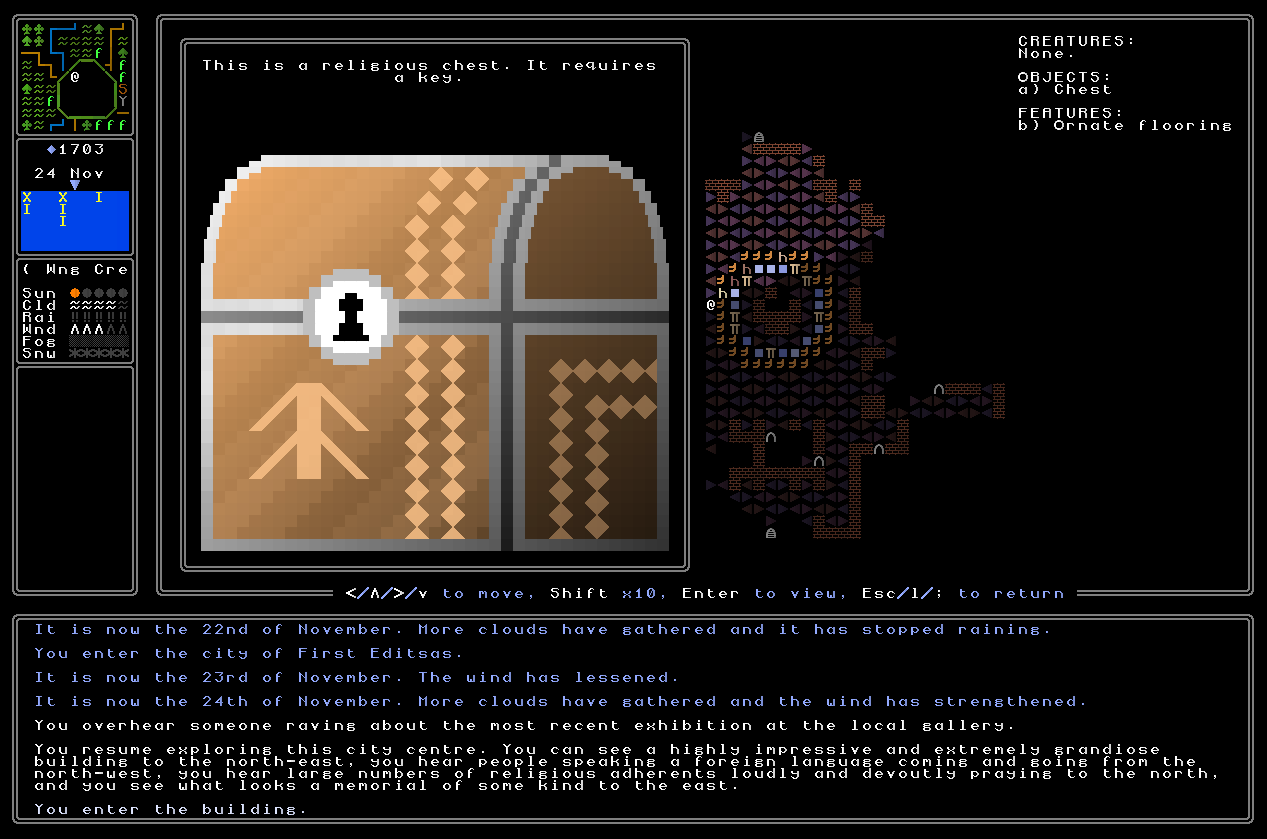
…was good enough to be going on with (even if not as polished as some of the other graphics), chests like this…
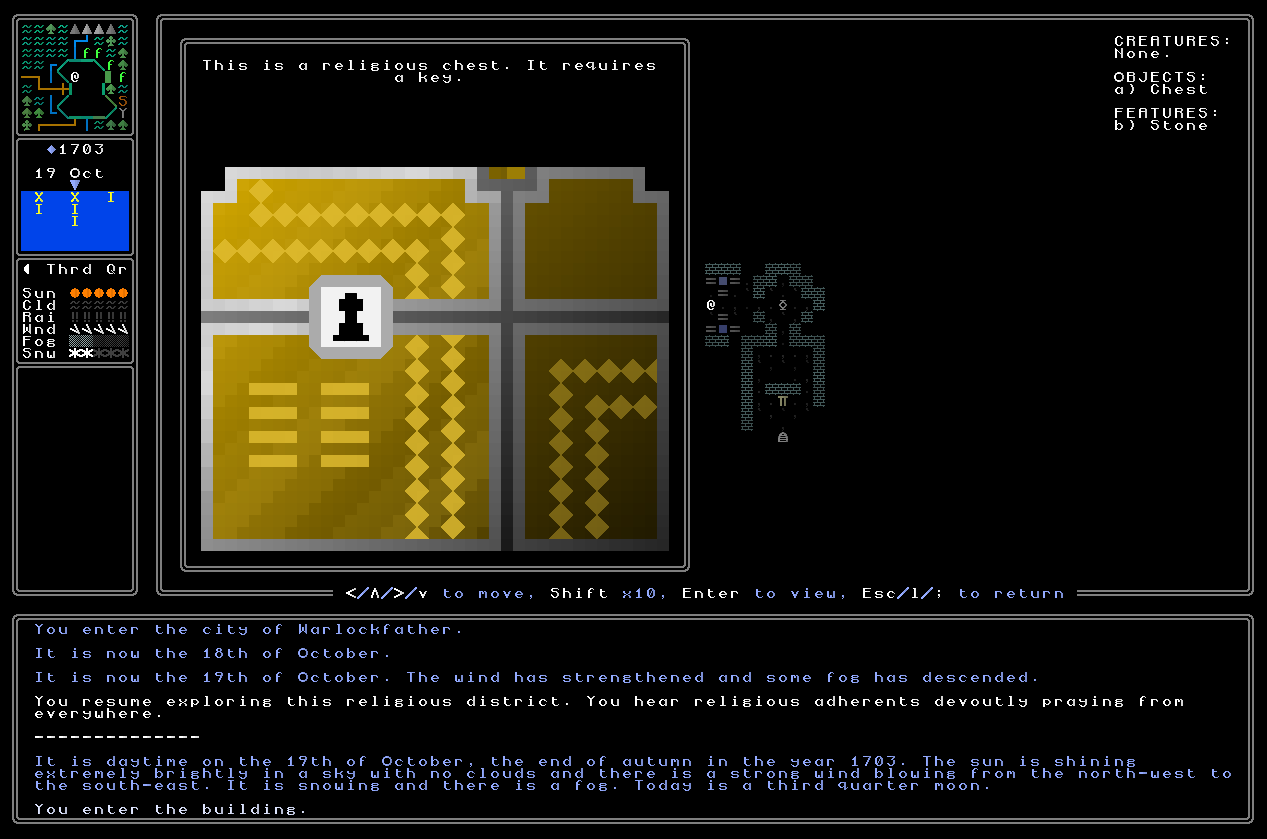
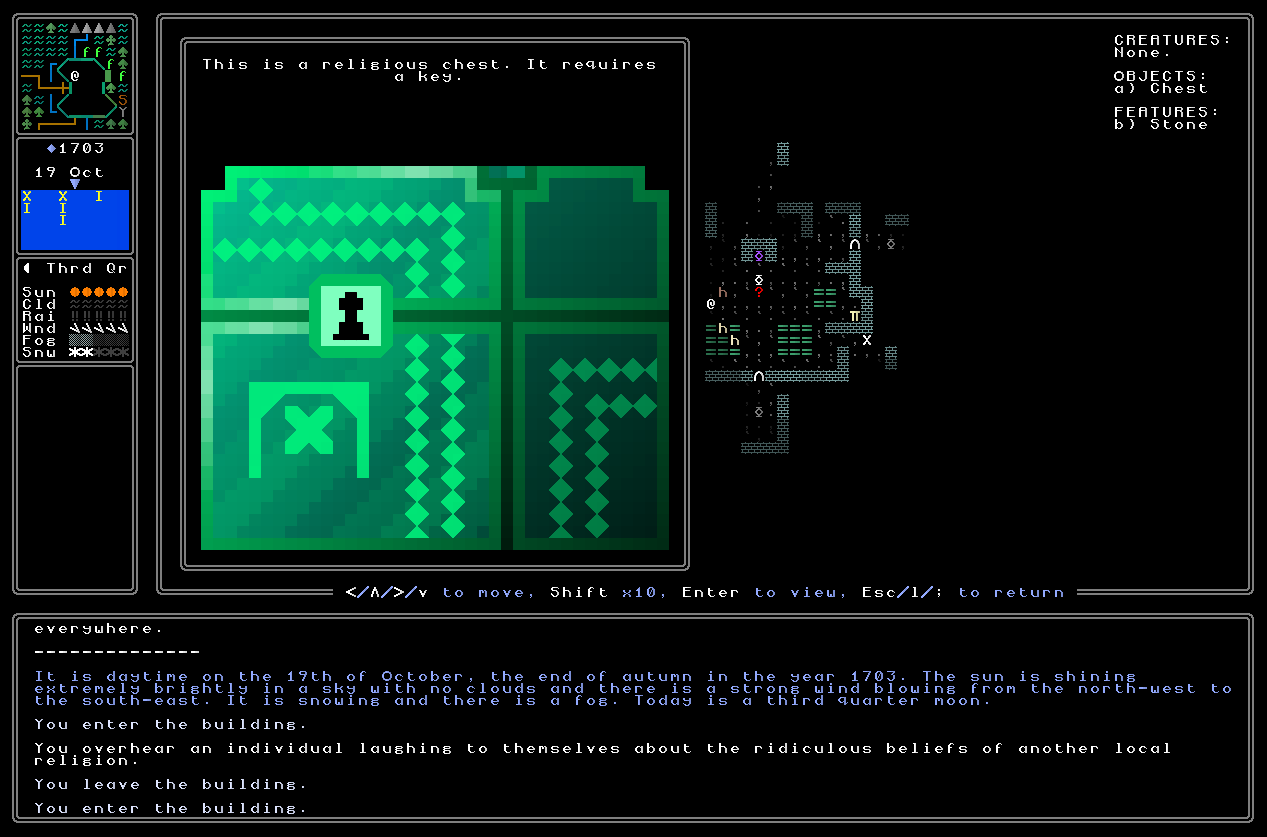
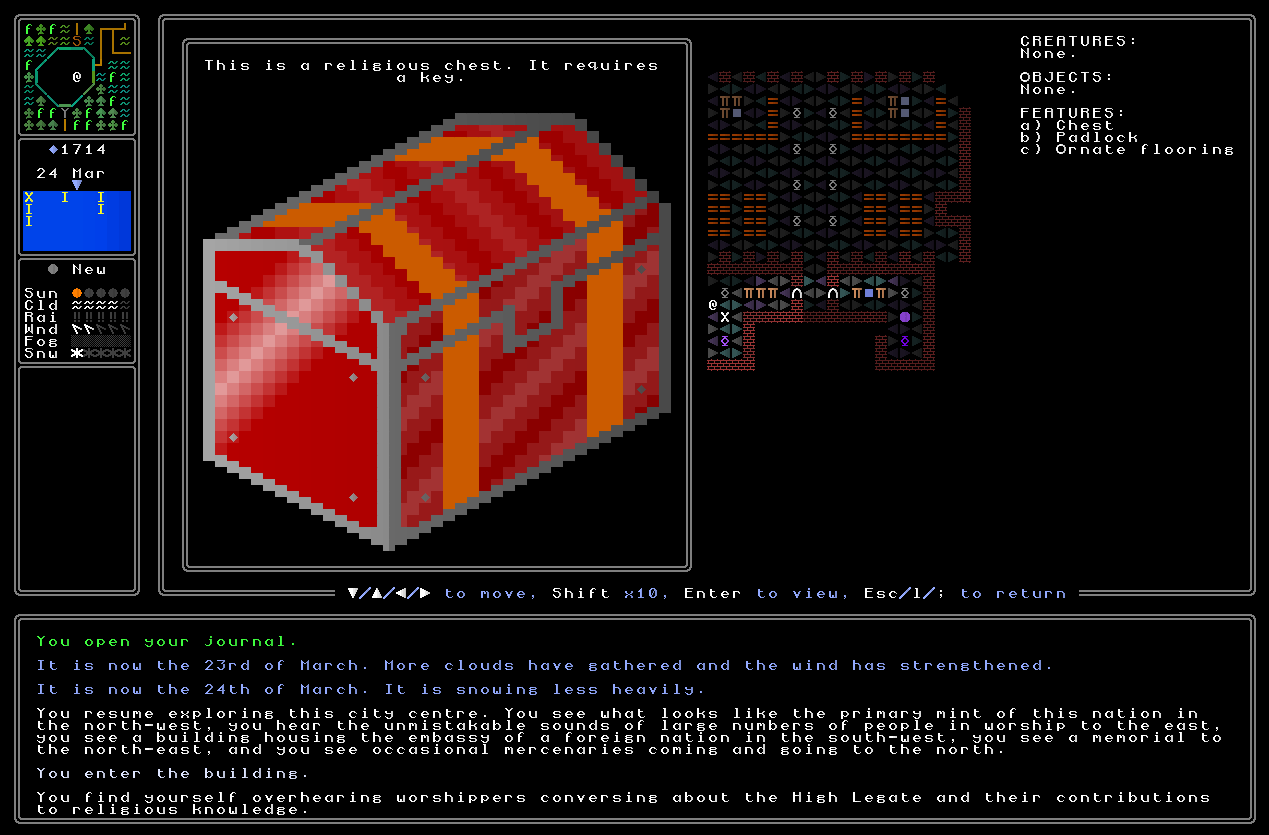
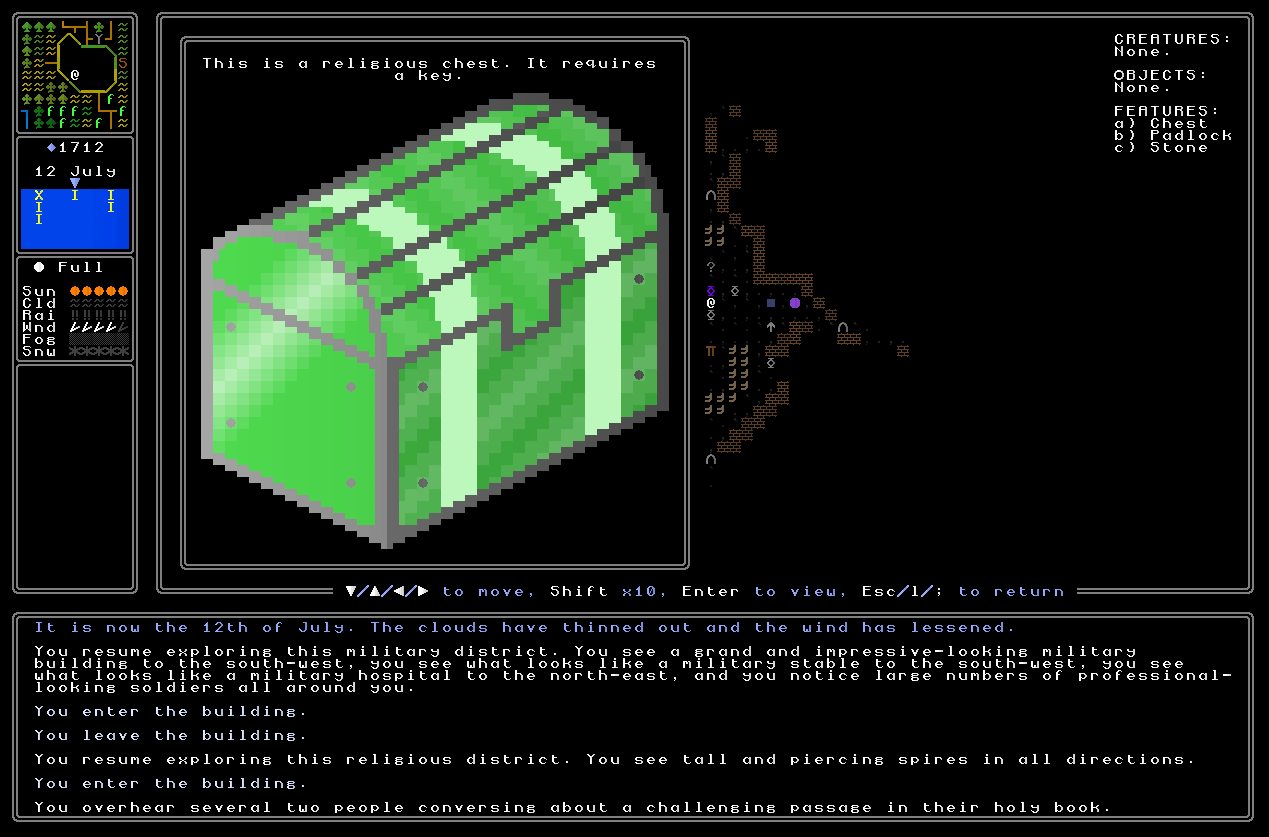
…were not. Gross two-dimensional trash! I just couldn’t find a way to improve these, and even the “better” ones weren’t exactly world-class winners either – they all just look so flat. So, I decided to totally redo chests (this was also because the lack of three-dimensional visuals made some chest variants here look oddly flat, as well as causing broader aesthetic issues, and this was really niggling at me as well). I decided this time to properly create a generator that would be able to draw a suitably large variety of chests in, this time, an isometric perspective, and still have place and space for me to add variations depending on the shape preference of the civilization who made the chest, the nature or quality of the chest (high quality, low quality, religious, etc), and all the usual things I wanted. This actually didn’t take long to create in its most basic form, and although it took a while to find precise colours for gold and silver that really worked well with the chests’ overall aesthetics – and it’s always a fairly time-consuming thing to apply a wood texture, in this case for the lower-quality chests – I soon had this done too. I then added some shape variations for the lids of the chests, added a whole bunch of variants for lighter and darker colour patterns on the chests, made sure that religions could still generate chests that were appropriate and logical for their belief colours, and then we had a new chest generator! During this process it also become clear to me, honestly, that chests are just by their nature not a super interesting object (in the abstract, Platonic sense) – especially in a game with no fantasy or supernatural elements, so I can’t have flaming chests or whatever – and the best I was going to be able to do here would be something that looked solid and decently interesting, and fit into the broader aesthetic, even if these are never going to be as exciting as weapons, or religious relics, or book covers, or whatever else to look at. Anyway, with these done, I’m now finally happy with how chests look, and that leaves the remaining furniture (chairs, tables) and a few textures (generally for hunter-gatherer civilizations) which are still “old” quality rather than “new” quality – and those are just the tail end of a huge list of graphics generator updates in the past year or two, ensuring all will soon be at an acceptable standard. Progress! Here, then, are some examples of the three main qualities:
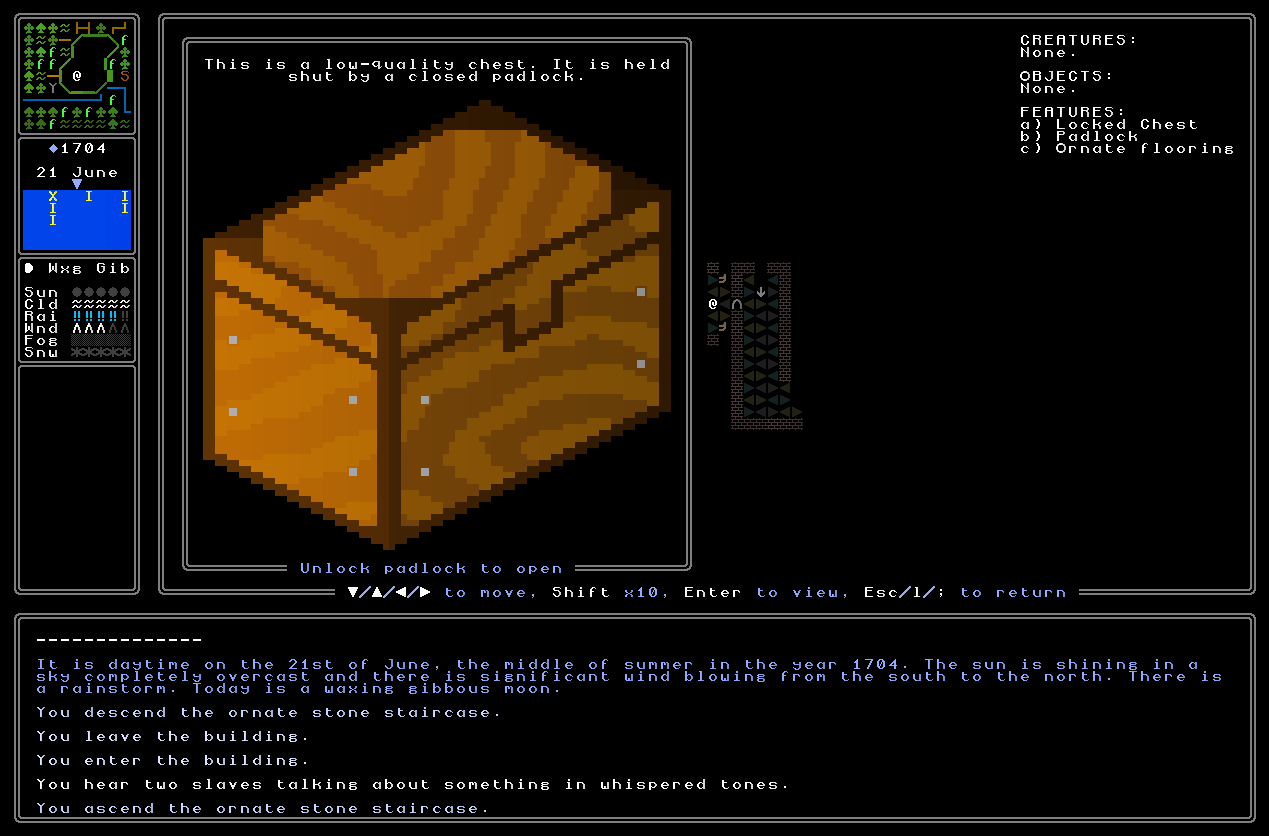
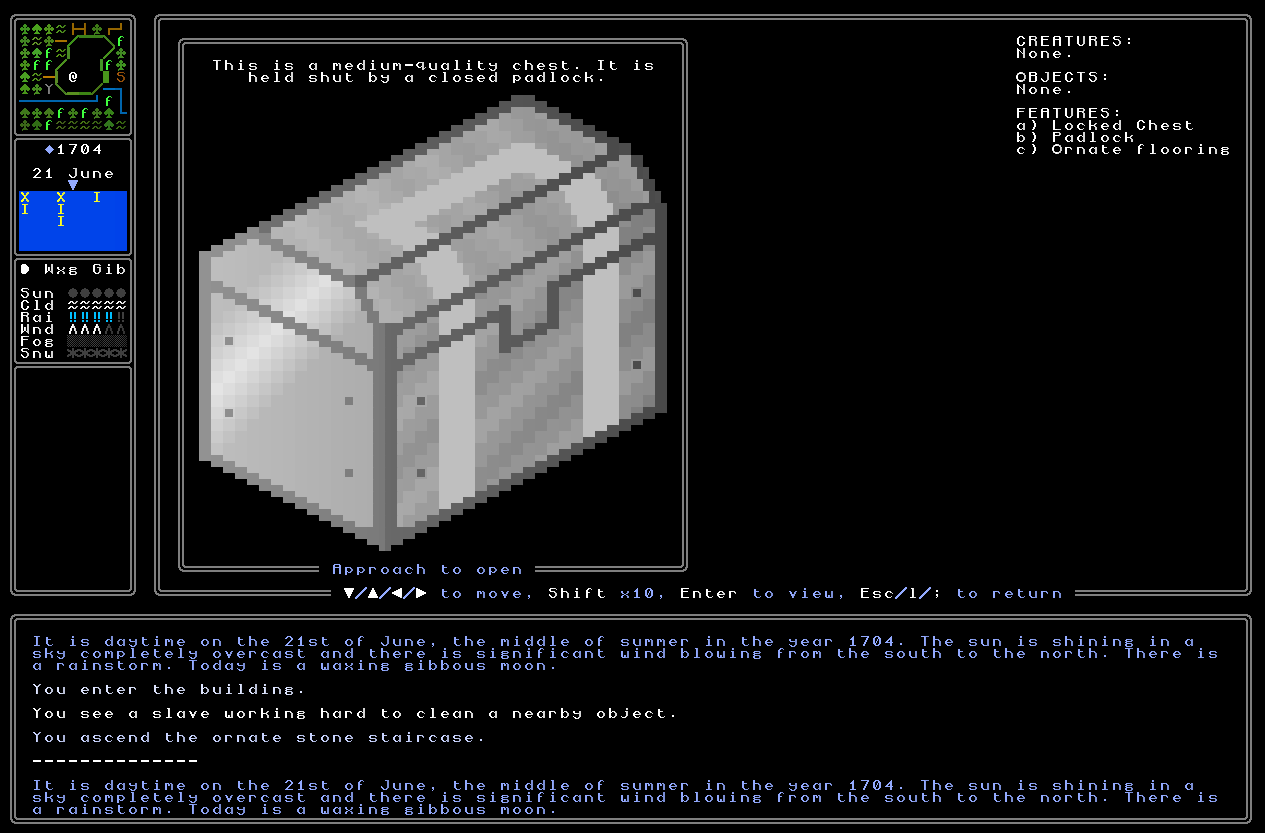
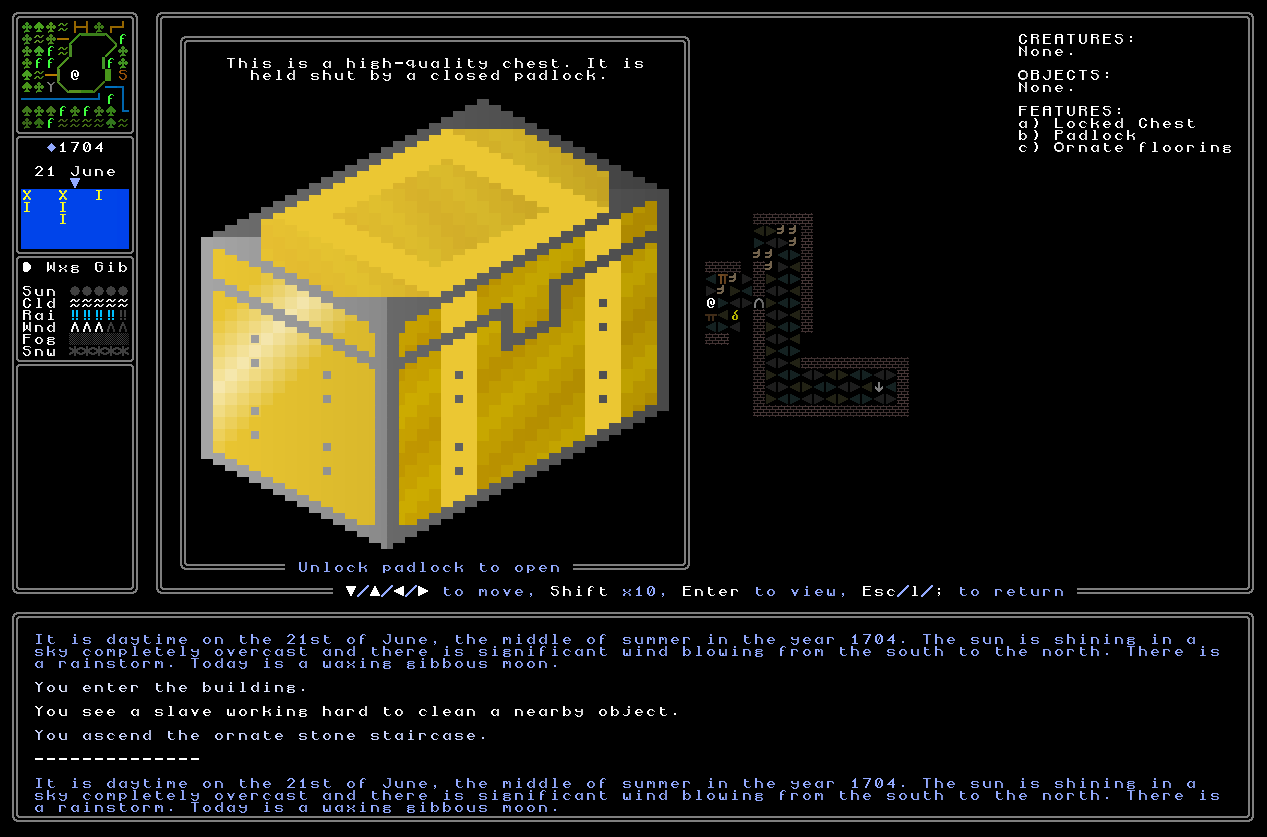
…and some religious examples, too (the fact these both generated with the “two stripes between edges and the middle” variation is pure coincidence, there are dozens of variants here), which of course match colour with things like a priest’s clothing, the religious staff they carry, the altar colouring, and so on and so forth:
Keys
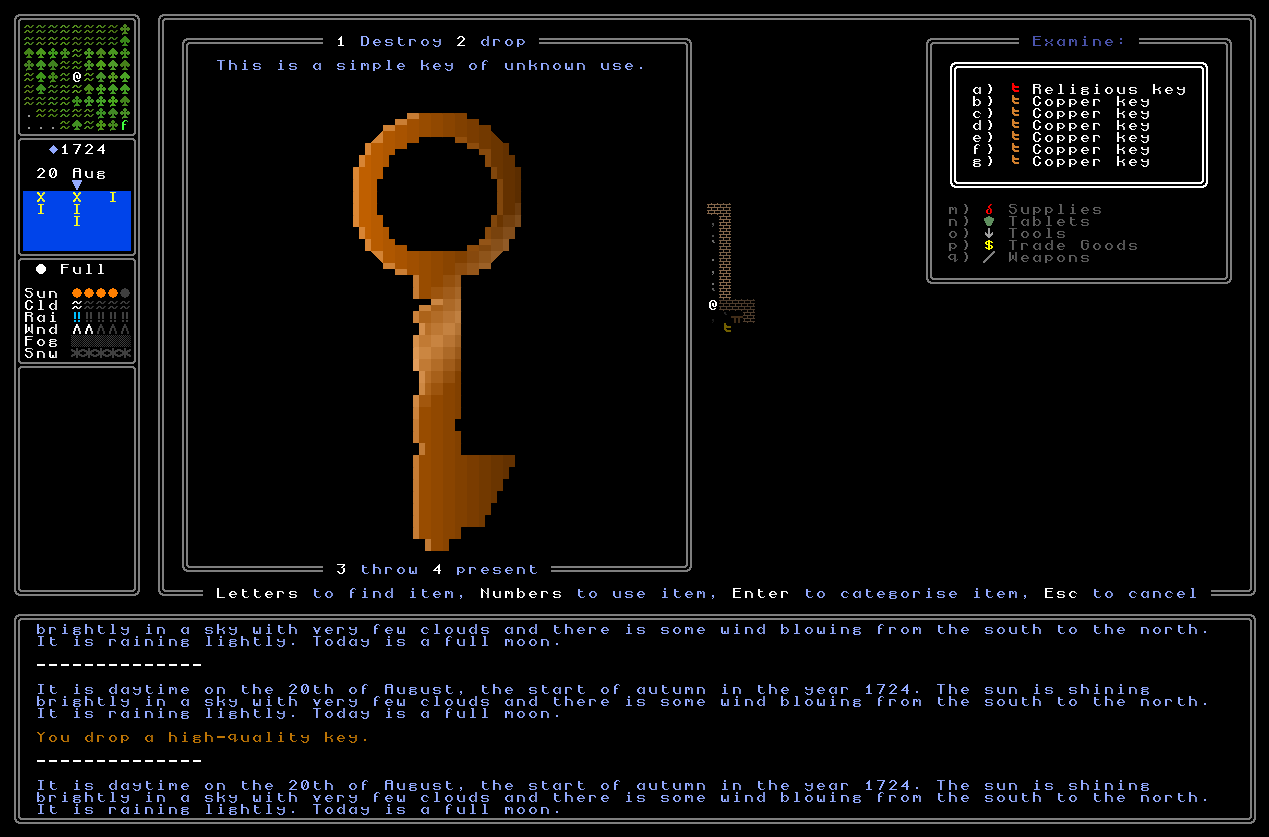
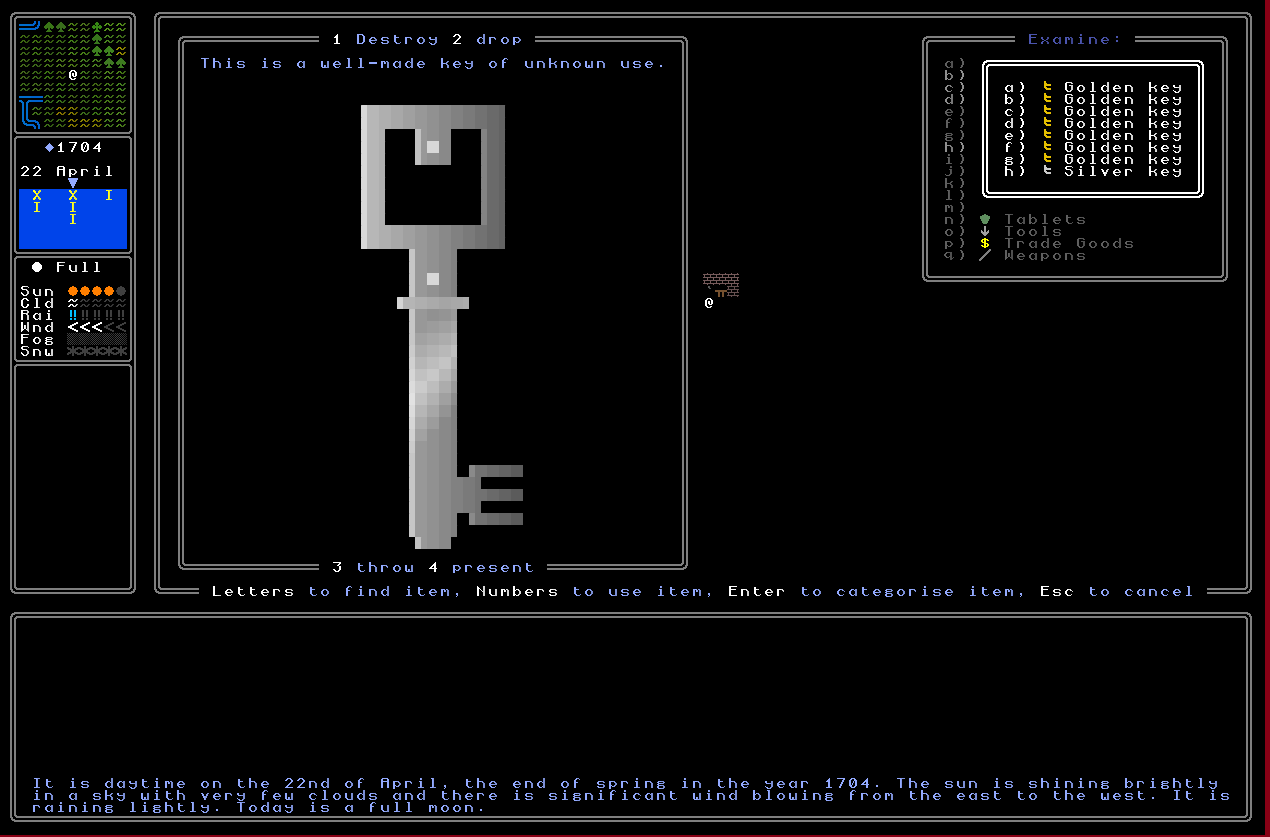
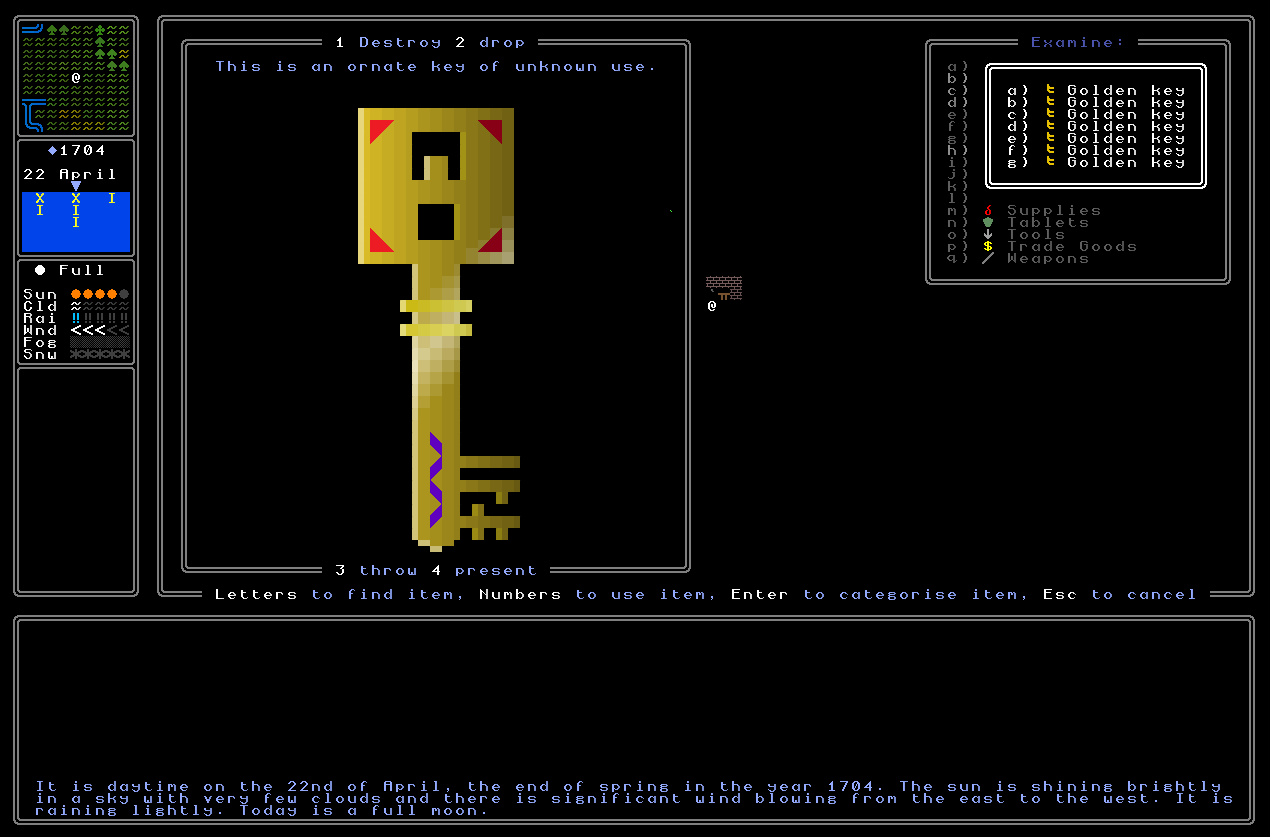
As for the key generator, well, I thought that was done – and actually it looked pretty fab – but while playtesting having a couple dozen keys in my character’s inventory, it soon became apparent that they also needed more variety. Nowhere as big a task as totally redoing the chests, of course, but still important, and worth knocking off while I’m working on all of this stuff. Having so many keys that one notices these similarities would only be a late-early-game or mid-game state, admittedly, and indeed not one the player is going to encounter in 0.11 (but will beyond), but this still seemed like a good time to return to these generators and make them a little bit snazzier. Religious keys are already nicely snazzy and have patterns, colours and designs that can’t appear on any of the other key types, so that’s totally fine as it is, but the low-quality, medium-quality, and high-quality keys were just looking a bit too similar as I cycled through many generated iterations of them in my inventory. For each category, then, I’ve added one new bit of aesthetic detail to help them stand out both from the other types of key, but also from other keys in that category, as I would certainly expect the player to both wind up collecting quite a few from each type, and sometimes to be cycling through a certain type looking for the right key – so that particular aesthetic experience needs to work nicely. As such, to fix this, lower-quality / copper keys now spawn most of the time with a few chips or bits of damage along the shaft of the key, and occasionally around the ring as well; middle-quality / silver keys now spawn with some lighter dots somewhere on their design, sometimes just one or perhaps sometimes as many are five or six in a cluster; and high-quality / golden keys now spawn with two sections of colour and pattern where the colour is specific to the nation the key is from (one at the bottom of the key’s shaft, and the other around the loop). I’ve developed almost fifty different designs for the shaft on the keys, and I anticipate almost as many for the loop as well, and after some playtesting these are really helping the elite keys stand out. In all key classes, as well, there is now minor colour variation on each key, so while all copper keys look like copper, some of them are slightly more orange, or slightly darker, or slightly lighter, or slightly more red or yellow, and so forth. Again, testing shows me this works nicely when you cycle through a bunch of keys of a given class, so I’m calling this done.
Padlock Unlocking
So with these generators replaced and enhanced respectively, the next thing to do, having got padlocks spawning on chests and doors (though only for testing – having them spawn on the right padlocks and doors is a hugely complex task which’ll come later, but soon, and we’ll get to that in a later entry) the next step was to handle padlock unlocking. Doing this for combination locks was pretty easy, as I could just implement a variable within the padlock that accepts a generated tuple, e.g. (3,1,4), and then when you try to open the padlock it checks the positions of the wheels again the numbers in the hidden solution, and gives the player the appropriate outcome. This didn’t take too long, and I can immediately see how I’ll be designing the generator to take the correct solution and mask it with incorrect symbols on the padlock so that one needs to locate the correct solution in order to progress. As part of this I made a long list of different “wheel types” that might spawn, e.g. “animals” or “altars” or “fungi” or “phases of the moon” or “weather types” or whatever it might be (several dozen of these) each of which could end up having a dozen or more symbols etched into it; in turn, there’s also a few larger categories like “religious” or “anything” which would also be thrown into the mix. The harder one, however, was making sure that keys register when you’re using them in the right padlock. What makes this tough, as I think I’ve talked about before, is that the key might generate before a padlock it’s meant to open, and so it can’t just be that keys have a key_id variable and padlocks have a lock_id variable and when you try Key X in Lock Y it checks whether these are the same, and if they are, then you succeed.
Instead, then, I’ve developed a system whereby a key has what is essentially a kind of plain-English readable unlock information stored as a variable, and a padlock can (when used) “look” around itself and figure out its precise location and nature, and then compare the two. This, actually, turned out to be far easier than I thought, although a bit more playtesting is required on this until I can confidently assert the system works correctly in every possible context and permutation. A possible unlock tuple for a key, then, could be something like (151, 62, ‘Inside Chest’, ‘Lower Door’, [‘Fanatic’, 17]), which would denote that this key works on the map x and y coordinates stated in the first two items, that it’s a chest and this chest is inside, that the building its inside is a standard lower-class / lower-quality door, but that specifically it needs to be in the home of the one person, living in that map grid, who is a fanatic for the religion with the religion id 17. Alternatively, something like (12, 207, ‘Outside Door’, ‘Guild’, [ ]) tells us the map x/y coordinates again, that it’s a door on the outside of the building (i.e. without which one cannot enter), and that it’s the door to a mercenary guild in that map grid. Whereas there might be five hundred lower-class homes within a lower-class or slum housing district, and thus we need an extra identifier for which one it is, there will never be more than one mercenary guild within a grid, and thus no further precision is needed in that example. This system then can be applied to pretty much any context, and when there might be multiple things that tick most of the main boxes within a certain key’s unlock information, that’s when the final part swings into action as useful disambiguation.
These will be generated when the key is generated – even if the padlock they open doesn’t exist, and might not until another ten thousand turns have elapsed! – and then will be checked by the padlock when you try to open it with a particular key. The padlock, therefore, asks the game a question along the lines of “where am I?” and gathers together information about its world map x/y coordinates, whether it’s on a chest or a door, whether it’s inside or outside, the specifics of that place, and whether it meets any additional requirements specified in the final bit of the tuple (which did have stuff in the first example I showed above, and did not in the second). Once it has gathered all that information, the information is then put into a tuple in the same sequence as the first, and only if the two are absolutely identical will be padlock spring open and give you access to the chest or door (or trapdoor, once I implement those) that it was guarding! Although this is not totally finished, it’s working really nicely in playtesting so far, and I’m amazed by how easy this element of the system proved to be, even if the key generator does need some relatively complicated code to ensure it’s always giving accurate and exclusive (i.e. doesn’t overlap with other potential locks, but only the lock it’s meant for) information to the key, and similarly for the padlock to correctly gather all relevant information about itself when it is quizzed by a key to decide whether or not that key should be allowed to open it. The tricky part, of course, will come soon, which is ensuring that pairs of keys and padlocks do correctly generate (even if they are generated at totally different times in the game) and both have the right code to figure out that they are indeed a match when finally brought together, but I can already see how to handle that, and I don’t think it’s going to prove too onerous at all.
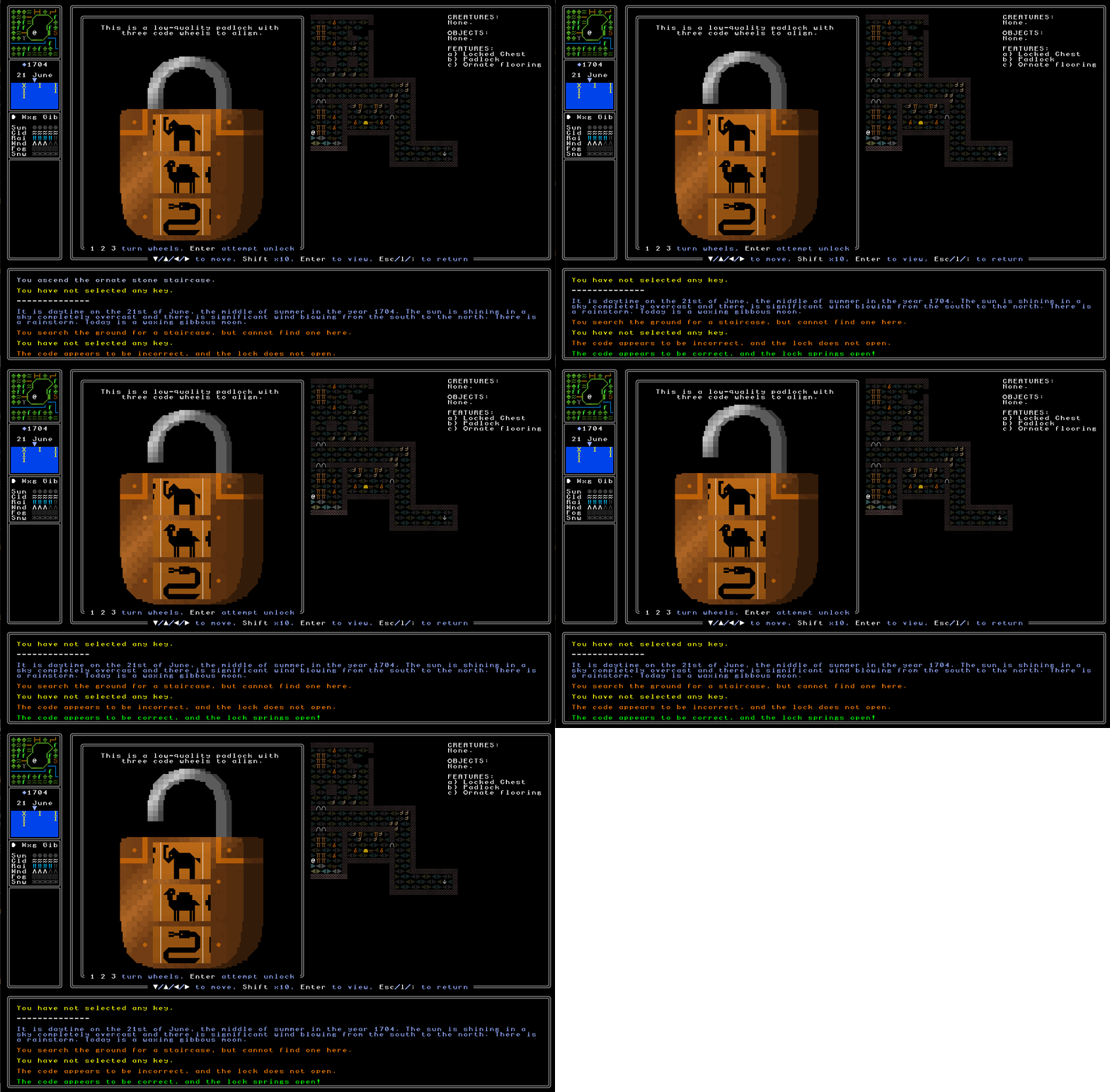
With all of that done, I then needed to add a nice animation for the lock opening! This was actually really fun, and there are a handful of other contexts that I think I’ll be able to add some minor animation in the future, but this was really the first “test” of this idea (beyond the animation of the wheels on a code padlock rotating smoothly). It was pretty easy to just take the upper level of the graphic and have it extend upwards a few tiles with a momentary pause between each one, although this did become rather more complex when it came to locks whose upper-most layer isn’t a straight line, i.e. those with the “pentagon” or “heptagon” shape. This took the addition of a little bit of custom code to ensure that the top part of the padlock didn’t just lift off, and that the remaining top of the padlock was left looking correct and logical once the shackle (as I have been told it is called!) was in motion. With that done, however, I had a very nice animation going here, and unsurprisingly it wasn’t too hard to implement the code to reverse it – although again this had to have some special additions for padlocks of more unusual shapes to ensure nothing went a bit strange and the final product, once locked again, still looked correct. As I’m in the process of adding sound effects there will, of course, be a sound effect for attempting a lock and the lock does not open (some kind of metallic clicking sound ought to do the job), and one for successfully opening a padlock (probably, er, a different and more victorious metallic clicking!), and I think when combined with the animation, I should be able to get a good sense of success going in the player here when a padlock is successfully solved. As such, with all that done, here is an example of said animation – it’s simple, but I really like it.
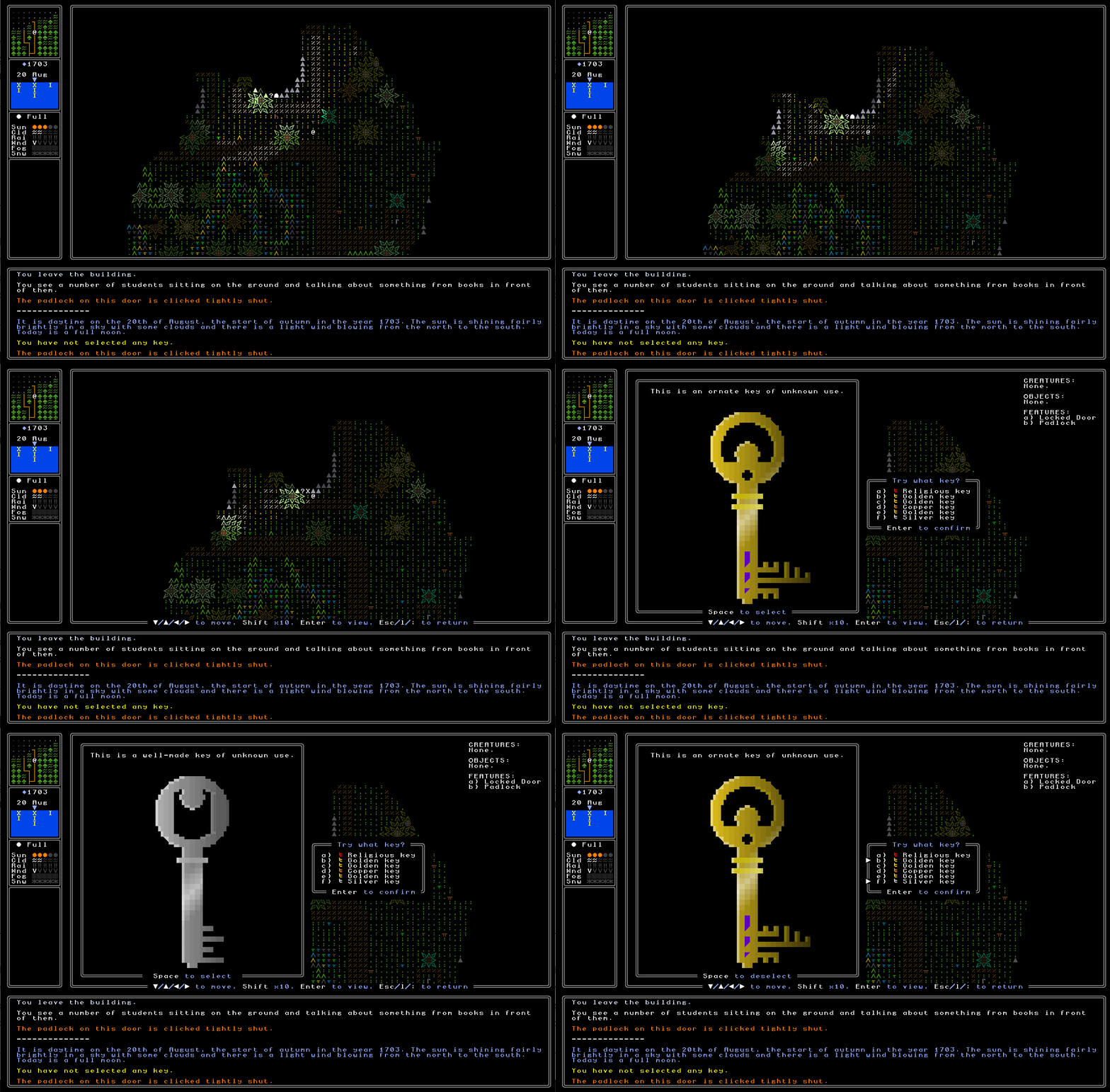
The last thing here to add was a menu for browsing the keys in your inventory once you’re considering opening a lock which is not a combination lock. This reused some inventory code but in a new way, and gives you a list of all your keys which you can look over and check again – just a reminder given the above gif that soon key descriptions will tell you exactly where you found the key, but they just don’t do that right now – and then you use space to select which key(s) you want to try, and then enter to confirm. There are naturally error messages for selecting too many or too few keys, depending on the nature of the lock, and a full attempt is only made when the correct number of keys (i.e. 1, 2, or 3) has been selected for the lock in question. Again, I like this browsing through keys here, and once I’ve finished adding all the extra variations into the key generator described above, I think this’ll look even better. If you have more than 26 keys, of course, then you’ll be able to press tab to cycle onto the next page of keys, and the next page, and so forth, with the little arrows that appear down the side of the key inventory list of course keeping track of which keys you’ve currently chosen to try, and which page they’re on. Again, I really like the anticipated play here of having collected a bunch of keys over many hours of play, you come to a lock that you finally think you can open – but it’s boobytrapped, so you can’t make a wrong move – and you browse your key inventory, selecting the precisely-right three keys for the three-keyed lock you’ve encountered, before committing to the decision, and seeing the lock spring open, giving access to the chest, door, or trapdoor, that it was previously guarding. Again, very happy with how this screen and this part of the process is looking.
Chest Opening and Looting
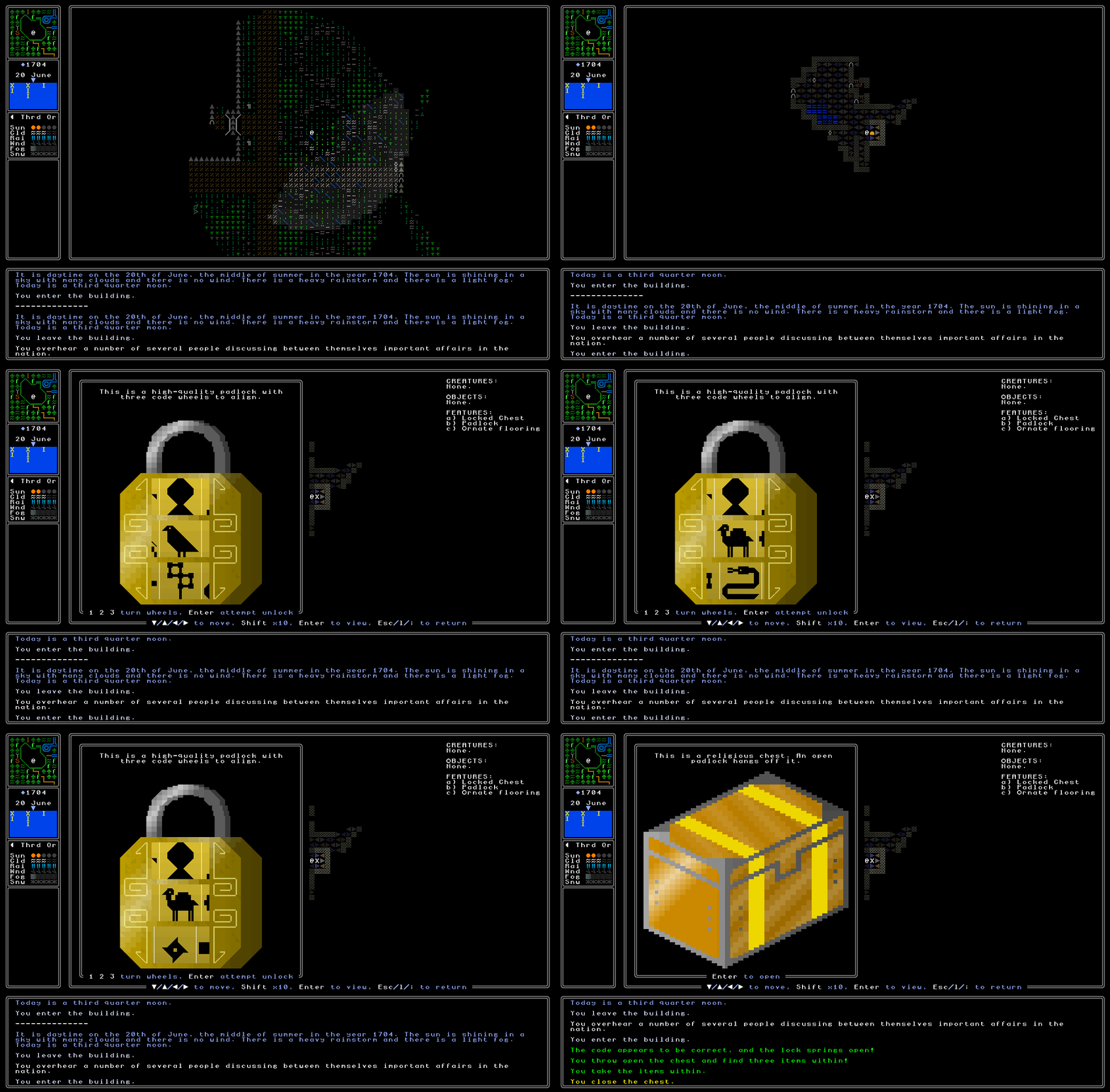
This then brings us to the final step, which is having chests open once the padlock is opened, and be lootable (and hence contain items). This is now also implemented! Ordinarily when you look at a chest you can only interact with it if you’re standing next to it – the same is obviously true of padlocks as well – and if the padlock attached is still shut, then you get a message saying you can’t open it if you attempt to do so. However, if the padlock is open, then the chest will be flung open and you get to scroll through everything inside! I really like how the chests look when opened, and what’s even better is that the game can always generate a logical image of how the chest would look when opened, regardless of the nature of the chest in question (which I’m honestly rather pleased about). I debated having an animation with many steps here, but some consideration made me realise this would be grotesquely complicated to handle for all possible chest designs, qualities, and shapes and colours, and so I abandoned this idea promptly and just went with an image of the chest once opened instead. Once the chest is open, you then get another inventory-like menu listing everything that’s inside! I can’t imagine any scenario in which there would be even close to 26 items in there, though this can of course handle that scenario were it to ever occur. In the case of the gif below, you’ll see that we find a gold ingot, a shield, and a religious key, within the chest that was opened. We can look over all the items, then take them all, and then even close the chest back up (and if we want to, lock the padlock back on, as well). Once this was all implemented, I also needed to ensure you couldn’t close the padlock if the chest is still open, so that meant the two needed to be talking to each other there as well, rather than just trying to open the chest when the padlock is shut. When the chest is shut, then, the padlock must be opened; the chest can then be opened or shut again once the padlock has been opened; and once shut, the padlock can be shut again. Overall I am honestly just so happy with this gif below, and the culmination of a lot of things it represents. A few of the things I’ve talked about in this entry still need a couple of final tweaks, but this is all basically working, and I can immediately see the potential for quest generation here, rewards, exploration and decipherment, and a hundred other things I want in place. I couldn’t be happier with how this is all working now.
What next?
So there we go! Overall, I’m honestly blown away by how much I’ve been able to get done in the last fortnight – suddenly the game world is interactive. I can use padlocks, open them, close them, use chests (with a totally new generator too), open them, close them, loot them, have keys and padlocks match correctly, spawn chests and padlocks logically, have the game always understand which key is for which padlock regardless of what order they spawn in… my goodness. It’s so pleasing when things just rush along at this kind of speed, one really feels like so much is happening and things are falling into place wonderfully well. So happy with all of this. The final stage is finishing off some of the remaining polish for keys talking to chests in more complex situations – e.g. if you’re in a market, the key knowing it talks to a “shop” isn’t sufficient, and needs to be able to access and make decisions about more detailed information – and I need to finish off the remaining new variation to the key generator beyond what I’ve shown off here, but overall this is working frighteningly well. I can immediately see the deciphering of a riddle, finding one’s way to the right location, inputting the correct code or picking the right key from one’s list, and collecting the loot – perhaps useful items for exploration and duels, perhaps a note explicitly pointing you to the next step, or perhaps some ancient tomes with cryptic information whose use itself has to be figured out. Delightful.
Thanks as ever for reading, everyone (and sorry for the one day late post!). If you think other roguelikers would be keen to read all this excitement, please do think about sharing it around, and please do leave a comment with your thoughts! That aside, I’ll see you in two weeks for some more hopefully equally-rapid development progress :).
You’ve made some great progress! The new chest designs (and their tops) are a big improvement over the old chest generation, and I particularly like the details on the new keys such as the worn-out look on the low-quality keys — it makes the world and its objects feel more real and lived-in. The new lock opening animation looks good too, and I even learned a new word (“tuple”).
It’s interesting to get a behind-the-scenes look at how objects in a game like URR “talk” to each other, especially in a game that generates content instead of having everything already placed from the beginning. An RPG that has chests and keys in the same location in every playthrough is starting to look almost lazy by comparison! Thanks as always for sharing you progress.
Thank you crowbar! So glad you like the new chest generation and the extra key detail – and ah yes, the tuple, the core of my Python programming techniques (not really, but it’s damned useful). And, hahaha, yeah, one of the really interesting things in the project is actually finding ways to handle X in a PCG way, where maybe X isn’t super difficult in a non-generated game, but suddenly the generation adds all these surprising extra challenges. A core example of this has been integrating riddles with permadeath, which I keep saying I need to write an entry on, but I’ve come to realise that a lot of cryptic riddle games expect the player to try and experiment with things, sometimes with consequences, but on the basis / assumption of being able to reload… which doesn’t work here, so I’m finding myself significantly changing the structure of things to still keep the core intended gameplay but make “attempts” into strategic choices rather than experiments with no penalty… but also, of course, not wanting to discourage experimentation when appropriate! It’s a tricky line…