
Friends, welcome back! Following on from the huge progress in last fortnight’s entry, this time I’ve continued down that path and essentially finished off everything that needs doing on keys and padlocks, their interactions, gameplay, visuals, complexities, and also adding significant extra details into key descriptions, and implementing appropriate mechanics for the game – i.e. the player – remembering correct usage of keys or combinations before, and then pointing that out when you return to a lock a second time. There was a surprisingly substantial amount here still to do, as it turns out, but that’s just a reflection of the variety of possibilities here, the procedural generation element, and just the overall complexity involved in getting the locks and keys working together appropriately. With all of these done, another major milestone has been ticked off on the journey towards the 0.11 release – so let’s get into it:
Key and Padlock Communication
The first thing was to finish off the ability for keys and padlocks to intelligently “talk to each other” – i.e. the game needs to be able to take a key, take a padlock, and even if they weren’t generated together and regardless of what order they were actually generated in, be able to say whether or not that key should work in that padlock. Doing this last time was pretty simple for non-key (i.e. combination) padlocks, but it’s the key where this gets tricky. The system implemented last time proved highly effective in most contexts where there’s an unambiguous “one off” padlock that meets the description being offered by the key – e.g. if it’s talking about a mercenary guild on a certain map tile, there can only be one mercenary guild on a map tile (in a city centre), so that one’s pretty simple. It was, however, the more complex ones that I came to in this fortnight, where we need to disambiguate between multiple similar places that might have padlocks on them, and thus might meet the requirement of a key the player has found. This meant enabling the padlock and the key to check more information than would normally be available or required, which means looking into the information stored secretly in a door to a building (which is what enables the entire building to generate correctly once entered) and using that to distinguish between potentially several viable alternatives. This also meant enhancing the information stored secretly in a key, but as it turned out, neither one of these proved to be a colossal effort. The game now tracks what sorts of doors or chests need the extra check – i.e. where it’s possible there might be two or more that meet the overall requirement of map x/y, inside/outside, chest/door, and the nature of the building or area it’s found in – and if one of them activates, then the padlock and key combo make sure to check the extra information in the key, and to gather extra information about the lock, before making the comparison. This is complex, but turned out to not be unreasonably so, and thus I am now confident (after a lot of playtesting of both this, and the other elements as well) that keys can handle even this complexity!
Finishing Key Visual Upgrade
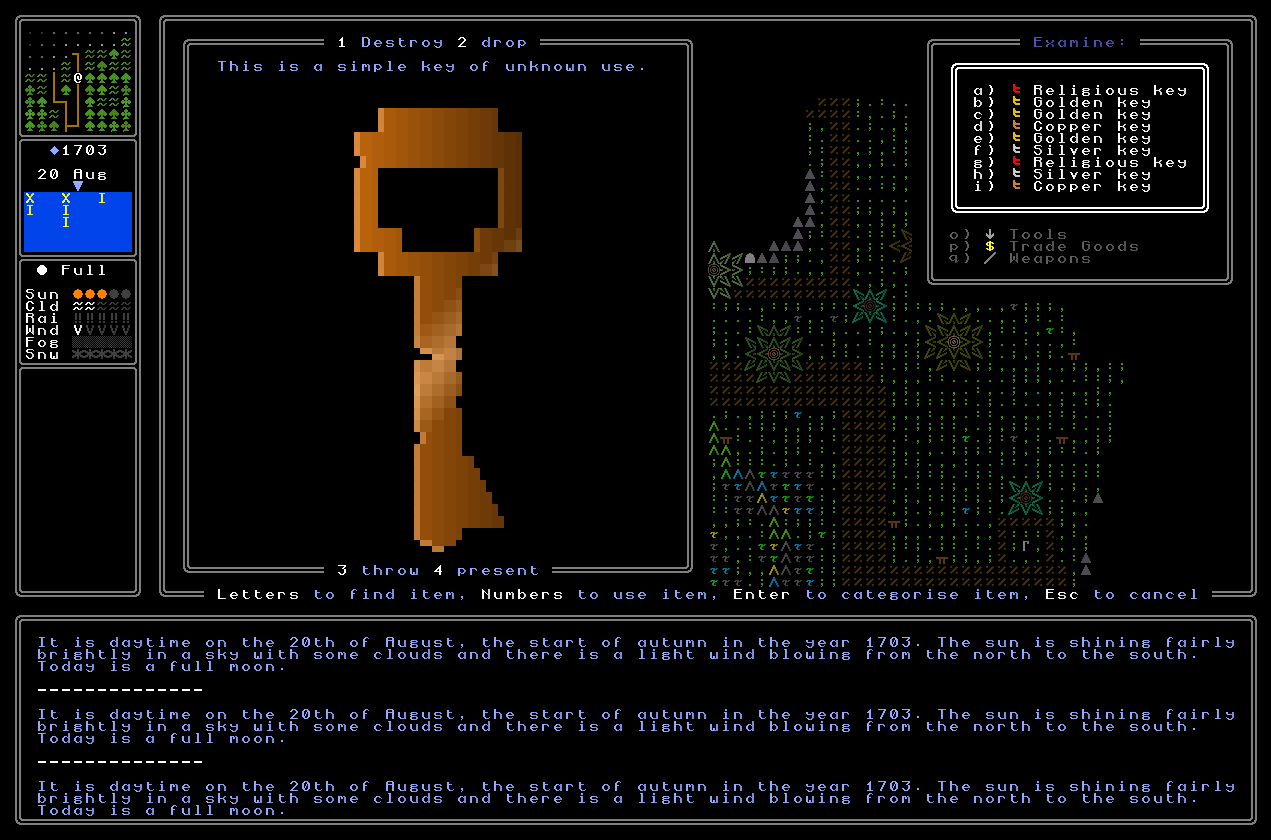
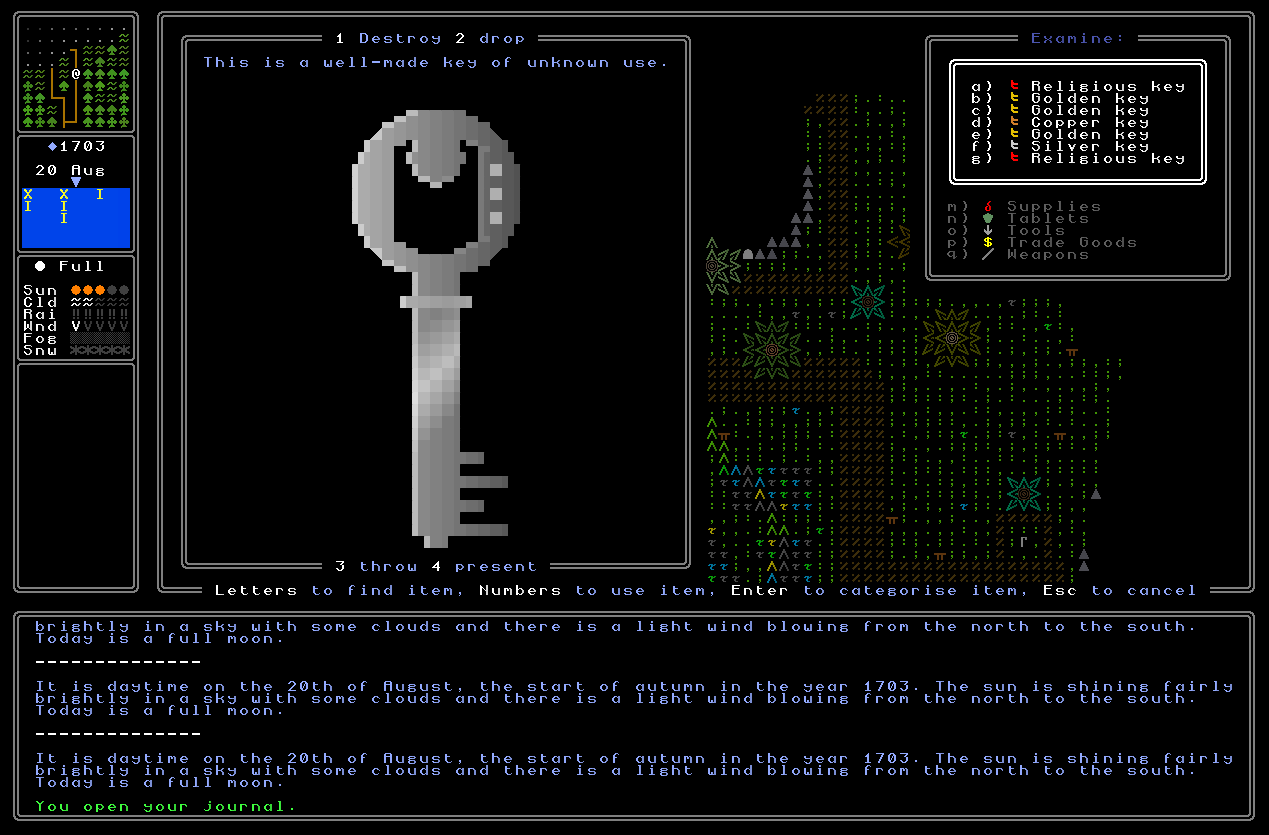
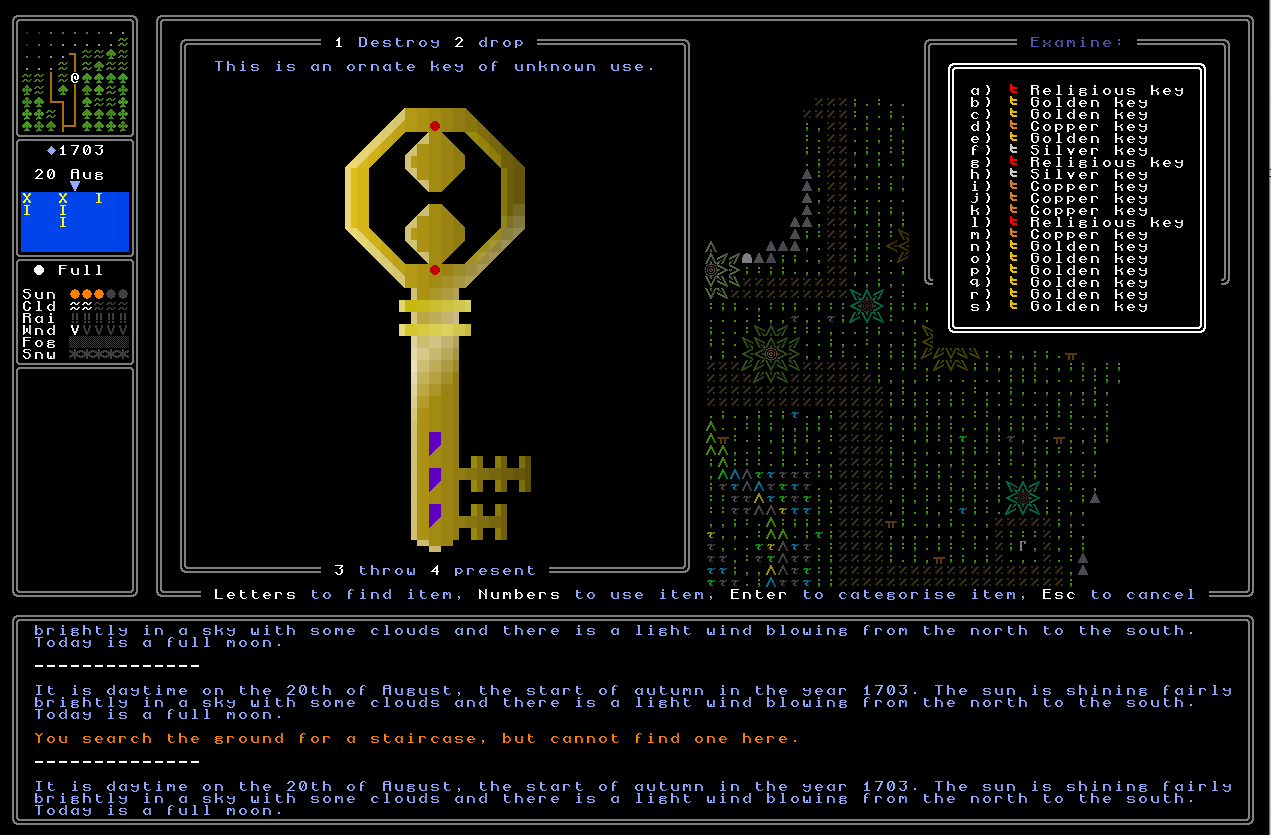
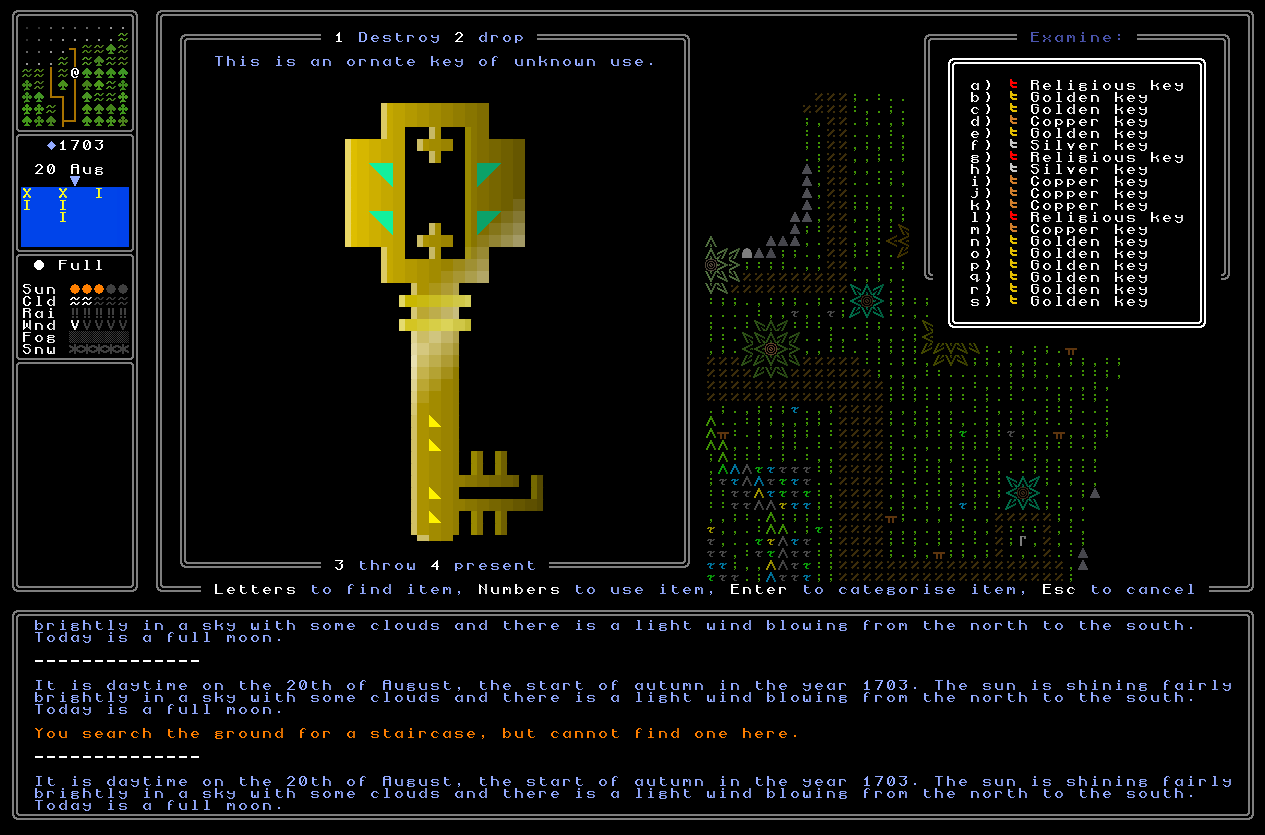
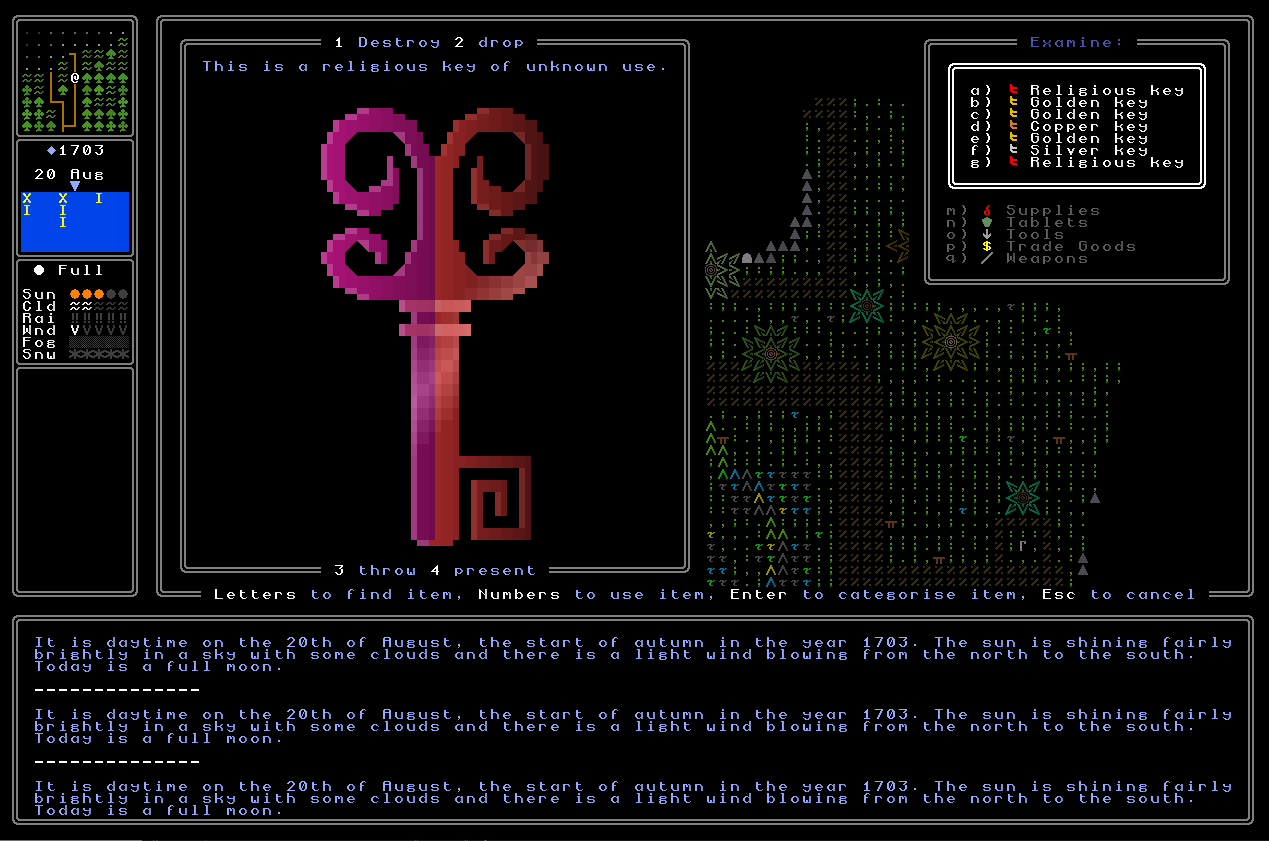
Next, I needed to finish the visual upgrade for keys. I showed a good amount of this off last time and talked through the basic ideas, but all three levels of key (low, middle, upper) needed some more work. On the lower keys I wanted to add the possibility of damage into the top of the key as well as the shaft of the key, and while this didn’t prove too difficult in the end, it took a bit of work to develop a system that can intelligently add some visual damage there without breaking the overall appearance of the key, or making it look strange, or creating some kind of appearance that ultimately just doesn’t make sense. With that done I’m really happy with how the lower-quality keys are looking, and a massive amount of extra variety has been added by implementing this additional potential for visual damage (alongside the minor colour variation from key to key within this key type, which is true of all the key types). The middle-quality keys just needed a bit more work to ensure that the dots on them could generate in all logical places and patterns, and then with that done I needed to finish off the valid patterns for the upper-class keys. Both of the other qualities can now generate with thousands of permutations, so I needed to make sure these were up to snuff. This took a little bit of time, especially in terms of integrating the extra swanky graphics into all possible key shapes, and ensuring it used the correct colours from the nation in question, and ensuring that these always looked good and sensible on the background of a golden key. With that done, I also went back to religious keys and polished them up even further, as well, ensuring that we never get a “one colour” religious key, but there will always at least be a stripe somewhere of the other colour (if it’s a religion with two colours associated with it) or a slightly lighter version of the main colour, if just one. With all this done I’m really happy to call the generation of the existing key types done here – they’re looking really nice, and tremendously varied.
Unlocking Animation via Keys
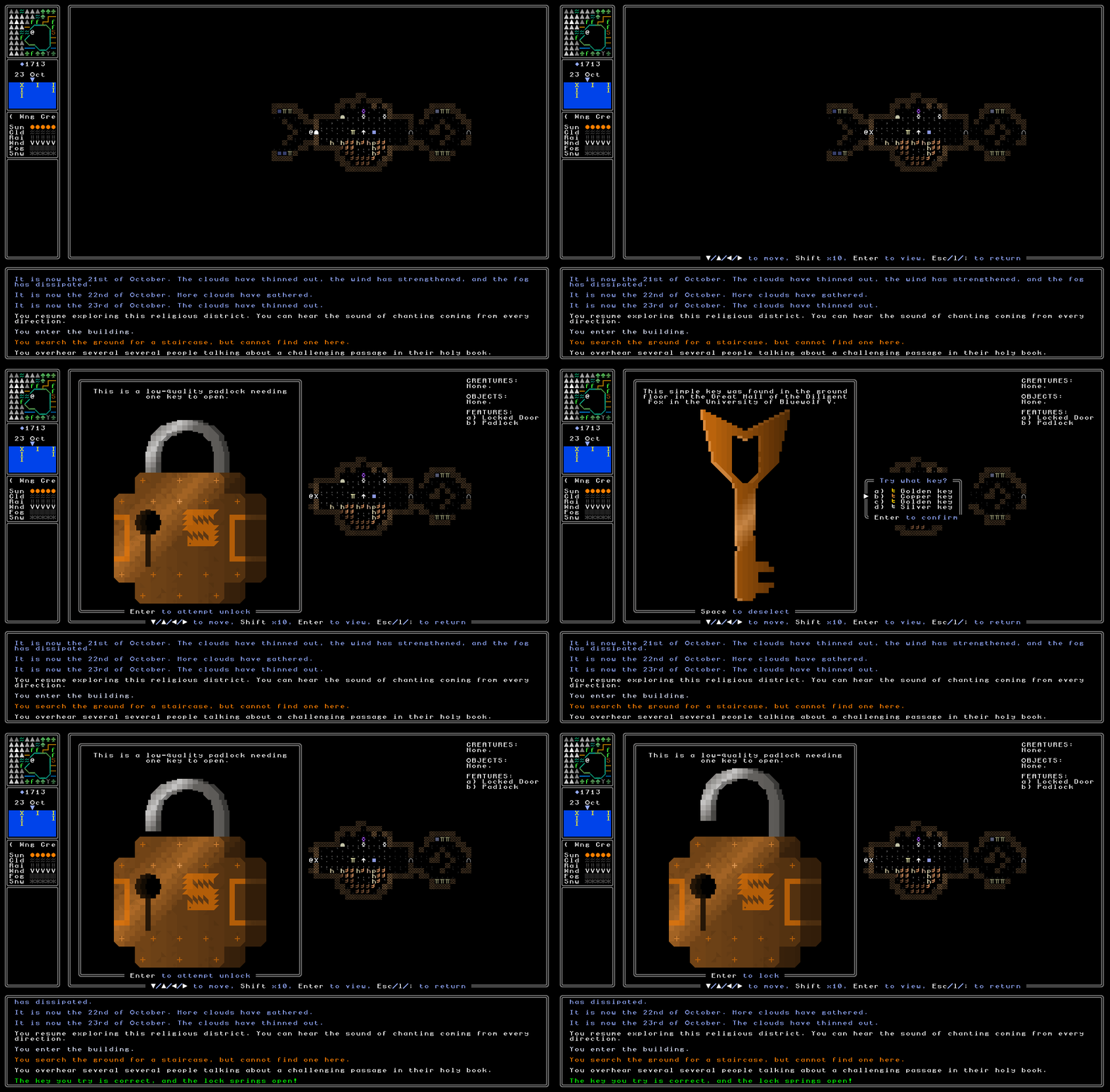
I next needed to ensure that the unlocking animation plays sensibly when you’re unlocking a padlock via keys, rather than via a combination lock. This sounds trivial but actually took a minute because the user interface is somewhat different in that context, and I needed to make sure all the prompts and user interface information was being either appropriately kept, or appropriately changed, once you’d popped the correct keys into the lock and the game had acknowledged that they were the correct keys. This took a minute and I confess that the earlier code I wrote – for handling combination locks – honestly wasn’t super easy to integrate this with, and I should have thought about that beforehand, but a bit of cleverness managed to get it working. As such, when you now select a wrong key or set of keys, nothing happens except a message prints saying “nice try, but no” (or an equivalent) and no animation is played – but nor are you taken off the “choose (a) key(s)” menu since you might want to give it a second try, but selecting the correct set of keys will move off whatever key you are currently looking at, remove the menu in which you select a key, and then show the animation as it should. This honestly works really nicely and really smoothly and like the combination lock variation, I’m confident that – especially once coupled, soon, with a sound effect – this should give the sense of satisfaction and accomplishment that I’m looking for here.
Remembering Used Keys and Combinations
Next, I reasoned that it would be a good idea for the game to remember used keys and used combinations. Maybe you’ll remember exactly which key opened which lock, but across a long playthrough – which I certainly hope will reach the point in the future of being comparable to games like Caves of Qud – I think it’s reasonable to give the player a bit of a hand. The same also applies to combination padlocks as well, of course, as while I currently assume that even relocking a combination padlock will just leave the correct combination showing, and I don’t presently intend any kind of gameplay value from re-scrambling the lock before moving on (although… maybe?), it seems very possible that someone will definitely forget the correct code for something they go back and want to reopen again. With all that said, I’m not sure yet what contexts would even require a second opening of a lock – be it door, trapdoor, or chest – that has been previously opened, but since I’m doing all this stuff now, it seems like a good time to just get the appropriate stuff in there in case it’s one day needed, and if it isn’t, then at least it adds just a little bit more detail and attention to the game anyway. As such, the game will now note for a key lock that you have previously opened that lock, and tells you whether you have that key still in your inventory or not. If so, then you don’t need to select the key again (obviously) and it just auto-selects and opens the lock; if not, then of course the lock doesn’t open, but it does remind you that you previously had the way to open it. For combination locks, meanwhile, when you return to a lock you’ve already looked at, I’m not sure whether it should highlight the combination in some way, so I’m still working on this and will probably skip it for this release – but something of this sort in the future seems like a logical addition.
New Key Shapes
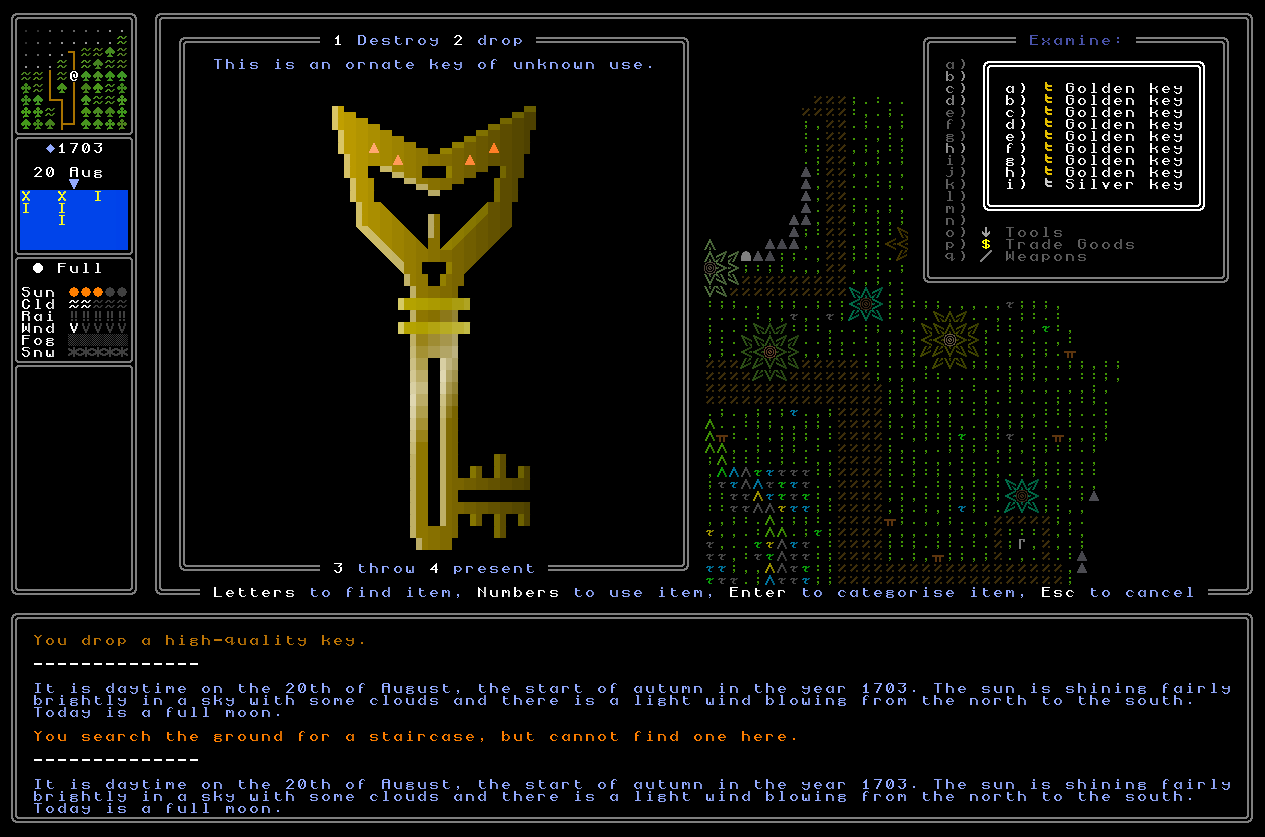
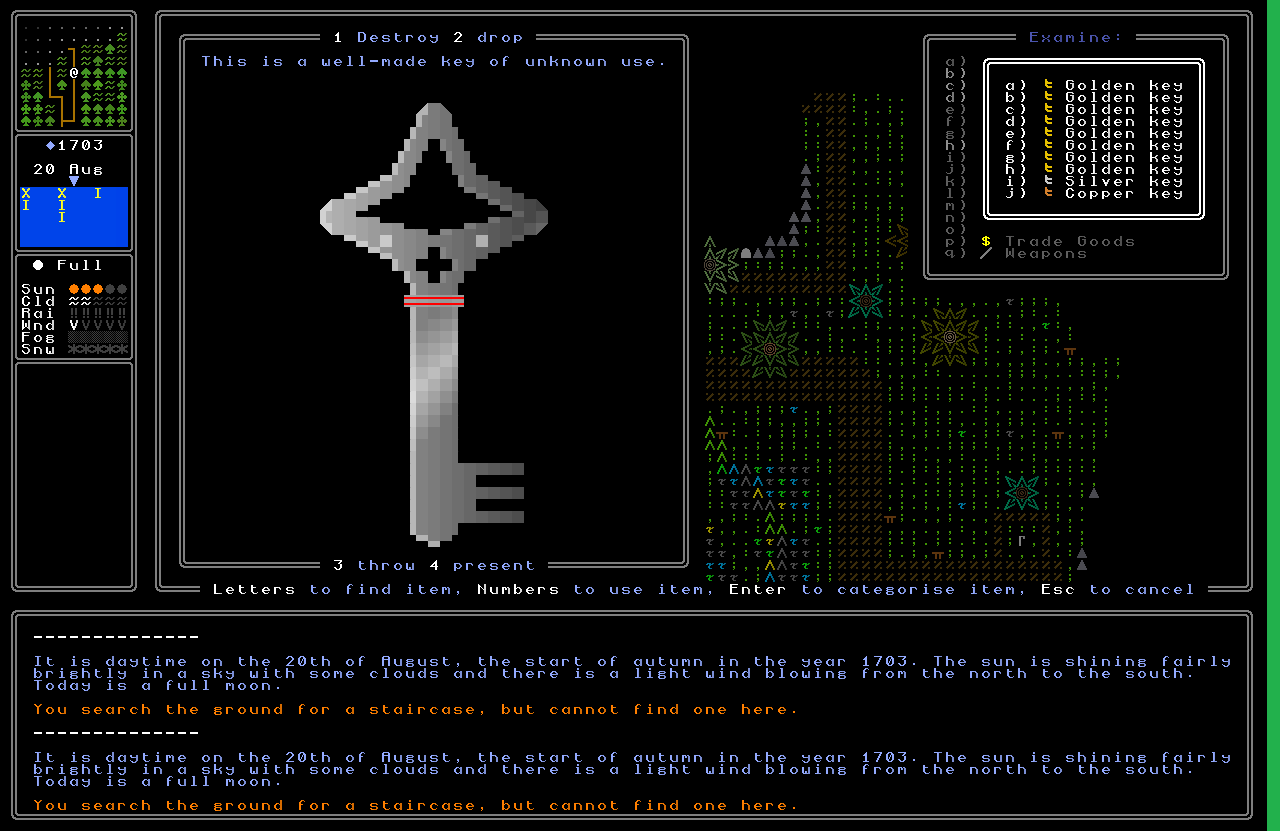
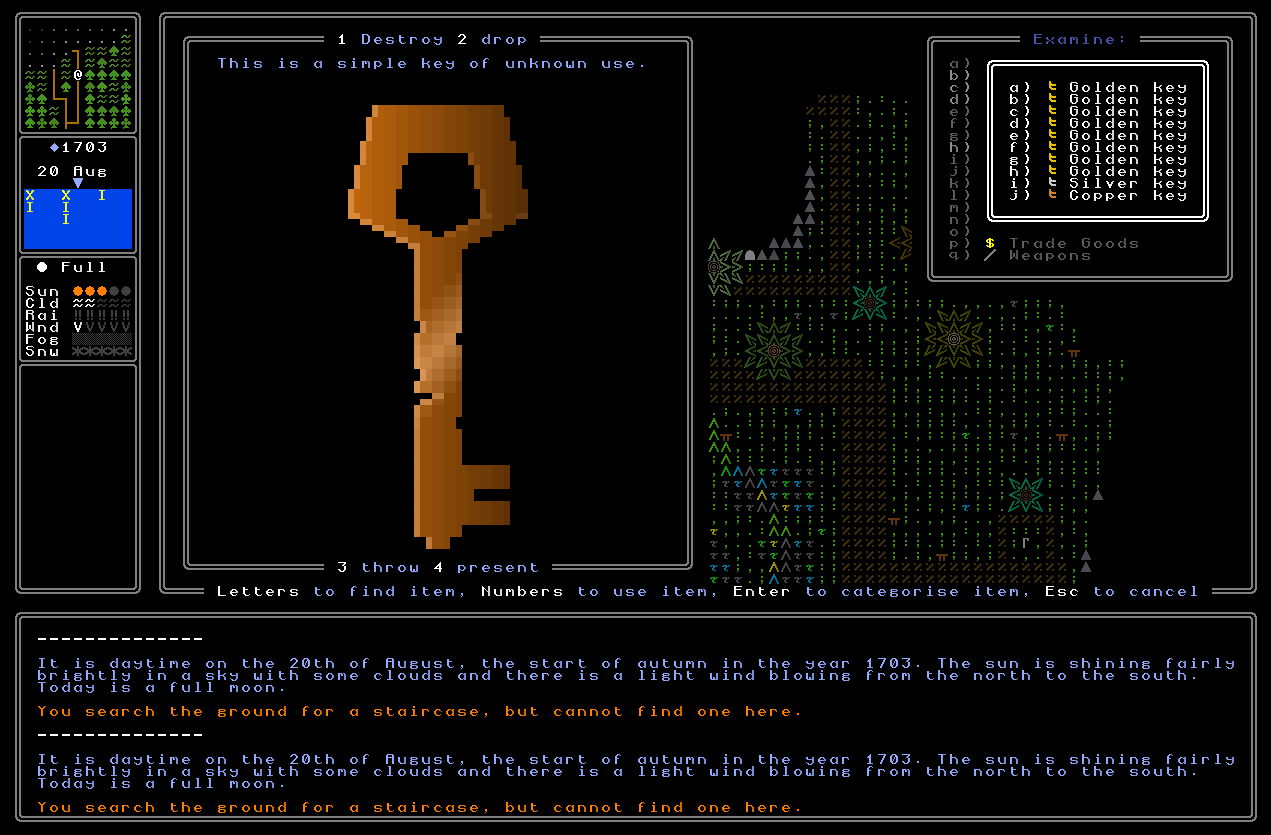
Unrelated to the above key visual upgrade, I also realised as I was doing everything… that the actual generator itself wasn’t completely finished. ARGH. I had only implemented the five shapes for the five shape preferences that sedentary civilizations can have – i.e. circles, squares, crosses, octagons, and diamonds – but I had apparently, er, decided to push into the long grass adding the shapes required for all the other potential shapes, i.e. the four that nomadic civilizations like (triangles, pentagons, hexagons, stars) and the four that ancient / tribal civilizations can like (chevrons, heptagons, semicircles, and the shape I’m calling “pinch”, i.e. a capital X with the upper-most and lower-most quarters, as separated by the lines, filled in (hopefully that makes sense)). This meant that, having now arrived at the aformentioned long grass I had previously pushed this task into, I now needed to create all the potential shapes for all the other shapes as well now. I confess, rather daftly / amusingly, this came as quite a shock, since I had genuinely entirely forgotten that this part of the key generation was something I’d decided to delay until later (after which I had promptly forgotten the task even existed, in a moment of true brilliance). Still, it needed doing and it was one of those tasks that wasn’t massively cognitively demanding, but would just consume time, so I settled down to get it done. It took quite a while, especially as I had to remind myself how elements of the key visual generator actually work in order to reproduce them accurately for these other shapes, but after many hours of work the generator could now include, and generate snazzy visuals for, all the other potential shapes, which will be required for when you encounter a key that doesn’t hail from one of the sedentary civilizations. Once again I say, “whoops”, but this was by no means a painful task, and the new shapes look incredibly cool. I also took this opportunity to have the entire generator also vary based on civilization type (i.e. sedentary, nomadic, ancient) and you’ll note that the keys for the nomadic civilizations have that lined shapes within the key, and the ancient ones have the hollow part of the key. I really dig how these all look!
Key Descriptions
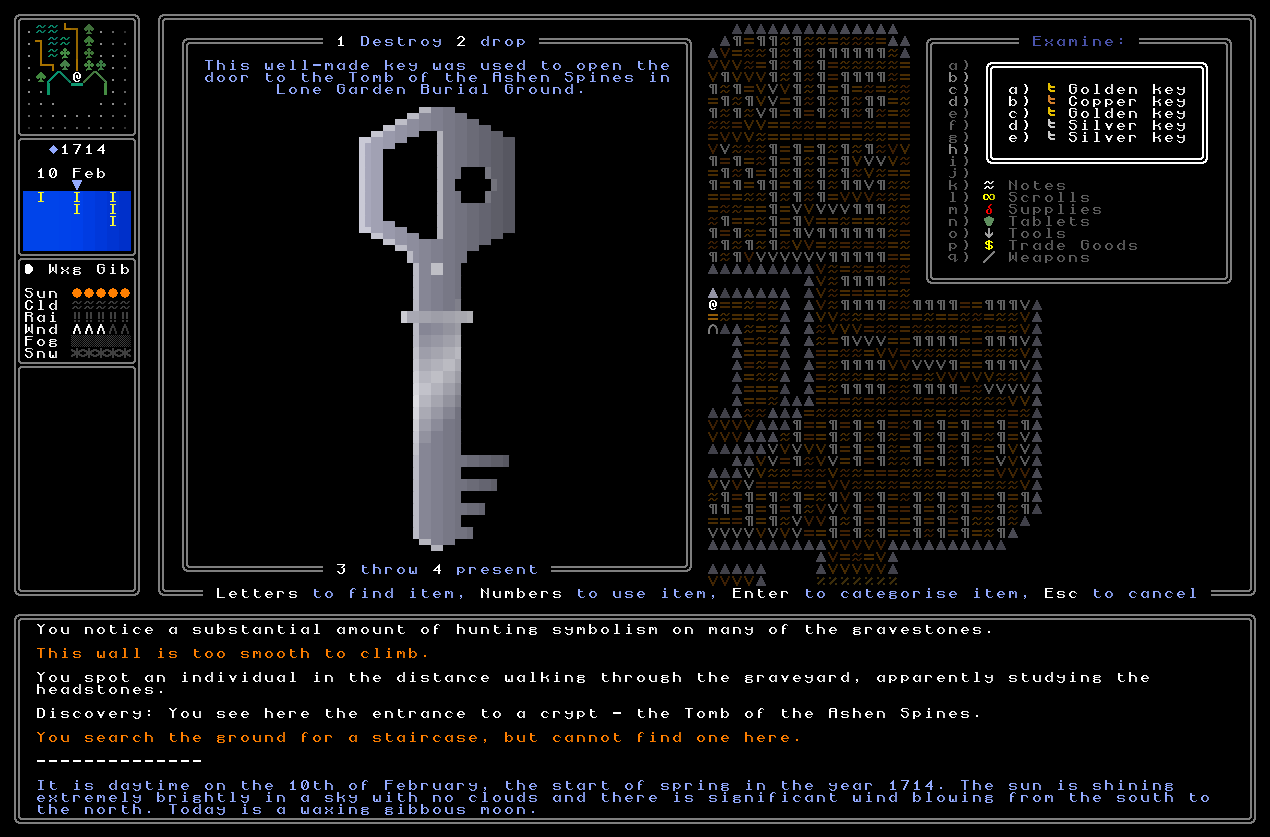
Next, I needed to get key descriptions going. These needed to tell you whether the key has been used or not, and also where and under what circumstances you found the key in question. Happily I had already developed quite a bit of rather snazzy code which can generate sentences in readable English for where you’ve found a padlock – to go in your journal under the appropriate page – and I was able to reuse some of that code here in order to get the game always generating a sensible sentence for when you picked up a key. It also goes into the same degree of detail as the padlock (since who knows, later in the game you might discover the precise place you found a key is of some use or importance, so this needs to be really exact) but also needs to be able to fit into the lookup window without drifting too far down. This second point was surprisingly tricky and I needed to fiddle about with the sentence generator here to ensure it actually did what I wanted it to do, but once this was done, the mechanic was in place – when you first either collect a key (by picking it up) or see a key (by looking at it but not having yet picked it up) the game creates a sentence to describe its point of origin, slaps that into the item’s description, and bam – we have key descriptions. I really, really like how these look when you browse through them in the inventory, and this gives me a wonderful sense of this collecting of keys as you go around, keeping an eye out for where they might be of use, and having this sort of material record of places you’ve been to in-game, and what you got from each one of them:
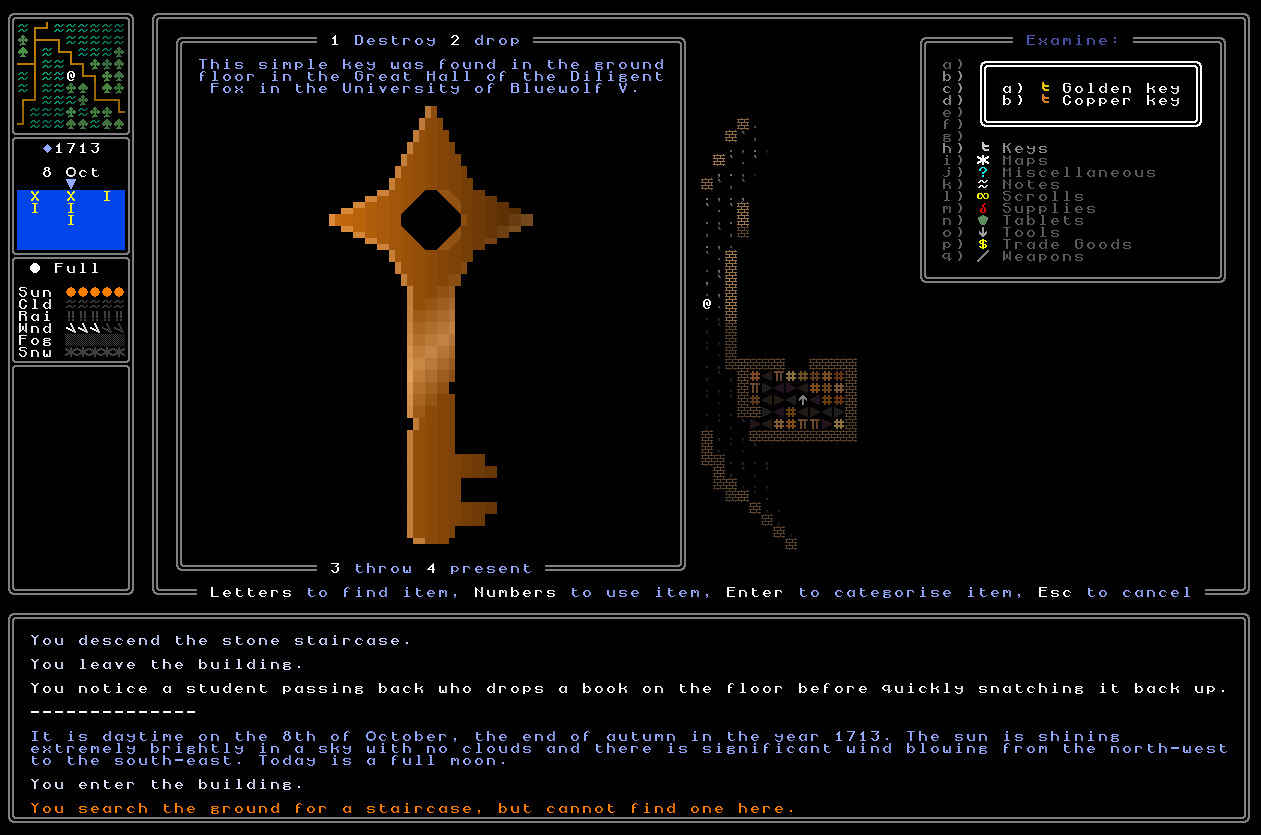
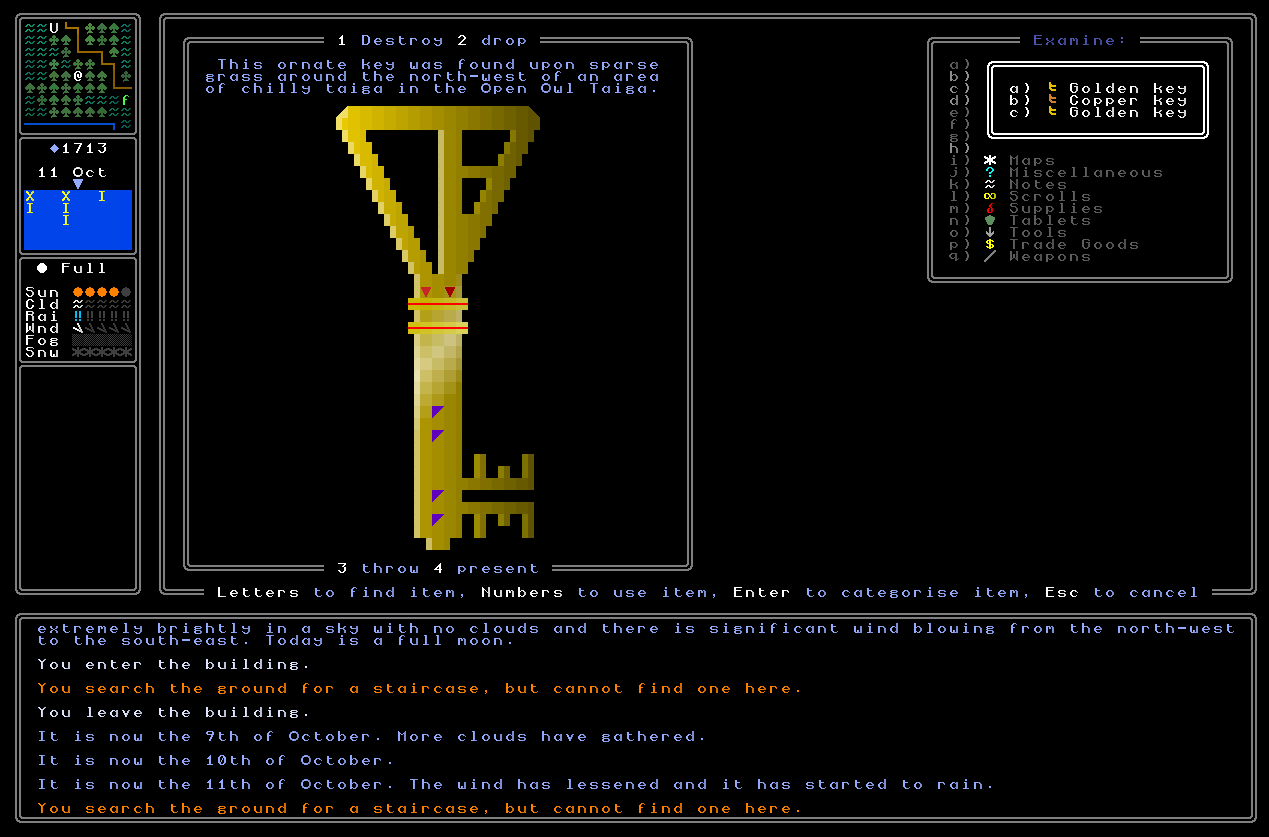
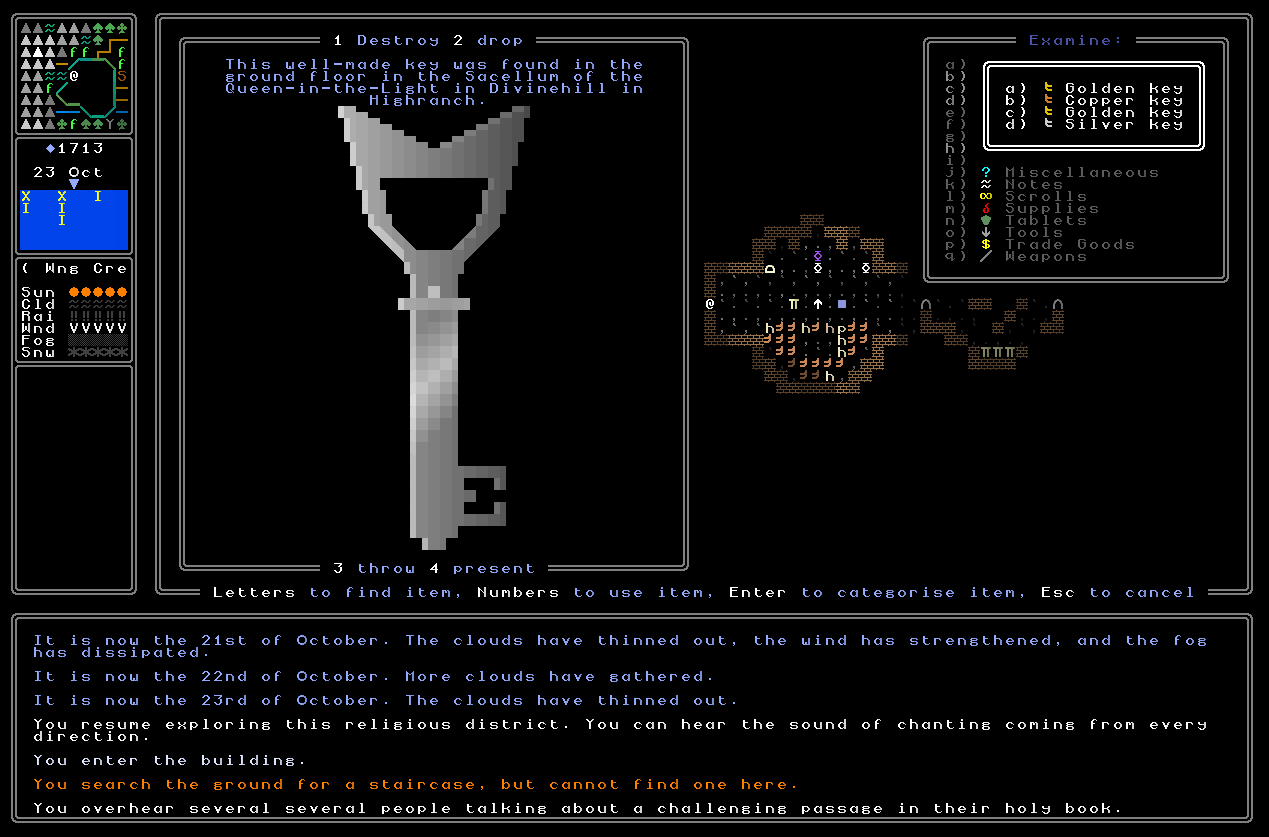
The second part of this was not updating the descriptions so they show where a key was found, but was rather about updating key descriptions so that it correctly reflects where the key was used (once you have, of course, actually found the use for said key). To do this the game again uses the same sort of information, but makes some alterations. Since it can’t fit in the text shown above for where it was found and also give loads of information about where it was later used, the text about where it was found then gets removed, and we use the same code to again identify the exact location that one wound up using the key in. Like the above one this actually didn’t take anywhere near as dreadfully long to activate as I feared it might, and I was really extremely pleased with the final outcome once I got it testing. As I’ve discussed in previous entries, I definitely want used to keys to still have some potential value somewhere else once they’ve been used to open whatever it is they open, even if the primary purpose has been accomplished. While I acknowledge that the “key items” in games like Dark Souls do have a certain interest just by virtue of leaving them in one’s inventory, I think it’ll be more interesting here to enable the player to keep their key inventory relatively clear – since I anticipate likely finding quite number of them! – and to also add strategic decisions. If you’ve got a key and it just doesn’t seem to be doing anything, should you add this to a set of used keys to trade in somewhere for something else, even knowing that whatever the key unlocks can, from that point on, only be opened with a skeleton key? Anyway, that’s all for the future – the point is that keys now correctly register when they’ve been used, and describe how and where.
Showing Padlock Risk
Finally, I also needed to implement a new way to show the risk level of a padlock – though I’m actually a bit stumped on this. This is unrelated to the difficulty level, which will be conveyed by the quality of the padlock, i.e. a low-quality padlock shouldn’t be too hard to find a key for, while a high-quality padlock is probably going to be quite tricky to open. This will also, of course, imply the value of whatever lies behind, and would also have a relationship to the difficulty of the riddles or clues being deciphered in order to get the lock open, i.e. one might find a note which is just a one-off note, part of no longer thread, that points you towards the way to open a low-quality lock you found somewhere and collect something minor but helpful within, while a/the core quest thread would be likely to ramp up from low-quality locks towards the higher-quality locks as you go along, or perhaps just start at the high quality locks… regardless, we’ll get to that later, but the point is that difficulty will be shown by quality. Difficulty is not, however, the same as risk, which is to say what will happen if a failed unlock is attempted. I previously had this idea of having coloured tags on the padlock to illustrate this, but the more I sat with it, and the more I looked at it in-game, the more I just didn’t like it. It really strongly took away from the overall aesthetics of the padlocks and I didn’t feel it was that intuitive either, or made that much logical “sense” – i.e. why would someone announce the padlock’s risk? That didn’t seem to make much sense to me, and on top of making the image busier and less pleasing to the eye, I’d decided that these had to go, and some other solution had to be found instead.
As such, I’ve begun pondering other ways that I might be able to depict this in a logical way. One idea I had was to actually so slightly non-diegetic and have something that isn’t visible in the padlock’s image itself, but is still presented to the player. One option would be to have the border of the image window change in some way, such as taking on a different colour – or maybe only corners in another colour – or in some other way signalling to the player that this is a padlock with some degree of risk associated. The issue, however, is that that prevents much in the way of nuance about what the risk in question mgiht actually be. Will guards be summoned? With a poisonous gas be released? Will a trapdoor open? I recognise sometimes I won’t want the player to know the answer to that question, but at other times I think I will – so that they player can make an informed strategic decision – and it’s hard to know how I’d convey this sort of data. I also had the idea that maybe a message would appear in the message log when such a padlock is examined, such as “It appears that this padlock is connected to some kind of alarm system” – I think that’s fine, but it would also be easy to miss in the message log, especially if the player is looking at the padlock at that moment (which they would be). My third idea, and one which I think I like the most, is to have something added to the padlock image that depicts it is connected to some form of mechanism, with possibly a hint about what that mechanism is. This could be some kind of wire, for example, or some kind of pipe or other thing that appears behind the padlock image and trails off screen. I think this one is okay and I need to experiment with it more, though I’m still not sure it’s absolutely perfect. So – I haven’t quite reached a conclusion here yet, but the good news that is that I actually don’t need padlock risks for 0.11, so we can leave this until I have – or someone in the comments has! – a great idea for how to depict this usefully on padlock images.
What next?
Well, with all this done and heavily playtested, as far as I can tell everything to do with the interactions between keys (or codes) and padlocks is working correctly – you can tell what doors or chests have padlocks on them, keys work correctly and can be selected either by themselves or in groups, keys update with descriptions of where they were found and then where they were used, keys have a massively expanded image generator that takes account of quality, civilization type, and all the other shape preferences for the non-feudal / non-sedentary civilizations, and chests and doors are indeed actually open or locked demanding on the nature of the padlock on them, and you can loot chests! Massive progress – suddenly and in quite a short space of time the world has become very interactive, and things are really beginning to emerge here. There’s still a handful of final polishes to be done here, but I’m really incredibly happy with how these are all coming together – the keys and padlocks are both so cool to find in game, and I really think they’re going to contribute (along with everything else) to an honestly very unique experience. As such, the next step (aside from continued bug-fixing efforts) is to begin generating riddles in the game, rather than in my testing file. This is another huge step, and I’m excited to get into it in these next two weeks. Please do leave a comment with any thoughts you have, and/or share around the web if you think others would be interested, and I’ll see you all in two weeks!
(Also, sorry a couple of entries have been a day or two late recently, friends – the combination of getting back from leave (with tons of work to sort) and the start of semester (always chaotic) have just been quite distracting and discombobulating recently. However, I hope to return to the weekend posts from next fortnight onwards.)
Wow, it’s huge progress! I’ve been following your project since the begging of this winter and I’m happy to see you almost finished this milestone with padlocks. Can’t wait for the 0.11 update! I always wondered, what’s the hardest thing in developing of such massive project for years? For me it’s hard to keep working on my programming projects after a month or two, often it’s because of bad project structure, but must of the times I just burn out or lose interest. How do you keep going for this long no matter what? It’s really fascinating for me
Thanks so much for the comment Spamik! I really appreciate the kind words…
…and that, whew, is a good question! I suppose several things. The first and foremost is that I genuinely do think I’m developing something unique here – well, I know I am, as there *is* no other procedurally-generated riddle game out there. Having been working on this for over a decade, I can confidently assert that I certainly know why that is – it is a wildly demanding task both technically and creatively (and in terms of labour as well)! – but the uniqueness and the novelty is a key thing that keeps me excited and interested, especially now the core pieces are finally coming into place and a first generated questline is, genuinely, only a month or two away from being fully testable, which is absolutely wild after fifteen years of work. Given how much people like cryptic riddle games (Outer Wilds, La-Mulana, Obra Dinn, etc) and how much people like classic-style roguelikes, I genuinely think there’s a good chance I’m making something that will have some *real* impact in these areas – once it’s actually more, er, playable, of course. So those are my main motivations, which are intrinsic, i.e. the creation of something really novel that I think will bring enjoyment and interest to hopefully lots of players. There are a handful of extrinsic motivations as well, though, as I really don’t want to let people down after so long (I stress this brings only “good motivation”, not “bad pressure”), and also I couldn’t bear the embarrassment of coming this far and then failing to deliver! Those are both pretty small ones compared to the intrinsics, but they certainly do exist as well. All these together make for a very potent and strong combo, I think, and it’s that combination which keeps things moving at such a good pace, year after year :).
Great progress on the new key visuals, especially the high-quality keys. They look like something people would actually want to collect! Which makes even more sense in terms of selling used keys, since there might be a market for collectors. Will you be able to keep/steal unlocked padlocks in your inventory? If so, selling a set of key & padlock would probably be worth more.
The low- and medium- quality keys look great too, but be careful with the damage effects on the low-quality keys. Some of those damage notches are in the middle of the keys, and they look like they’re about to break in half. Unless, of course, that was intentional.
Re: padlock traps, I’m reminded of older editions of D&D in which thief characters had specific skills for “Find Traps” and “Remove Traps” that improved as the character rose in level. This might be a good opportunity to involve the URR character’s skills or statistics. For example, if they have some points in the Find Traps skill and encounter a trapped lock, the game could test to compare their skill level to the quality and/or risk level of the lock. If the skill check succeeds, the game could visually identify this with a red border (indicating danger), and text near the lock that says something like “You find a trap on this lock”, in the same way that the tutorial boxes point to things on the screen.
If their Find Traps skill level is sufficiently high, the game could then reveal more details in the text box about the specific type of trap and its difficulty to potentially disarm using a separate(?) Remove Traps skill; e.g. “You find a poison gas trap on this lock! At your skill level, it would be trivial to disarm.” If you also want to include visuals for the type of trap, they could then display somewhere nearby.
I don’t know how exactly character stats or skills work (my apologies if this has been discussed before — it’s been a while!) or if you were planning to implement something like this, but it would make locks and traps more interactive and inject a sense of progression, especially as the player advances in the main quest and encounters more difficult locks and dangerous traps. It would incentivize them to seek out books that could increase their skills in these areas, and/or to acquire tools that could potentially assist them in making the skill checks.
Thanks so much crowbar! Re: keeping padlocks, I don’t think so; I think they’ll stay as world objects rather than collectible items (at least certainly for now). Might have a reason later to allow the player to buy a padlock to place on something, but I’m not sure what the use would be…
Re: the damage notches on the low ones, I think I don’t mind them looking a bit on the fragile side like that – I’ve also made sure it can’t go any “further” than that, so I think that’s okay as it is. As for a trap-detection skill, that’s interesting! I have been sort of working on the idea that URR has no “skills” in the way we’re used to in RPGs and the like, but rather almost everything is the items you acquire and the knowledge you acquire. But maybe I can still make it work in that context! Maybe you need to acquire the knowledge to notice traps, otherwise you don’t know whether there’s a trap or not… so maybe you’re getting knowledge of different manufacturers? Or padlocks in each nation? Or something? So you can acquire information about the “tell-tale” signs of a trap, and then from that point on it’ll note if you spot that on a padlock. Hmm. It’s actually an interesting thought and I’m pleased you threw it in – that could well work, actually…