
Hello everyone, welcome back! To begin with, I’m pleased to announce that things have so far been looking up in the past month. I mentioned last time that I’d been dealing with some health issues again (which long-term readers will know is / has been an on-and-off thing) but these last couple of weeks have been far more stable, and far closer to normality. Although I’m really pleased with all the bug-fixing – and getting started on the game’s soundtrack! – I’ve been able to do despite that challenge, any kind of focused, long-term attention on a single task was very elusive when I was so distracted. However, I’m pleased to say that the last couple of weeks have been really productive on this front, so I’m glad to say we’ll be starting off this year with a strong entry that really leaps things forward to where I need to be to release 0.11 hopefully in 2026, specifically in terms of integrating some of the absolutely key new mechanics and systems away from being more abstract things, and towards being actual tangible in-game things which the player can encounter and engage with. So now that I’m properly starting work on the integration of all the new stuff made in the first half of the year into the game itself, let’s get into it:
Padlock Spawning and Door Graphics
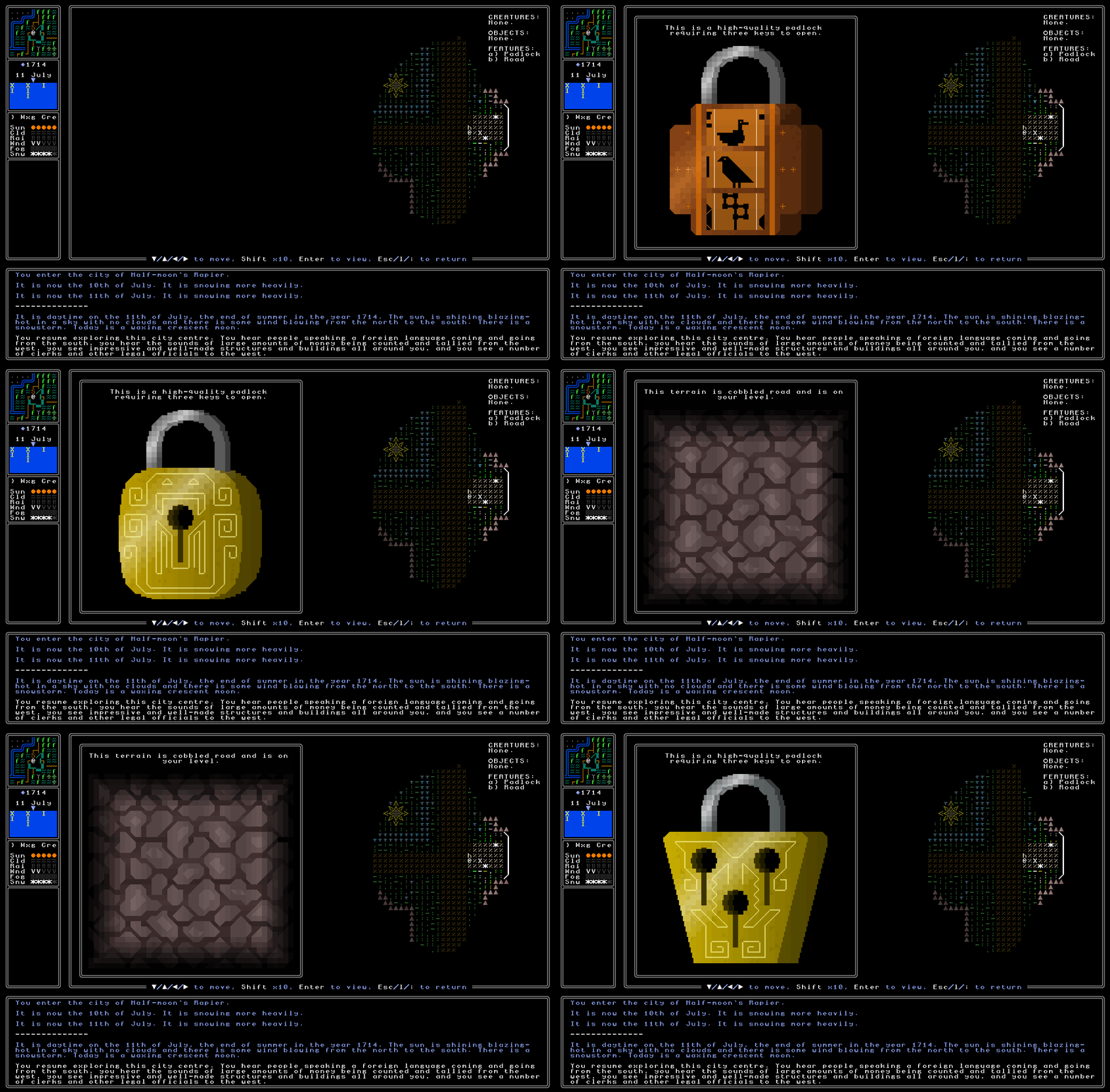
The place to start, then, is with padlocks. Right now the padlock generator can only generate padlocks, but cannot create a single fixed one that doesn’t change each time you look at it – this is how all the game’s generators are originally created, of course, and then the task becomes changing it from a generator that can make any kind of image of the item or feature in question, into something which is an actual in-game object with a fixed form, and connects to an altered generator that can take the information from the specific object and correctly draw one, and only one, variant each time (while still of course having the full range and variety of implementations across the full range of instances of that object that might spawn). The padlock generator is pretty complex, but as always the first stage was to create a new object type – “padlock” – and get one spawning, and ensure that the game can correctly handle it in terms of describing the object, showing it (not its full image, just its ASCII presence on-screen) correctly, uses the right terminology, and it interacts correctly with anything else such as other objects (e.g. a door or a chest) that it might of course share a tile with. This part generally doesn’t take too long and indeed it didn’t this time, and it wasn’t too long until we had a padlock object spawning with a debug keypress, and you could look at it, and it would show you a constantly-changing and regenerating image of the padlock in question, as well as some appropriate look-up information explaining that it is a padlock (just in case anyone happened to be unclear). This is always the first stage in taking something from the generator into actually being generated in the world, and here’s what it looked like this time, with me approaching a padlock I’d spawned and then taking a look at it, and then refreshing the looking several times to illustrate the point:
With that done, I now needed to each padlock only had one set of variables, and that (of course) those variables were created when the padlock was spawned, rather than being created afresh every single time the player decides to go in and look at a padlock. This is always a reasonably time-demanding process which involves moving everything that determines how an object looks out of the code that generates how it looks – i.e. moving its variables and characteristics out of the system that actually creates the image – and instead storing them in some kind of object, or a tuple, or whatever it might be for the particular thing in question. This took a little while, and was compounded by a bit of doubt and confusion I had around whether a padlock should be a “feature” in game, or an “item” in game. A feature is something that appears on the map but cannot be picked up, such as a table, or a door, or a sign outside a shop, or things of this sort, while an item is (obviously) an item that one can (generally) pick up and interact with. Chests are currently items, for example, and they need padlocks, but doors are features, and also need padlocks, and I needed one system that was going to work for both of them. After some consideration I decided to make them features, for various reasons, and I’ll in the future go back and make chests features instead – this isn’t just about making doors and chests aligned and similar in terms of how they interact with padlocks, but will actually make it much clearer that a chest is something that exists solely where it exists, and needs to be opened there, rather than something with more interactive options (i.e. an item). Anyway, with this done, padlocks can now correctly store all their information and will always show the same thing, correctly, each time the player looks at them, which means they’re ready to spawn into the game with the appropriate state (number of keys, symbols, quality, and so forth) that they need to give the player whatever information is required. Given what a large part of the game keys and locks are going to be, this is a great step forward, and the next thing here will be working on, indeed, spawning them correctly, and having doors and chests they spawn on genuinely inaccessible until the right key is acquired. Oh, and lastly, I’ve also removed the little coloured tags that show the difficulty and risk of the padlock – I just didn’t like how they looked at all, and they seemed far less visually pleasing than the rest of the image generator here, so I’m going to have to find another way to convey that.

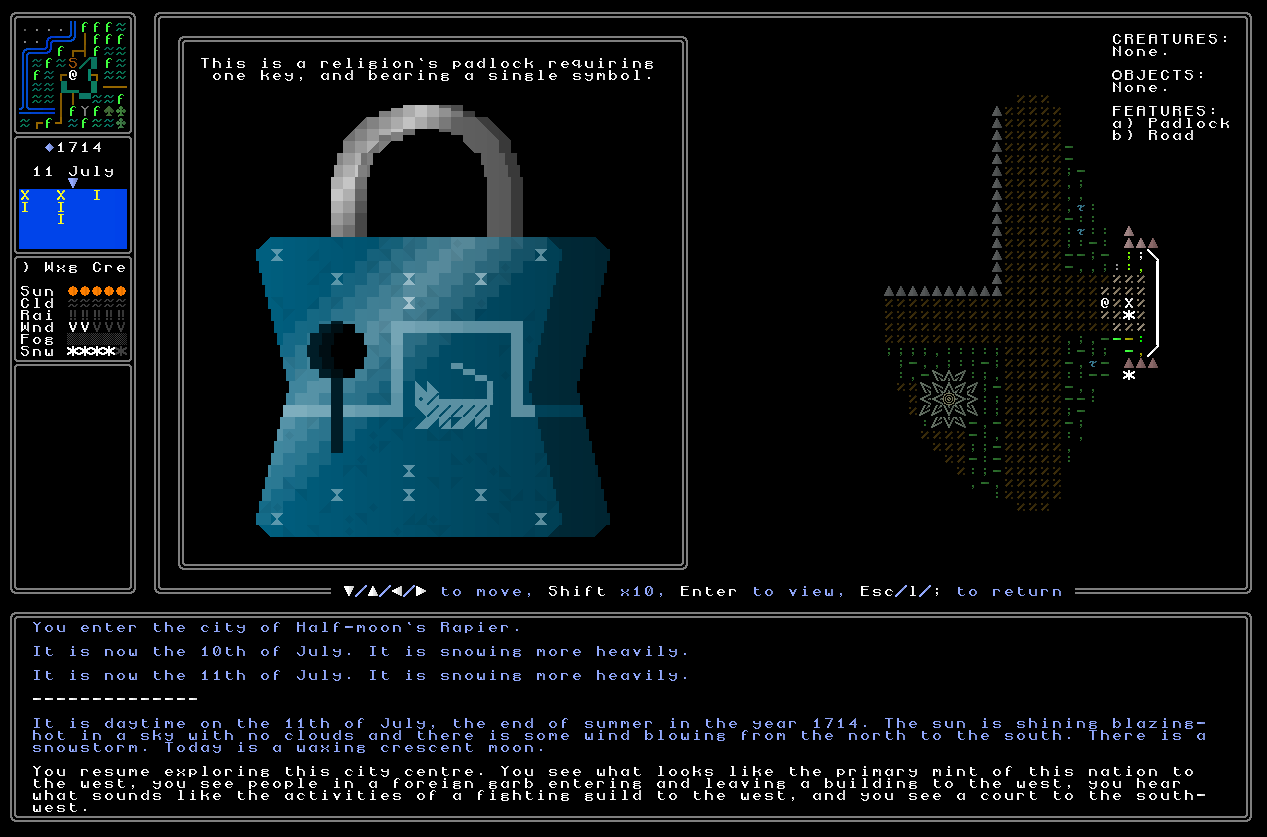
So there we go – I can now spawn a padlock, it’ll create a single fixed set of characteristics, and that’ll be what appears. However, in order to make this ready for what will have to come later in terms of how the game will have to use abstract data about generated riddles and quests in order to spawn the right unique padlock – not just any unique padlock – I needed to create a separate function, which I’ve called assign_padlock_info, in order to handle this. Right now assign_padlock_info just creates any unique padlock as shown in the screenshots above, but it’ll be very easy to integrate it in such a way that the function can take information from elsewhere in the game about what precise kind of padlock needs spawning, translate that into the right variables and information for the padlock, and then spawn that precisely correct padlock. As with many other systems in URR, this enables it to look like something (in this case a padlock) has always existed in the game world, even if in a technical sense it hasn’t. I could have a book describe a particular padlock in absolute detail, and then even if the player doesn’t spawn the padlock into the game until fifty hours later, it would always be the correct padlock, as if it had always been sitting there. This is ultimately the secret to everything I’m trying to do in URR, at least in a certain sense, since obviously a world with several billion tiles cannot possibly be generated and usefully stored at world generation, and so instead I just generate the information, which other information can even reference and use, about what will spawn when the player eventually gets to a certain place, or does a certain thing. As such, it’s really cool to see these in the game now, both on doors and chests, and this is a big step forward.
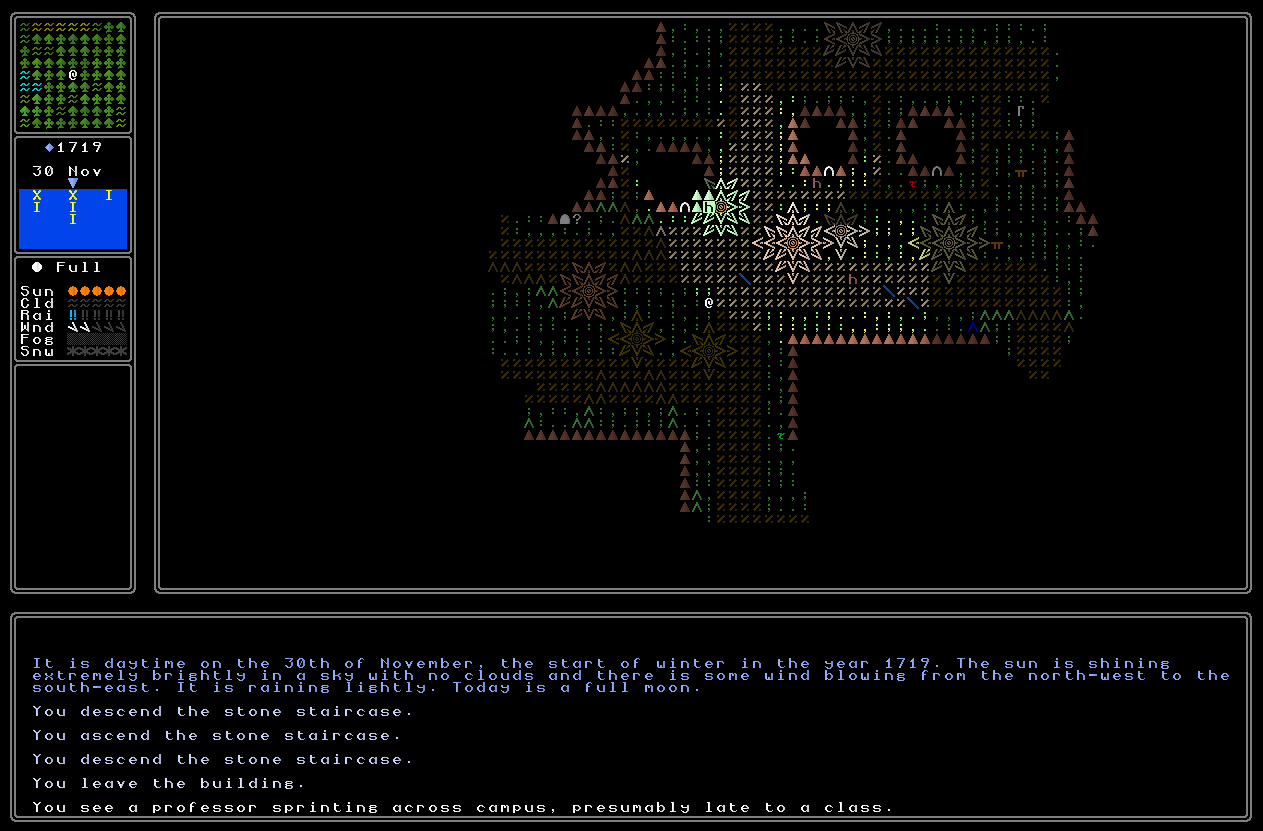
Finally, on this point, the door graphics in-game – i.e. when you’re walking around and looking at the textual characters making up the game world – now reflect whether or not a door has a padlock on it, or not (chests will always have padlocks on and thus don’t need two different characters). We now have the sort of “open door” character used for all doors and doorways which are not in some way locked, and the “closed door” character (which I’ve lightly adjusted to be very clear and unambiguous) is now used everywhere that there is a padlock. This is a small thing on one level, but actually I think quite an important one, and one which I think should become very apparent and clear to both people who’ve been following the project for a long time, and people coming entirely fresh to the project once 0.11 is released. I don’t want to be wasting players’ time by encouraging them to look at doors which aren’t even locked, and we want a locked door to be immediately visually clear and recognisable regardless of where the player is or what’s going on. Until now these two characters were generally used with the closed door character being for door in and out of buildings, and the open door character being for doors within buildings (i.e. between rooms, etc), but now this has been entirely changed to ensure visual clarity. I still need to keep checking this is actually working correctly now in all cases, but I’m pretty sure it is / should be – though there is some older, weirder code involving doors, which I need to double-check in order to ensure there are no problems. Nevertheless, this is definitely an improvement in visual clarity, and one which will both prevent annoying gameplay moments – e.g. going towards a locked door thinking it’s open – and enable moments of gameplay interest – i.e. immediately recognising a locked door when you see it, and thus knowing that could be opened, and something might be behind it.
Key Spawning
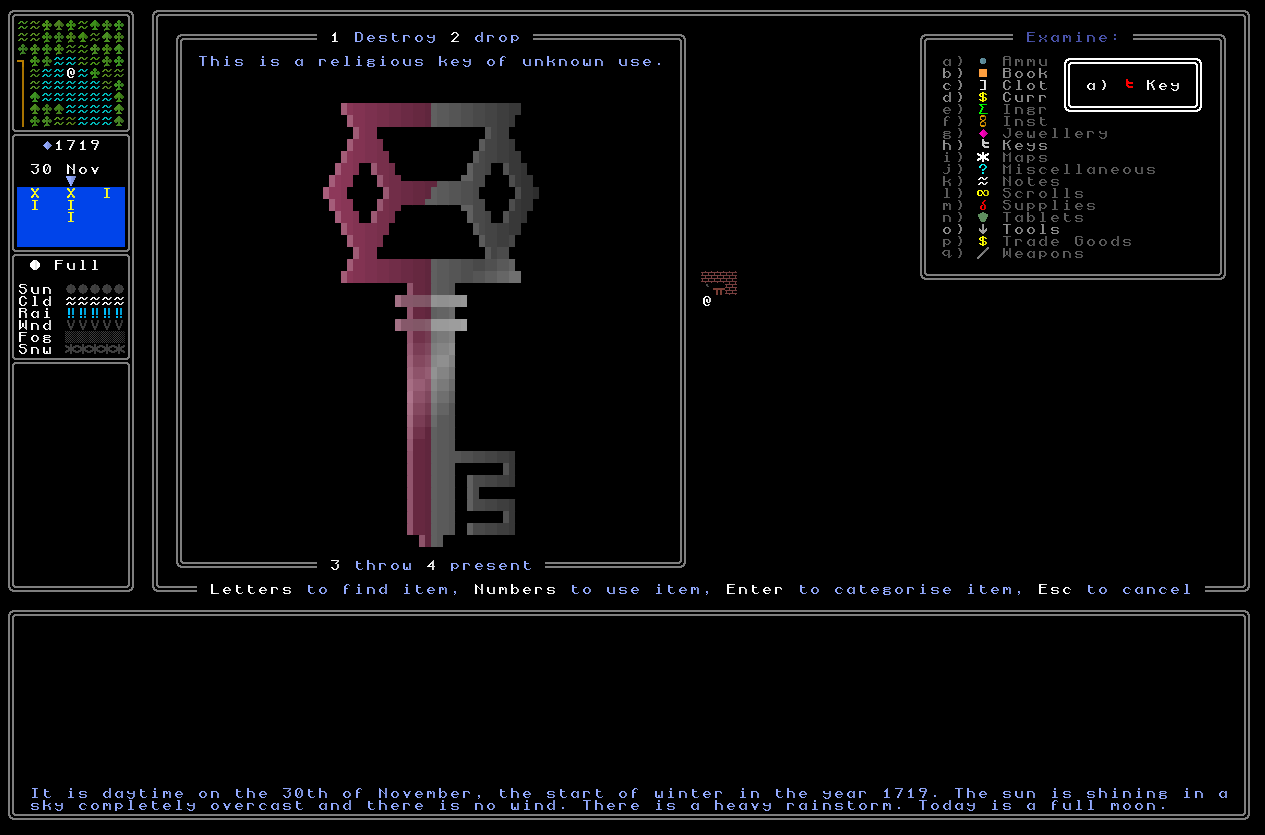
This then brought us onto keys. Unsurprisingly the first stage was the same – to get key items spawning into my inventory as a test, and then to ensure that the generator is working totally correctly in displaying them. This didn’t take very long again, and I soon had key items which were endlessly regenerating valid keys each time I looked at the key in my inventory. With that done it was then time to figure out how to connect the keys to the things they’re supposed to be opening. In most games this would be trivial – I don’t actually know how most games code this, but I would go about this by just giving each padlock some kind of id, giving each key some kind of id, and when you try to open a padlock the game checks what the door’s id is and what the key’s id is, and if they’re the same then you’re allowed to progress, and if not, then you’re not. This is fine for a game where you know what every padlock and key is going to be, of course, but this doesn’t apply in a very procedural content generation heavy game like URR. I have no idea what padlocks are going to be generated in a given world; I have no ideas what keys will need to be generated, nor where they might be; and most importantly I don’t know how many padlocks might exist. Beyond all that, one might encounter a key before a padlock, or a padlock before a key, but they need to match up. Doors currently generate ids by simply starting at 0 and then climbing up from there, and that is required to always match building interiors to the building exterior that should lead to them (i.e. doors with id X can look up the interior associated with id X, which can by definition only be generated after the external doors have been generated), but that wouldn’t work for keys. If a door was generated first, and the game noted down an important door’s id – for a religious building, say – then some code could be written to have that id in mind when a later key for that door is spawned, and give it the right id. It’s far from trivial, but doable.
The other way around, however, is of course where this completely falls apart. If a key is spawned before the door it’s meant to open is spawned… how can the key know the door id that it needs to open? I could imagine some kind of weird function which, every time a door is spawned, looks through all the keys in your inventory to see whether any key there is the key that should open it, and then retroactively (and secretly, unseen to the player) assigning it the correct id, but that’s pretty stupid, and seems an entirely backwards way to go about it. Instead, then, I’ve created a system where the key when created describes the nature of the padlock it should be unlocking, and then later when a padlock has been spawned attached to a chest or a door (whichever it might be), the padlock simply asks the key being used to try to open it “is this the kind of key that would open me?”. So, these are going to be very specific instructions, of course, rather than something generic like “religious chest” – instead, a set of instructions in the key when spawned (at which point the padlock might or might not have been spawned yet, but it does not matter for this system whether or not that is the case) would be something like “the religious chest, of high quality, containing clue #81, in the pagoda, in the city of [whatever], at coordinates [x] and [y]” – or something comparable. Then when you’re using that key to try to open said padlock, the padlock is able to ask the game “is that me?” and make an appropriate decision based on the answer that comes back. It’s complex putting together this system, but I’ve made excellent progress in this fortnight and anticipate this being done in the pretty near future.
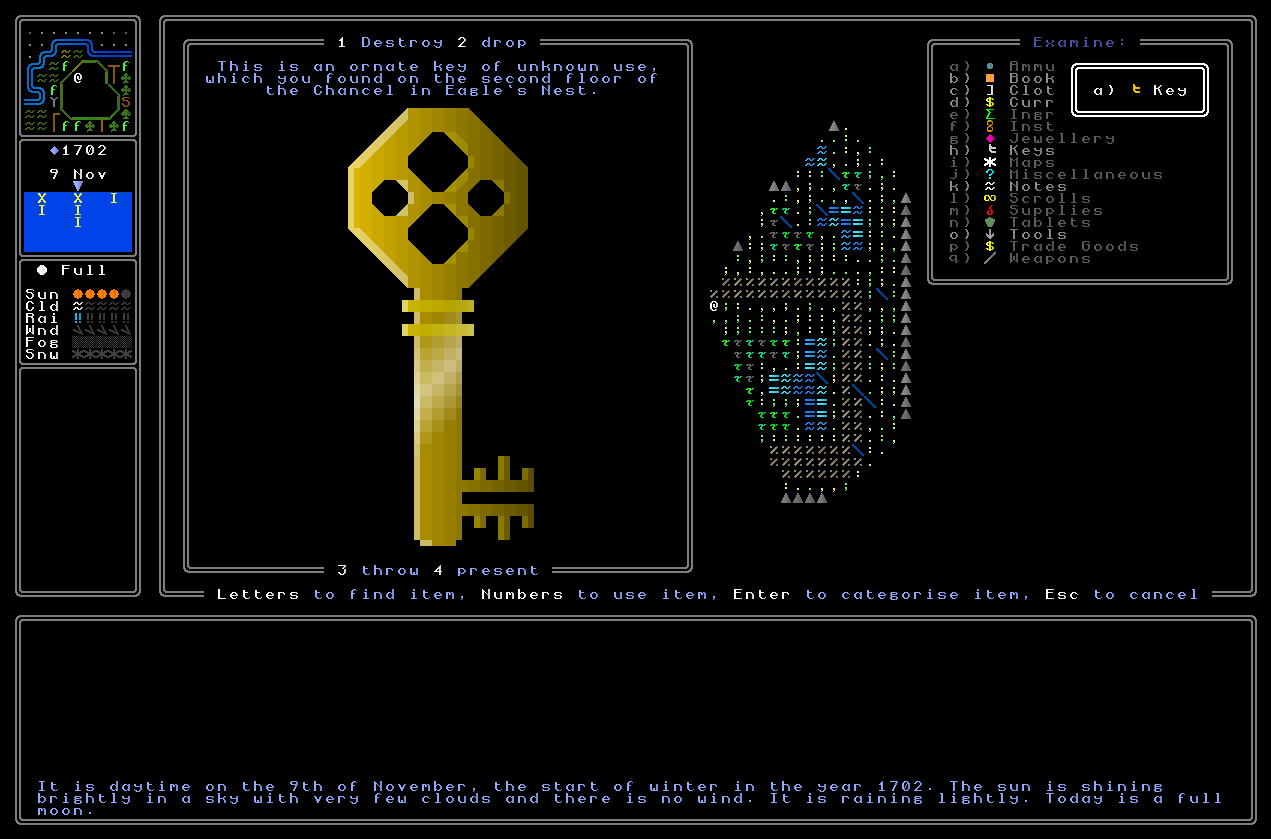
So – can keys now open padlocks?! Well… no, not quite. The thing will be ensuring that these two systems align with each other and work smoothly together, and also for adding the various different ways keys can be used. As readers might remember, a lock with no potential penalty for an incorrect attempted key will automatically test every key the player has in their inventory (in lieu of imagining the player manually just trying each key, over and over, until they find the one on their keyring that actually fits) whereas a lock with a potential penalty will invite you to select a key or combination of keys to try. This needs a bit of work, as does the combination of the systems for storing padlock information and key information, but that’ll be coming in the next week or two. But with everything listed here done, the cornerstone of the system is implemented now, and it has honestly felt really good to get back to substantive additions and alterations, and the creation of a really core system!
0.10.4d Released!
Finally, 0.10.4d is now live on the downloads page, and should be the smoothest, safest, fastest, and most reliable exploration of URR’s generated world that has ever been put out there! If you have an hour to spare, please do check it out, explore, look at things, and send me any bug reports you might come across. I should note that I am aware that going into lots of homes in a town will very rarely elicit a crash – I know the cause and it’s at the absolute top on the to-fix list, quite literally in the #1 position – and I know that under extremely rare circumstances (so rare I’m currently struggling to reproduce them) entering loads of buildings within a city centre district, and then waiting around for a long time, can also produce a crash (this being #2 on the list). Both of these are genuinely difficult to reproduce however, and even that is when I’m actively and deliberately trying to trigger them, so as long as you don’t investigate many dozens of private domiciles in towns, nor sit around for vast blocks of time in city centres, you really should be fine. Please do give it a look and let me know what you think, especially of the journal, the new start with the tutorial system, and everything else! And, again – any issues you might encounter. We’ll be doing more bug-fixing updates in the future for 0.11, but for now I really do think this ought to be a very stable version of the game indeed (fingers crossed).
What next?
Thanks for reading, friends! For next fortnight’s entry I’ll be finishing off the remainder of the jouranl – including enabling it to successfully record padlocks which are seen, regardless of what the padlock might contain – and this’ll be another fantastic milestone. Then after that, it’s just about implementing riddle poem generation (which is finished, but not implemented), fiddling around with chests and padlocks and doors to finish them off and ensure everything’s working correctly, clearing out the remaining bugs and adding some more tutorials and polish… and then we might actually be ready to, er, launch, the first roguelike of procedurally generated riddles? That’s very exciting to write, and I really do hope it’ll happen in 2026. Thanks as ever for reading; please do let me know your thoughts below; please do share this around on the web if you know others who might be interested; and I’ll see you in two weeks for the next update!
Regarding the lock difficulty/risk – I can’t recall if you were planning to implement wear and tear on locks, but if not, could wear and tear somehow be an indicator or difficulty? As in, lots of scratches signifies lots of failed attempts at picking the lock?
Thanks for the comment Neil! That’s an interesting idea, and I actually hadn’t considered adding that aspect to the image generator. You’re right though, that could be a way to suggest something about the degree of risk, though I’d of course need to make that clear in a tutorial or similar in order to convey the relevant information to the player. Hmm. I’ll think some more on this one and see whether this could be the way forward!
Regarding padlock difficulty indicators: maybe it could be as simple as the quality of the lock indicating its difficulty, in the same way that many of your other generators (such as weapons) can create different quality levels. A fancy, expensive padlock is presumably more challenging than a cheap-looking one. I was at a hardware store recently and saw a rack full of padlocks (…which made me think of URR!), and the most popular brand actually had a little meter on the side of each padlock’s package indicating its security level (which, naturally, correlated with its cost). Of course, that meter was on the *package* and not on the lock itself, but the expensive high-security locks definitely looked (and were) more expensive.
Matching keys to locks that haven’t been generated yet is a technical challenge that I hadn’t considered. In most cases, I would imagine that keys would be found relatively close to their locks, such as in the same building or city (which has presumably already been generated if you’re exploring it), but there could be plenty of other times in which this isn’t the case — particularly when you’re globe-trotting across nations on a treasure hunt. It looks like you have some solid systems in mind on how to make this work, so I’ll look forward to seeing it in action.
I will also look forward to trying out 0.10.4d sometime this week, and to the next update…and the launch, of course!
You’re totally right – I might just simplify for difficulty and go with “lock quality = difficulty”. Honestly, that works really nicely, and doesn’t run the risk of cluttering up the visual at all! So I think that’ll do nicely. The “risk level” remains the tricky thing though… but I suppose I could find a way to add it to the written description of each padlock, e.g. “This appears to be connected to a basic mechanism of some sort” and switch out “basic” for “more advanced” or “highly complex” to suggest the danger level. That would work, but relies on reading, rather than an obvious visual thing. Hmmmmm………..
(And, thank you! Please do let me know if you encounter any bugs and the like, of course, whether trivial, or crash/freeze…)
Hi Mark,
Brilliant update as always, I’m a little behind in my reading of your updates! :O
I second Crowbar’s comments regarding lock quality signifying difficulty, or even as simple as material type being the indicator.
Bronze = Easy
Silver = Challenging
Gold = Hard
Seems to fit in line with your other generators where visual quality determines approach.
All the best 🙂
Kyle
Hello Kyle! Thanks so much for the comment – and, yeah, I think I have been persuaded! It does mean *rarely* one might see, for instance, a lower-class door with a golden padlock on it, but actually, that’s not an issue. It just signals that this is an unusually important place despite its humble appearances, and that there might be more to the resident than meets the eye…